The actions available for sync jobs are always those specified by the adapter of the connected system. This means that ChurchTools will display all the actions available for your connection and job types.
The actions you select for your task allow you to link and manage data pairs. For all data pairs, you can manually unlink them and relink them as needed.
1. Personal Data #
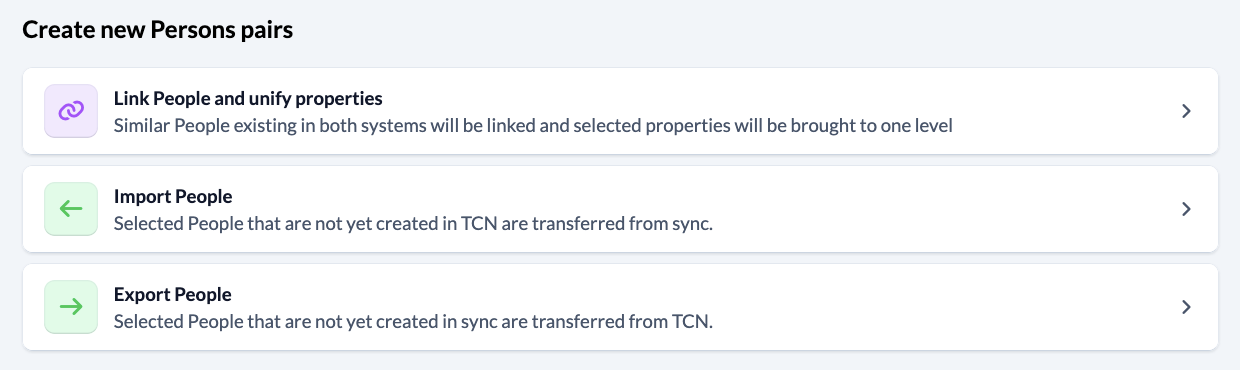
1.1 Actions for creating new pairs of people #
Link people and unify properties
- For both systems, a check is performed to determine which individuals meet the respective conditions.
- Next, for the individuals identified in both systems, the system checks whether there is a matching individual in the other system—no conditions are taken into account in this process.
- A combination of first name, last name, e-mail, and date of birth determines whether a person in your system is linked to the same person in the connected system. The minimum requirement for linking is that a person’s first and last names must be identical in both systems.
Import persons
- The linked system checks which individuals meet the criteria for the linked system.
- Next, the system checks whether a matching person already exists in your system for the identified individuals—no criteria are taken into account during this process to avoid duplicates. The criteria for your system do not play a role.
- Only the properties selected for this sync job will be transferred.
- The person is created in our own system.
- Newly created individuals are linked to the corresponding individual in the connected system.
Export persons
- The system checks which individuals meet the criteria for that system.
- The system then checks whether a matching person already exists in the connected system for each of the identified individuals—no conditions are taken into account during this process in order to avoid duplicates. The conditions for the connected system do not play a role.
- Only the properties selected for this sync job will be transferred.
- The person is created in the connected system.
- Newly created individuals are linked to the corresponding individual in your own system.
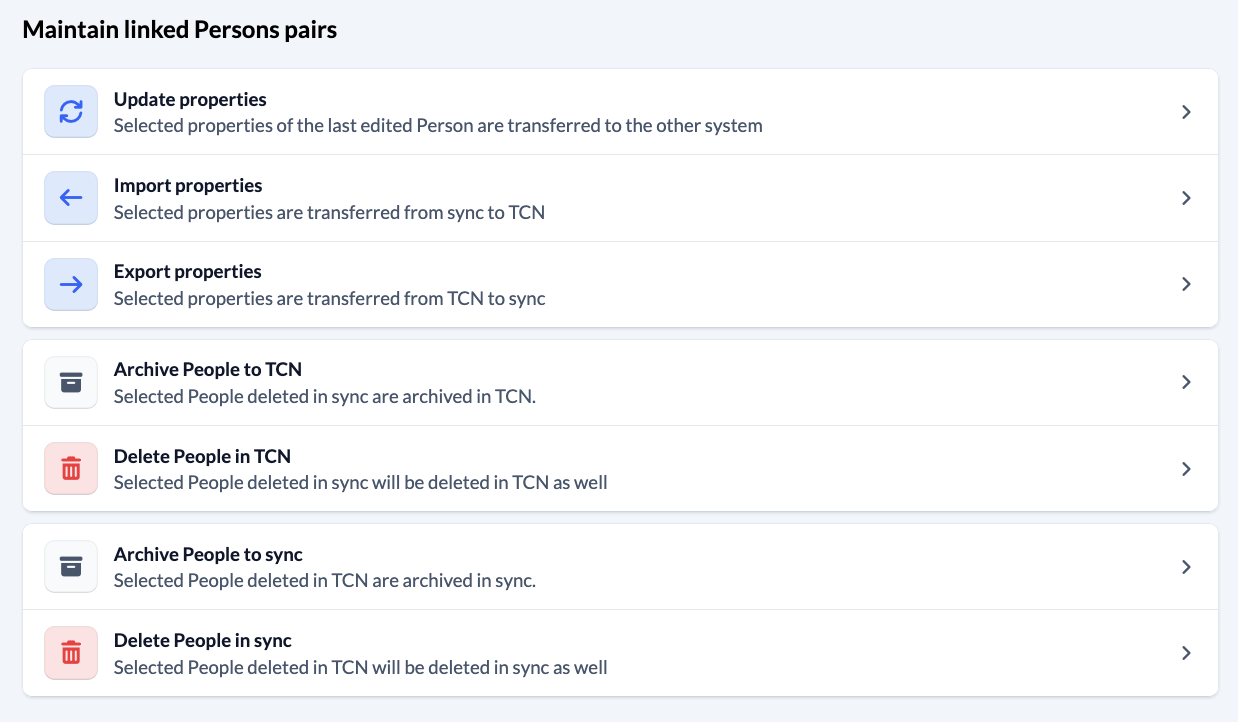
1.2 Actions for Managing Linked Person Pairs #
Update properties
- This action is performed for pairs of individuals who are already linked and who meet the specified conditions in at least one of the two systems.
- If that is the case, the properties of the person whose data is older (or whose last modified date is further in the past) will be updated.
- If no conditions are specified in one of the systems, then all pairs of people are always taken into account.
- Even properties that have not been filled in are transferred—properties that have been filled in may be overwritten.
- If a person’s information has changed in either system since the last update, some data may be lost.
Import properties
- This action is performed for pairs of individuals who are already linked and who meet the specified conditions in at least one of the systems.
- If that is the case, the person’s information will be updated in your ChurchTools account.
- If no conditions are specified in a system, then all pairs of people are always taken into account.
- This action applies only to properties selected for this sync job.
- Even properties that have not been filled in are transferred—properties that have been filled in may be overwritten.
Export properties
- This action is performed for pairs of individuals who are already linked and who meet the specified conditions in at least one of the systems.
- If that is the case, the person’s attributes are updated in the connected system.
- If “no conditions are specified” in a system, then all pairs of people are always taken into account.
- This action applies only to properties selected for this sync job.
- Even properties that have not been filled in are transferred—properties that have been filled in may be overwritten.
Archive or Delete People in Your Own System
- For all pairs of linked individuals, the system checks whether the conditions for the individual in its own system are met and whether the linked individual no longer exists in the connected system.
- The conditions for the connected system do not play a role.
- If that is the case, the person is archived or deleted in our system.
Archive or Delete Users in the Connected System
- For all pairs of linked individuals, the system checks whether the conditions for the other system apply to the individual from the linked system, and whether the linked individual no longer exists in the linked system.
- The conditions of your own system do not play a role.
- If that is the case, the person is archived or deleted in the linked system.
2. Financial Data #
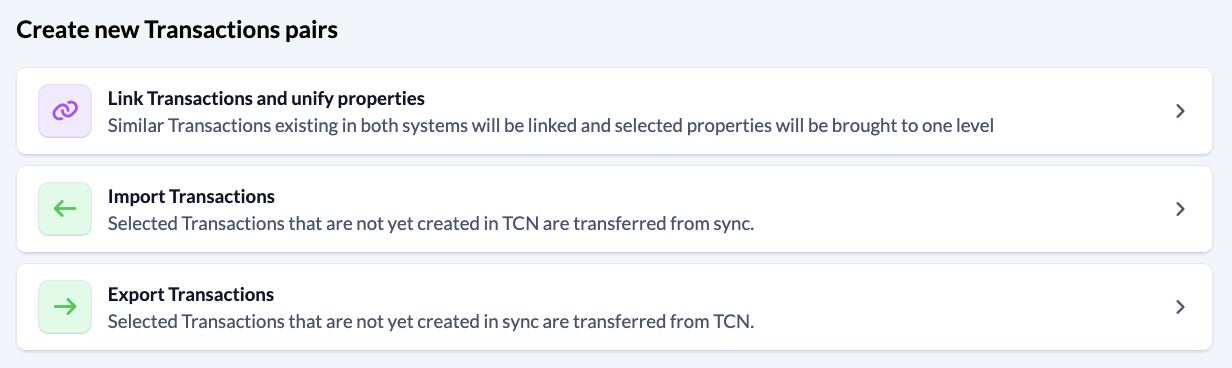
2.1 Actions to Create New Pairs #
Link Transactions and Unify Properties
- For both systems, the system checks which transactions meet the respective conditions.
- The system then checks whether there is a matching transaction in the other system for the transactions identified in both systems—no conditions are taken into account in this process.
- Two transactions are linked when all their fields are identical in both systems. The exception is the donor IDs.
- Only the properties selected for this sync job will be unified.
- This action unifies properties only once to ensure they are identical. The linked transaction pairs can be kept in sync using “Maintain Transaction Pairs.”
Import transactions
- The linked system checks which transactions meet the conditions for the linked system.
- The system then checks whether a matching transaction already exists in the local system for the identified transactions—no conditions are taken into account during this process to avoid duplicates. The conditions for the local system do not play a role.
- Only the properties selected for this sync job will be transferred.
- Newly created transactions are linked to the corresponding transaction in the connected system. The resulting transaction pairs can be maintained as transaction pairs starting with the next execution of this sync job.
Export transactions
- The system checks which transactions meet the criteria for that system.
- The system then checks whether a matching transaction already exists in the connected system for the identified transactions—no conditions are taken into account during this process to avoid duplicates. The conditions for the connected system do not play a role.
- Only the properties selected for this sync job will be transferred.
- Newly created transactions are linked to the corresponding transaction in your own system. The resulting transaction pairs can be maintained as such starting with the next execution of this sync job.
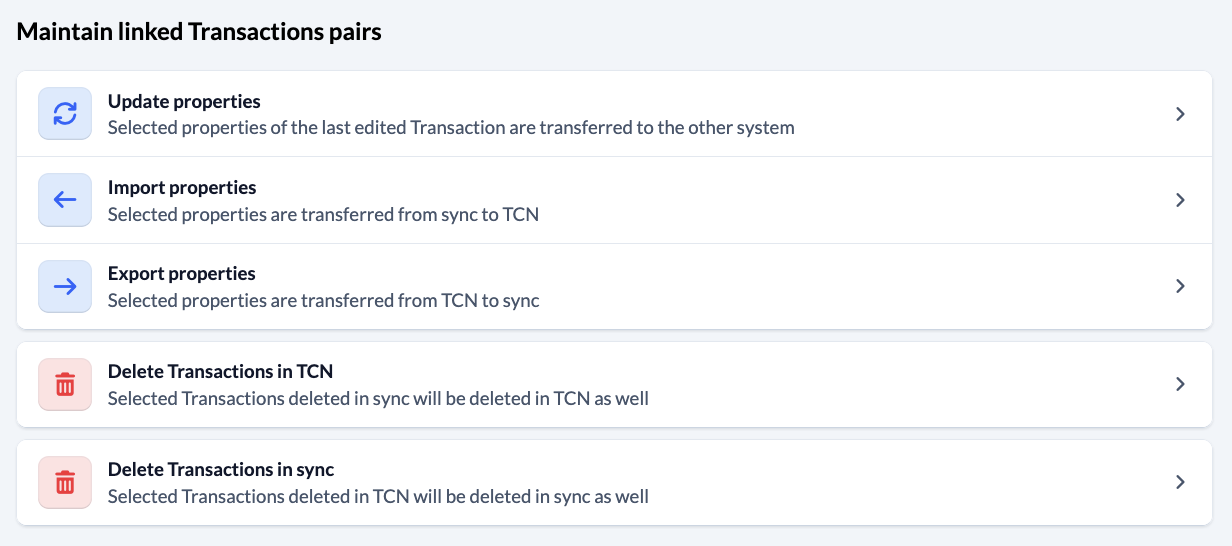
2.2 Actions for Managing Linked Pairs #
Update properties
- This action is performed for transaction pairs that are already linked and that meet the specified conditions in at least one of the two systems.
- If no conditions are set in a system, then all transaction pairs are always taken into account.
- Even properties that have not been filled in are transferred—properties that have been filled in may be overwritten.
- If the details of a transaction have changed in both systems since the last update, data may be lost.
Import properties
- This action is performed for transaction pairs that are already linked and that meet the specified conditions in at least one of the two systems.
- If no conditions are set in a system, then all transaction pairs are always taken into account.
- This action applies only to properties selected for this sync job.
- Even properties that have not been filled in are transferred—properties that have been filled in may be overwritten.
- At least one of the two linked transactions must meet the system’s transaction selection criteria.
Export properties
- This action is performed for transaction pairs that are already linked and that meet the specified conditions in at least one of the two systems.
- If no conditions are set in a system, then all transaction pairs are always taken into account.
- This action applies only to properties selected for this sync job.
- Even properties that have not been filled in are transferred—properties that have been filled in may be overwritten.
- At least one of the two linked transactions must meet the system’s transaction selection criteria.
Delete transactions in your own system
- All already linked transaction pairs are checked to determine whether the conditions for the home system apply to the transaction from the home system, and whether the linked transaction no longer exists in the connected system. The conditions for the connected system do not play a role.
- The transaction in our system will be deleted.
Delete transactions in the Linked System
- All already linked transaction pairs are checked to determine whether the conditions for the linked system apply to the transaction from the linked system, and whether the linked transaction no longer exists in the local system. The role of the conditions for the local system is not important.
- The transaction in the linked system will be deleted.