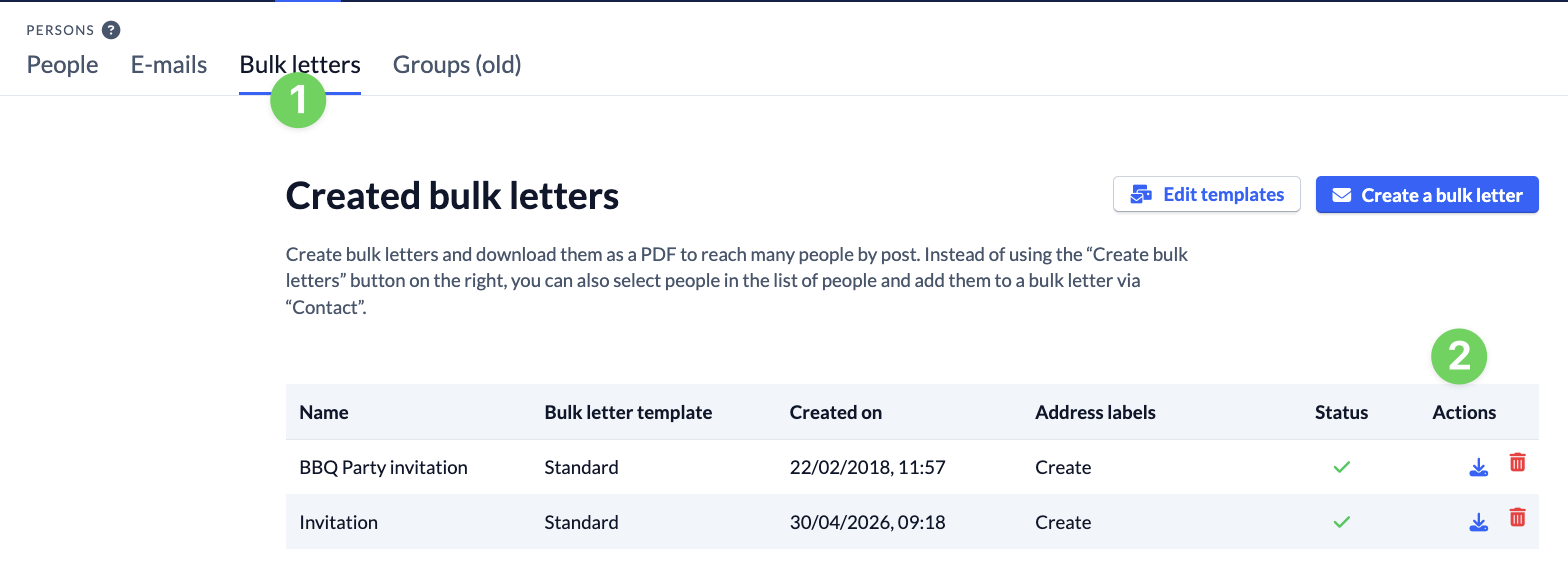
The mail merge function can be used to create pdf files in letter form that contain personalized data of ChurchTools users, such as address, name, etc…
Prerequisites #
To be able to create bulk letters, you need the right create bulk letters (edit bulkletter).
In addition, every bulk letter is based on a template.
You can find out how to create templates for bulk letters here.
Create bulk letter #
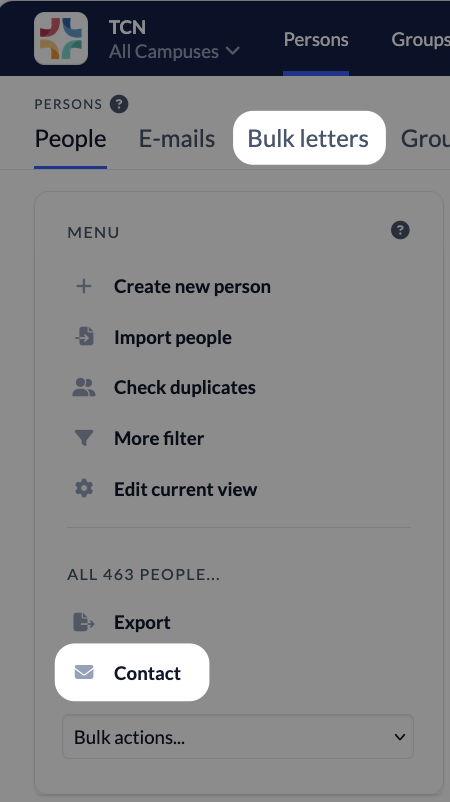
You create bulk letters in the People module. To do this, select all the people who should receive the bulk letter. Then click on Contact in the menu on the left and select Compose a bulk letter in the following menu. Or you can switch to the Bulk letters section and create it directly there.
You have the following options in the window that opens:
- (1) Add or remove recipients
- (2) Omit or include recipients with incomplete addresses
- (3) If several recipients come from one household: Select that only one bulk letter should be created.
- (4) Select template
- (5) Name bulk letter (this title will be displayed later in the list of all bulk letters)
- (6) Compose bulk letter
- (7) Use placeholders
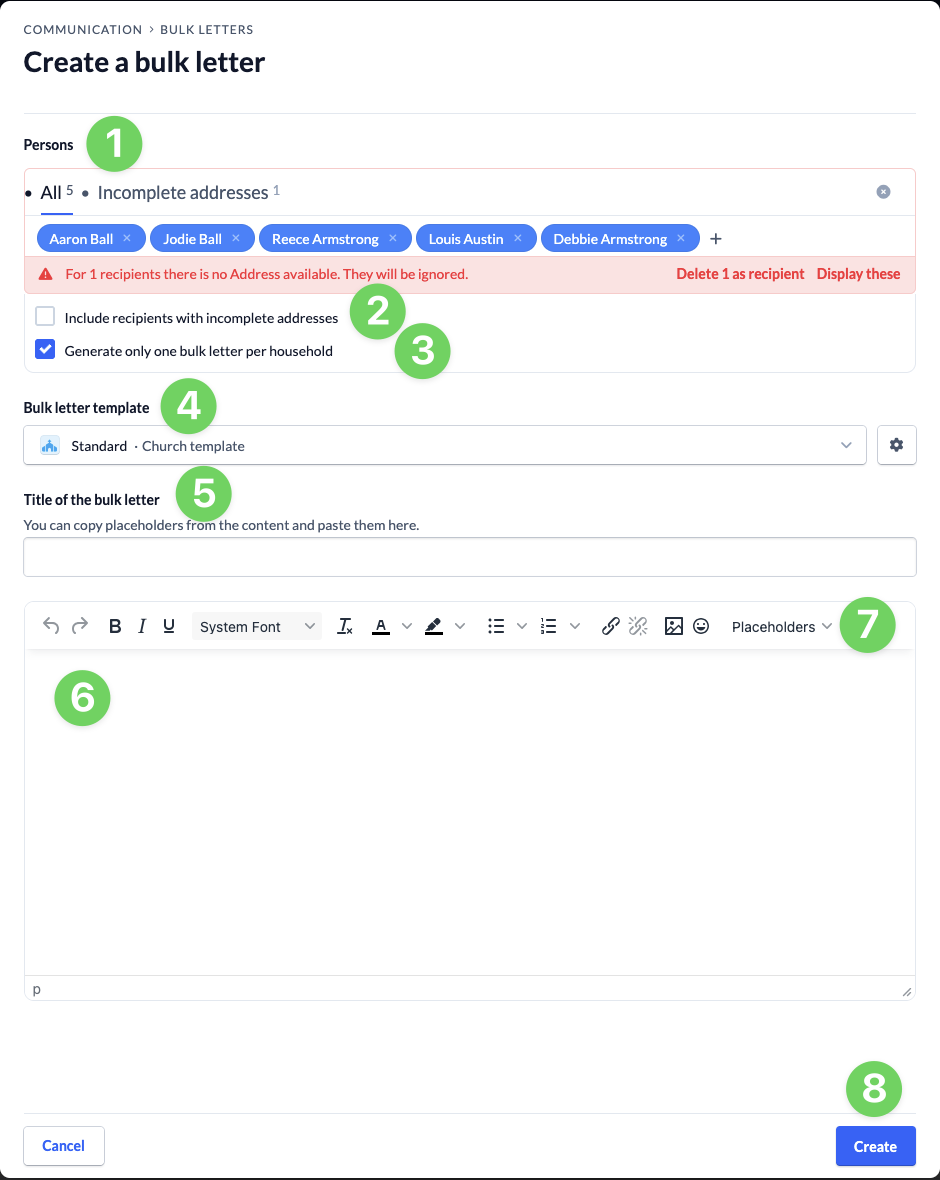
Once you have created your bulk letter (6), click on Create (8). Once the bulk letter has been created, you can download it under Bulk letters (1) (2) and then print it out.