1. Access Cost Centers in the Master Data #
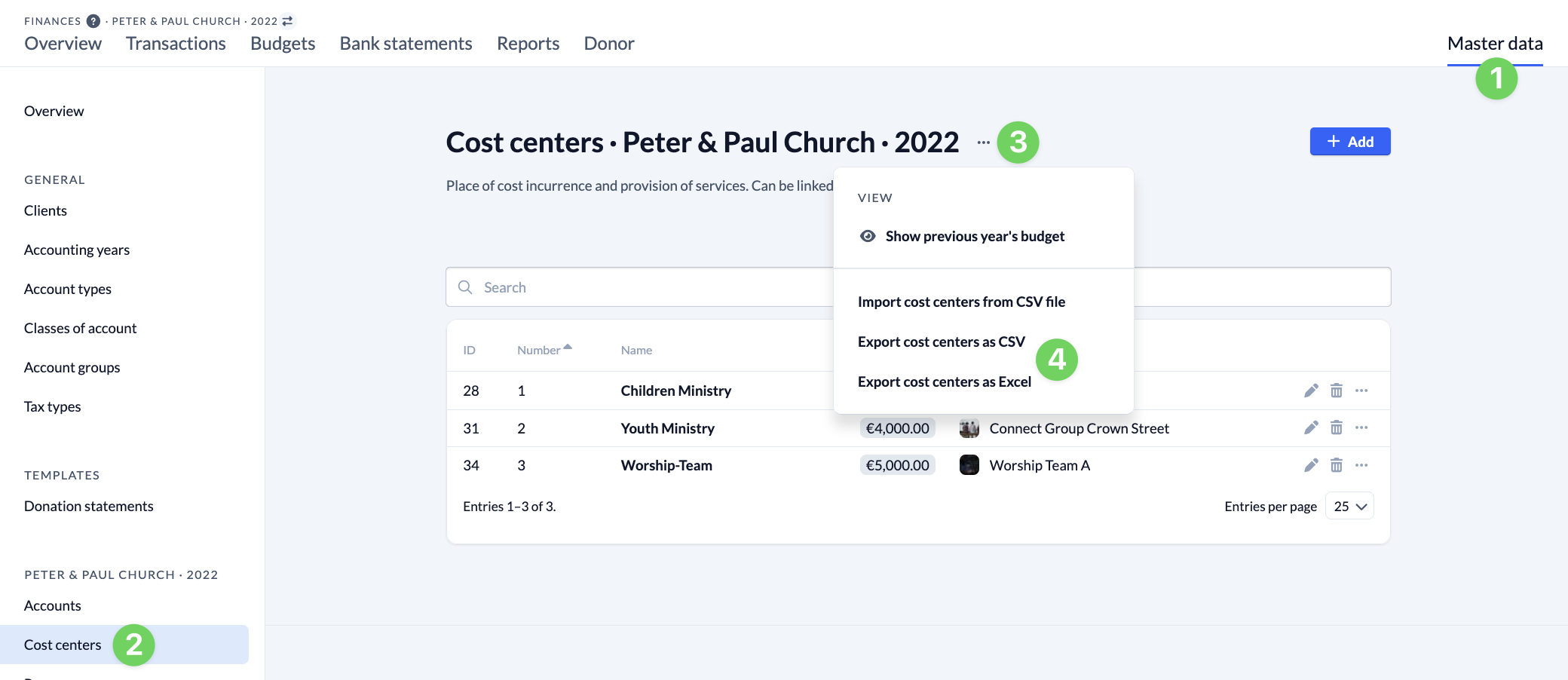
In the Finances module, open the Master Data (1) and navigate to Cost Centers (2).
2. Export Cost Centers #
There, click the three dots (3) next to the heading to open the context menu for the cost centers. From there, select ” Export cost centers as CSV or Excel ” (4). You’ll find the downloaded file in your Downloads folder.