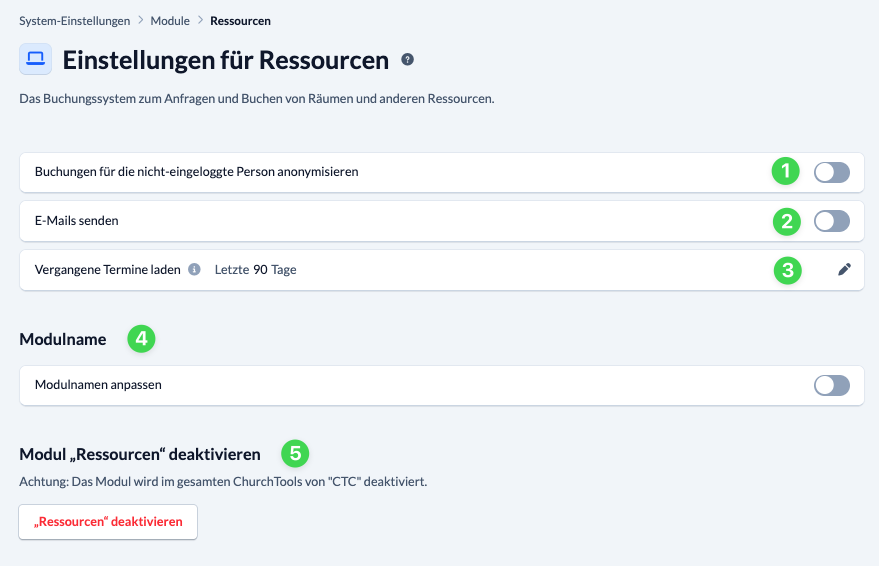


In the System settings, under Modules > > Resources, you can configure various settings for the Resources module.
You can specify that bookings for users who are not logged in should be displayed anonymously (1) and whether or not system e-mails regarding resources should be sent (2).
In addition, under “Load Past Appointments”(3), you can specify the number of days in the past for which appointments should be loaded into the web calendar. The default setting here is 90 days.
Below that, you can customize the module name (4) and enable or disable the module (5). Please refer to our notes on System settings for modules.