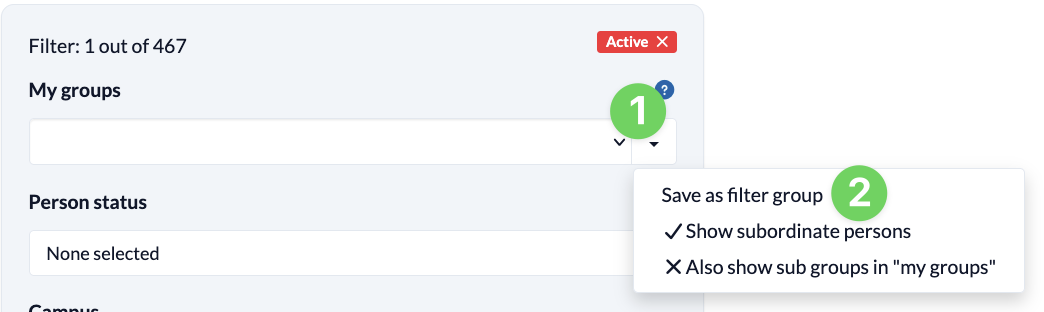


Since early 2019, there has been a powerful group filter that offers an incredible number of options.
Using a real-world example, we’ll show you how to make the most of these filters.
Add additional information on data protection. #
The data protection features in ChurchTools are an important part of member management. But beyond the standard information, many congregations need additional details:
- Does the person consent to having their photo published?
- May the person appear on the PDF membership list that is sent out annually?
- Does the person consent to having their year of birth published?
Of course, you have the option to create additional personal data fields in the master data. However, you cannot (yet) filter these fields. (An extension is planned.)
Here’s a way you can filter them after all:
- Create a new (hidden?) group for data protection and add all individuals for whom additional information is available to that group.
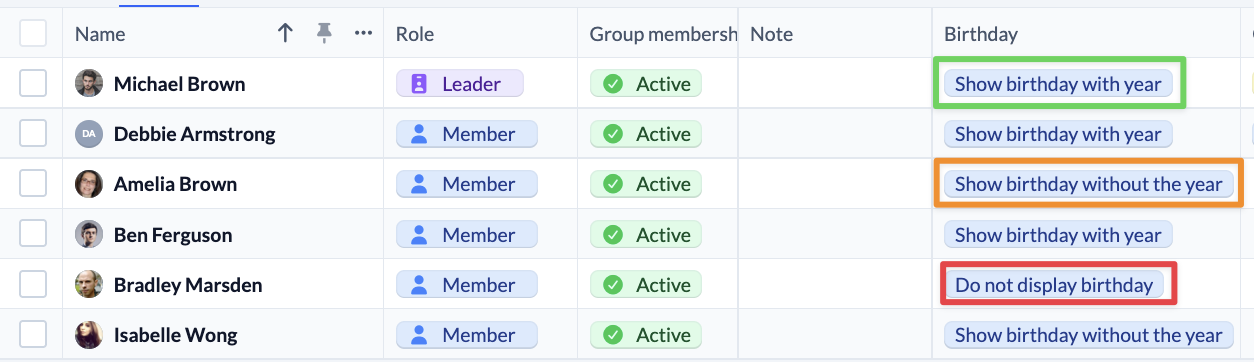
- You can now create data records that you wish to filter. Here, for example, is a field indicating whether someone has given permission for their birthday to be published:
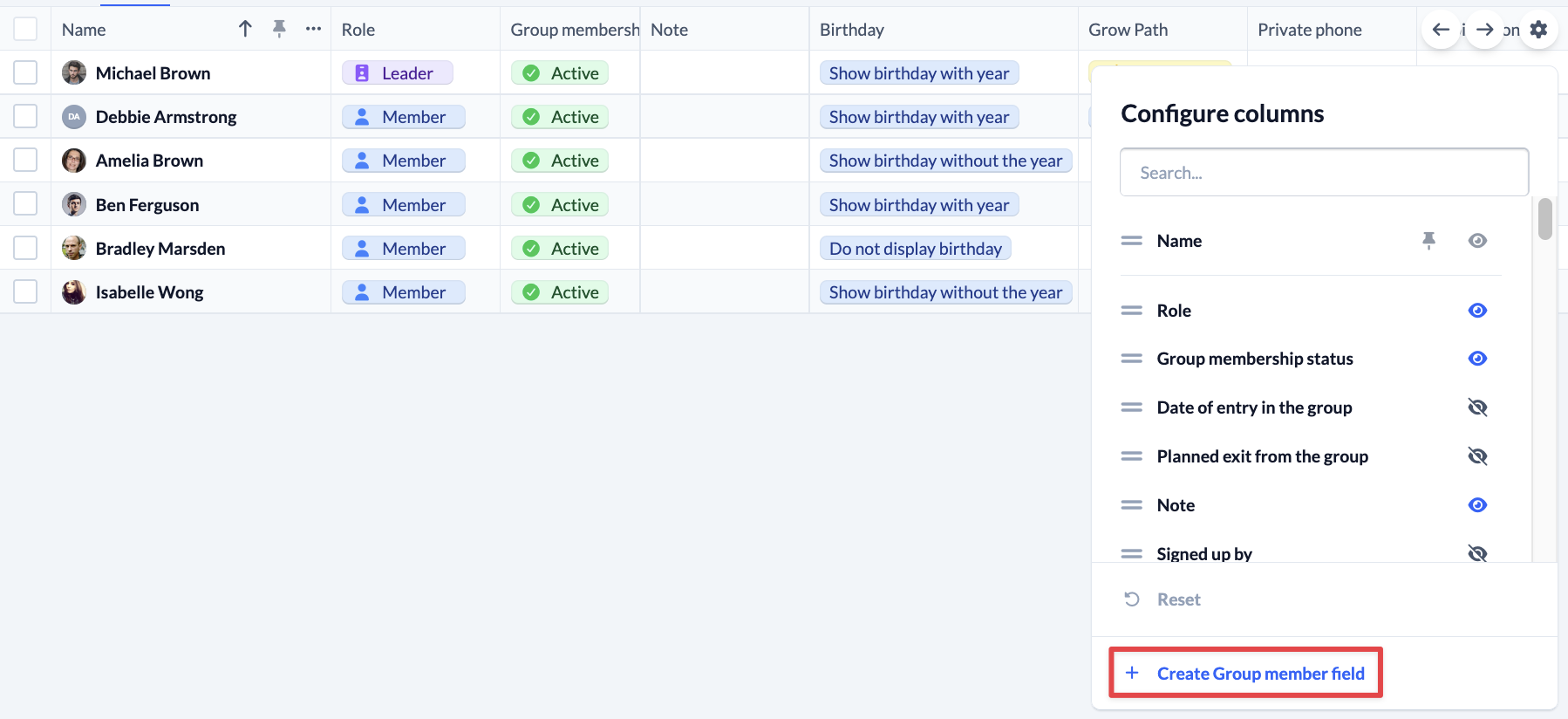
You can add it by clicking the small “+” sign:
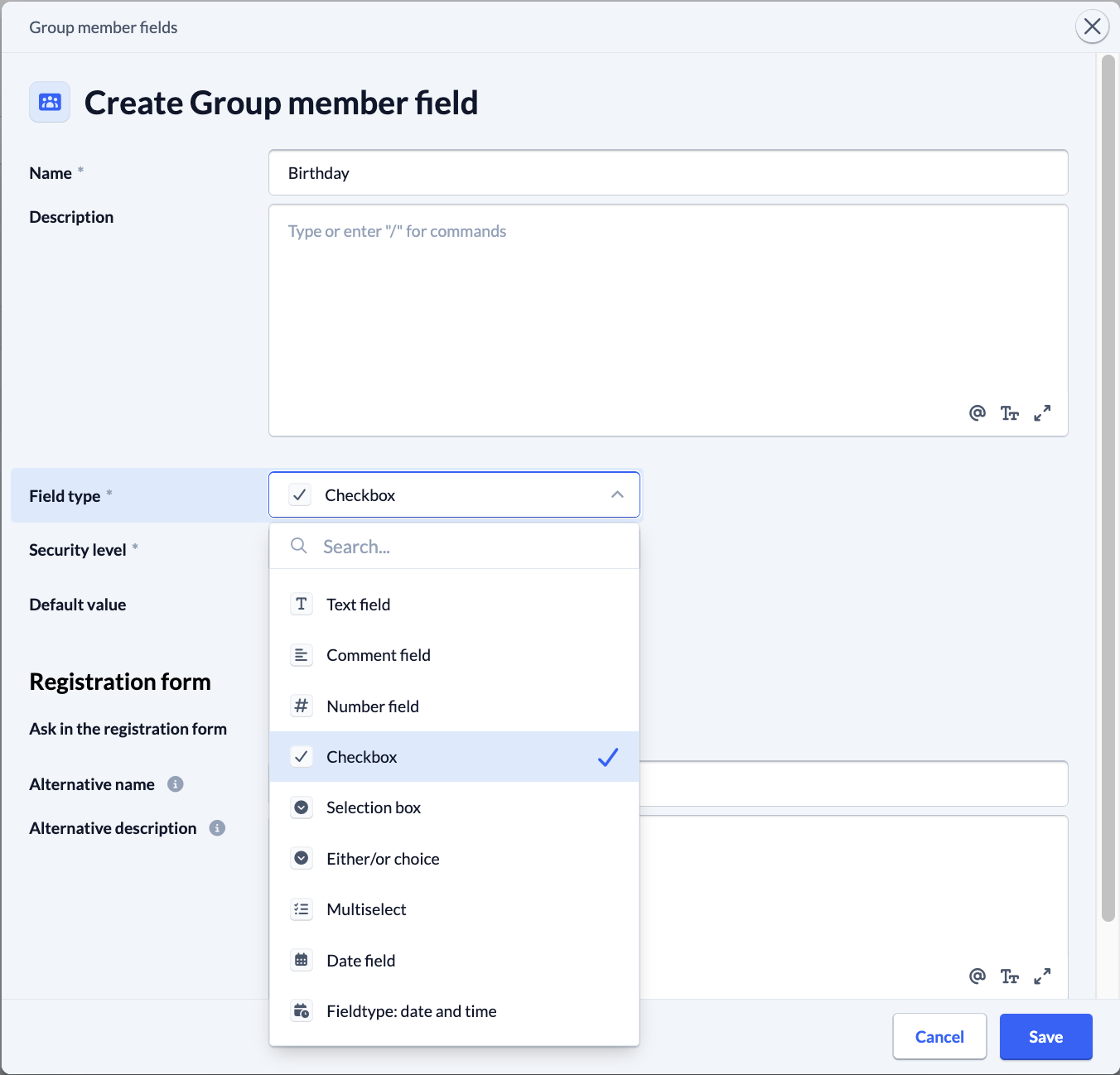
- When creating a field, you select a field type.
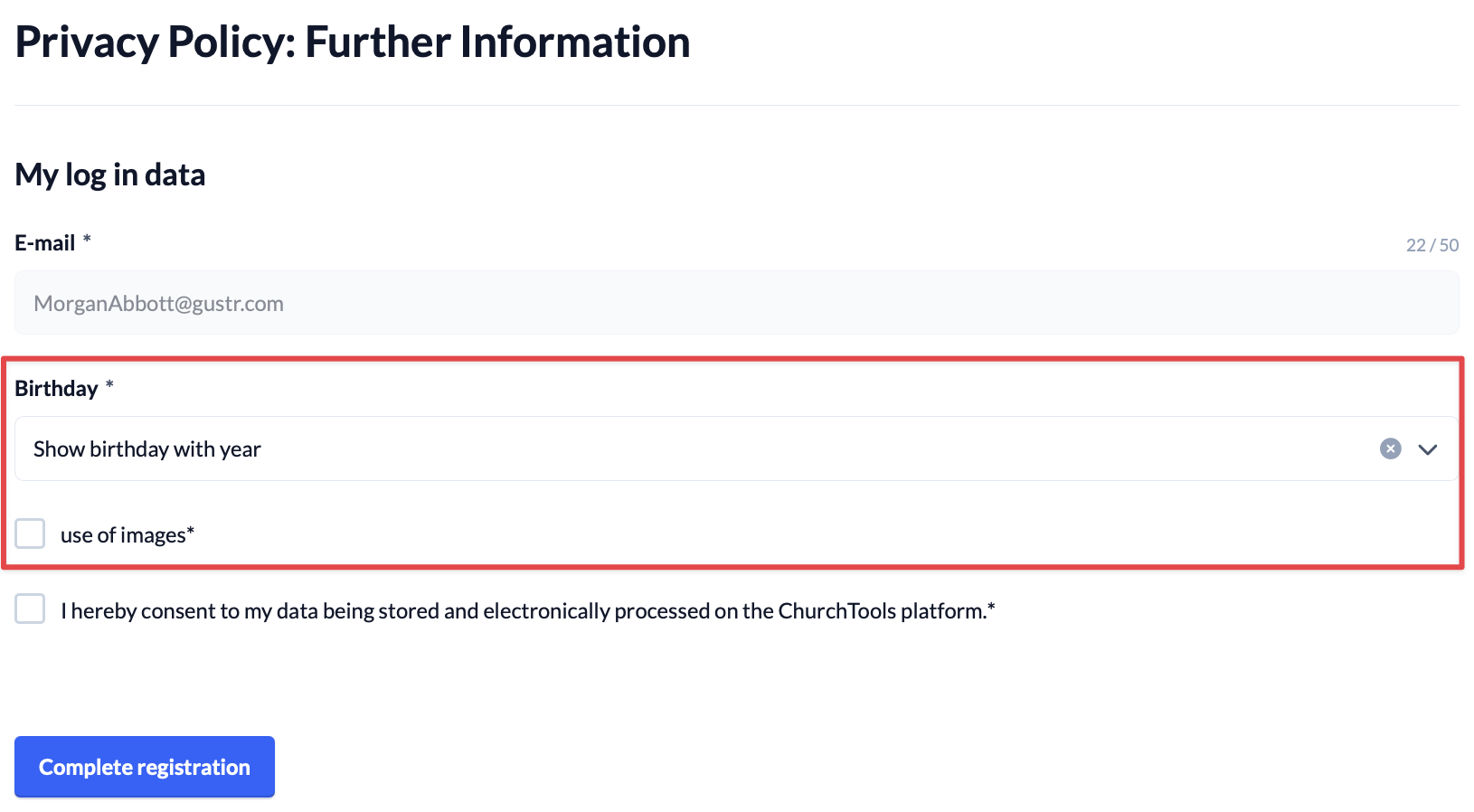
You can even choose to allow these options to be filled out on a registration form (check the box next to “Mandatory field in registration form”). This allows you to send an e-mail to all congregation members and use a group registration form where members can check the boxes themselves to indicate how their data may be used:
Here’s what a registration form might look like: (All logged-in persons with the global authorization “See group incl. its group members” or the group-internal authorization “See group with visibility ‘Hidden’” can see the group and register.)
- I can then filter these fields to my heart’s content:
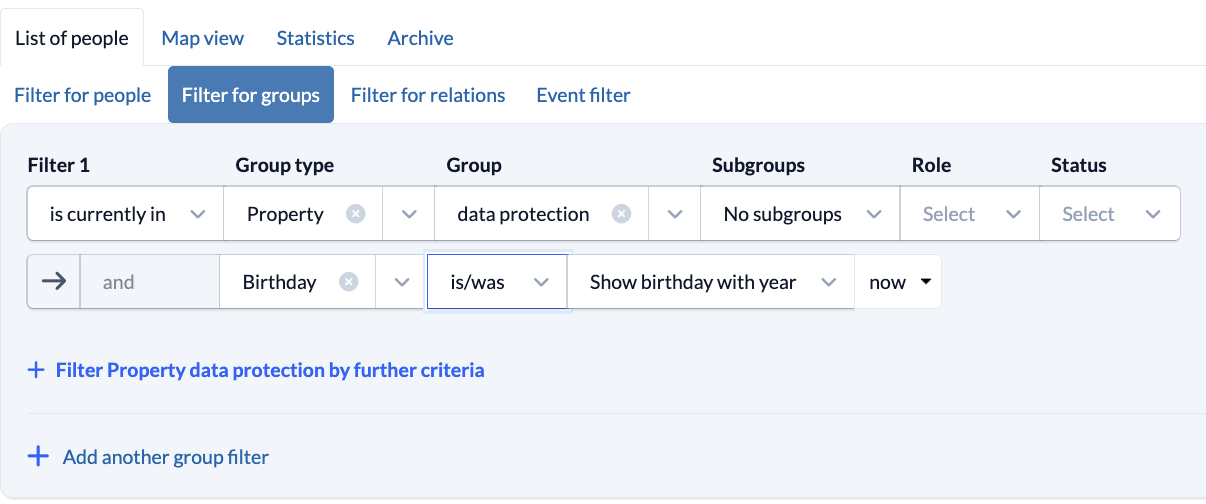
Who authorized the publication of the birthdays?
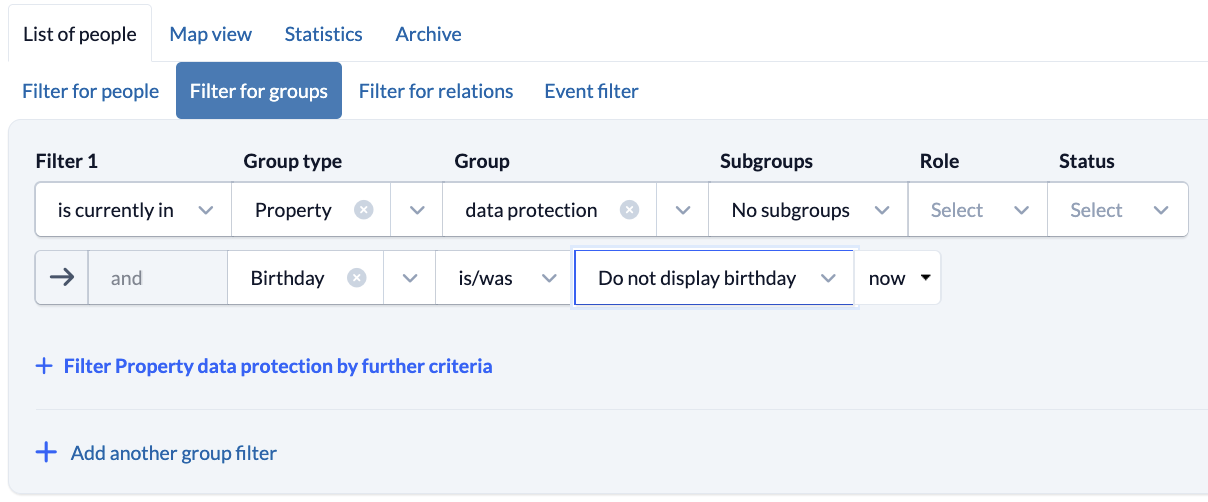
Who else do we still need information from? If so, you can send them a reminder:
- As an added bonus, you can also save these filters as a “filter group” so you don’t have to reconfigure the filter every time: