


In this article, we’ll show you how to use Automatic Membership to fill a group with all new people who, for example, have attended a service at your congregation for the first time or have contacted you via your website. You can use this group to keep an eye on new people and offer them information and contact options that they can then use to find their way into your congregation.
1. Select group #
Call up an existing group in which you would like to summarize the new visitors to your congrgation or create a new group “Add new people”.
2. Call up settings for automatic membership #
In the settings for this group, you can access the settings for automatic membership.
3. Set personal filter #
Use the plus symbol to add filters to the person. You select these as follows:

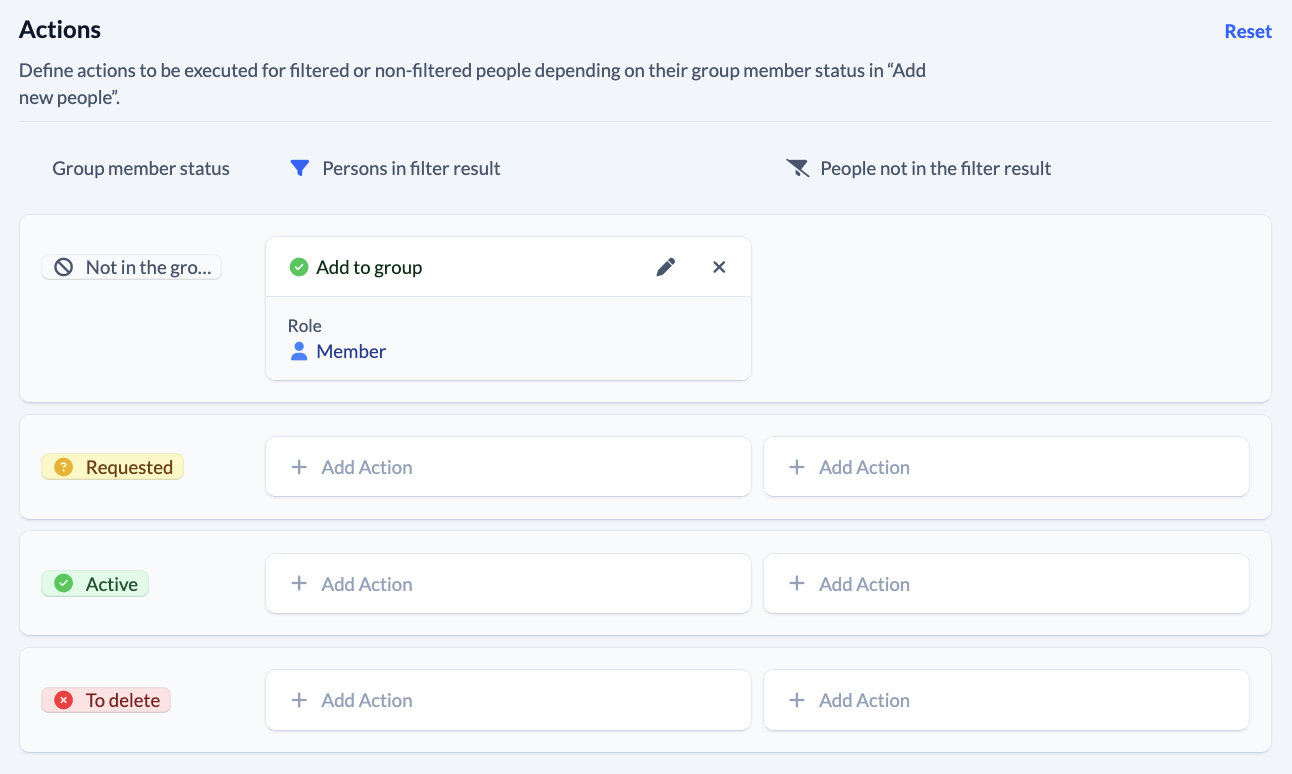
4. Set actions #
This is how you set the actions:
5. Activate execution #
Finally, you either execute the actions you have defined once manually or you activate automatic execution, which then always runs when the scheduled tasks are executed.
