


The People module offers you the option of creating your own personal data fields in addition to the standard personal data fields. If you want to offer several options for such a field, you first create a personal data field of the type selection field, multiple selection or either/or selection. We show you how to do this here.
In this guide, we will show you how to create the selection options after you have already created the actual personal data field. This is how your personal data field with selection options could look later in the person details:

1. Call up new personal data field #
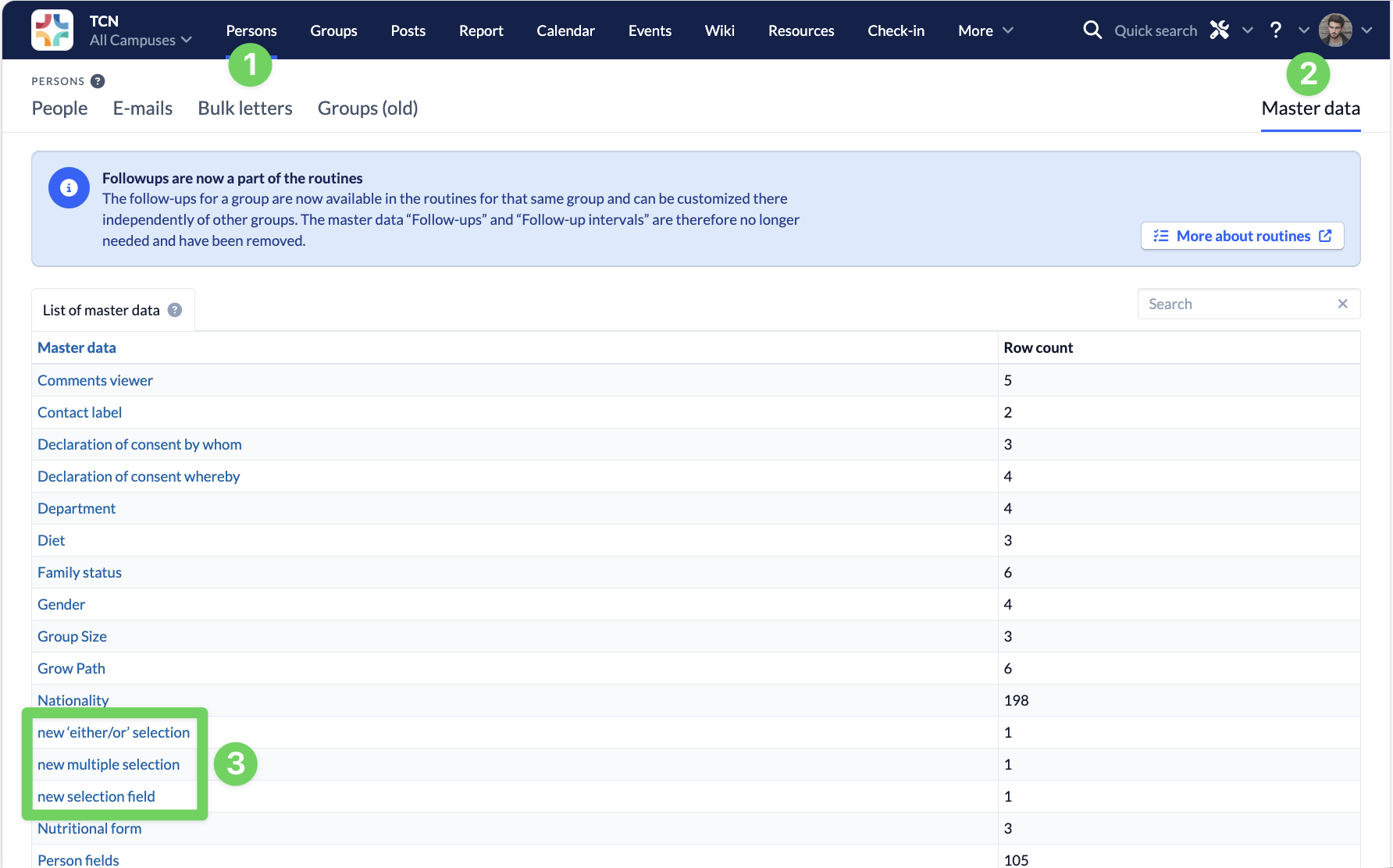
After you have created a selection field, a multiple selection or an either/or selection , these fields are displayed in the People module (1) under Master data (2) sorted alphabetically in the list of master data (3).
2. Edit selection options #
If you open the new master data entry, the first selection option Standard (1) is already created. You can customize this for your use case by clicking on it. You can create further selection options using the blue plus symbol (2).
