< 1 Min. lesen
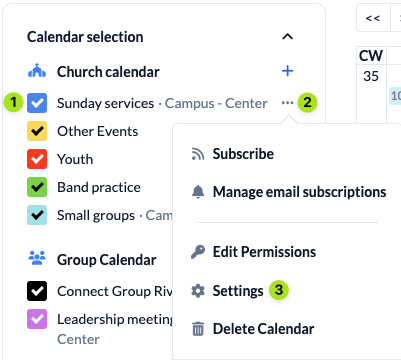
Select the calendar (1) for which you want to save an event template and open the settings (3) of the selected calendar via the three dots (2).
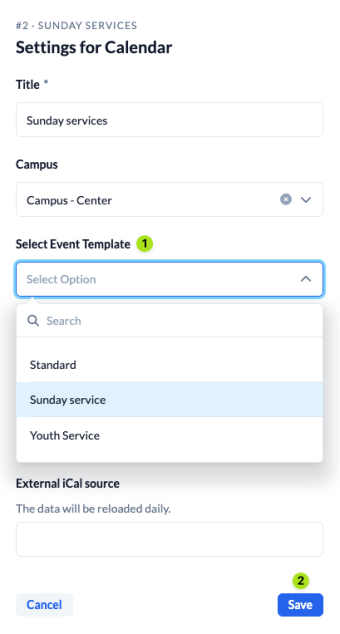
Select the desired event template (1) for the calendar and save (2) it.