If you want to ensure that your transactions are no longer editable at the end of a posting year, you can close the posting year. The transactions in that year can then no longer be edited.
Unlike the locking a transaction , you can undo this by reopening the posting year to make changes after all.
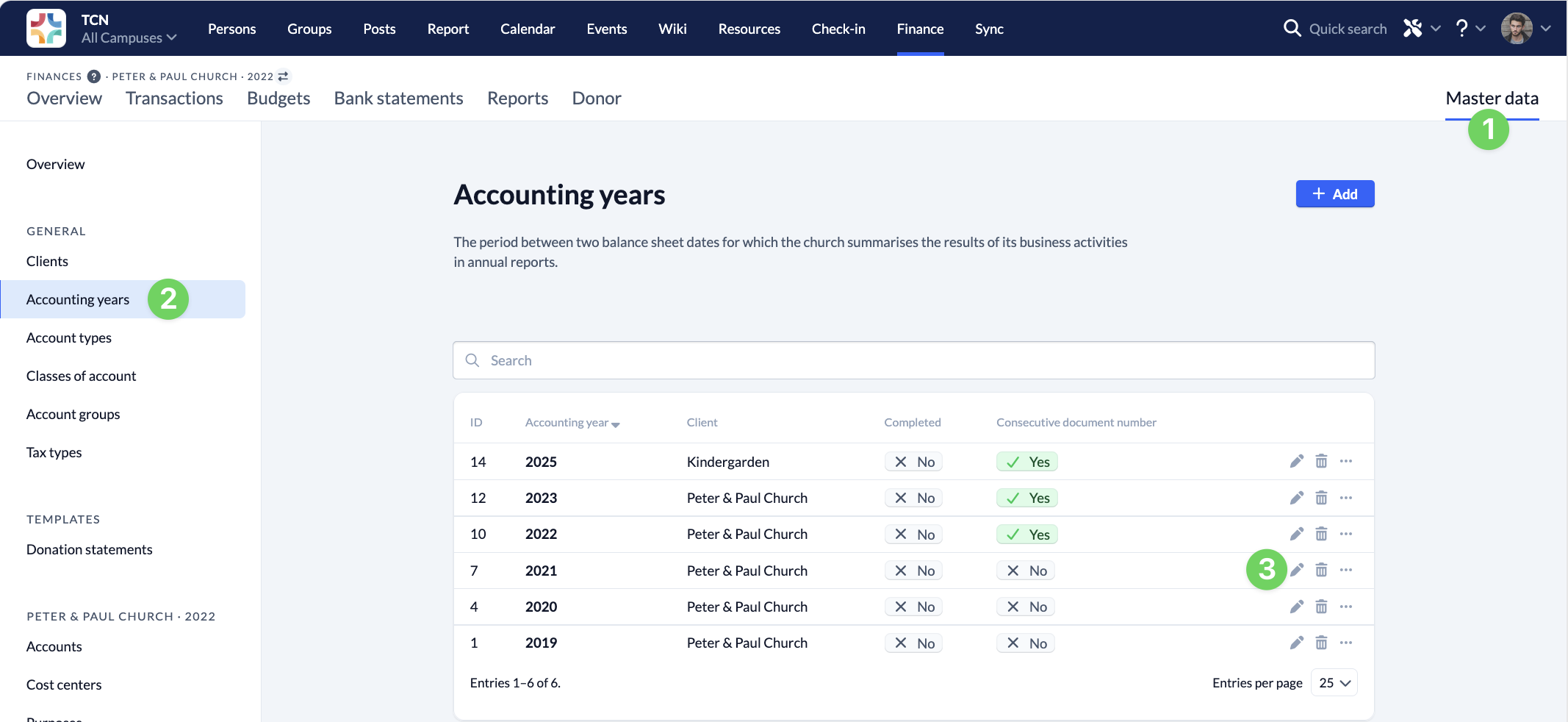
To close a fiscal year, navigate to the Master Data (1) section of the Finance module, go to Fiscal Years (2), and click the pencil icon (3) in the row of the fiscal year you want to close.
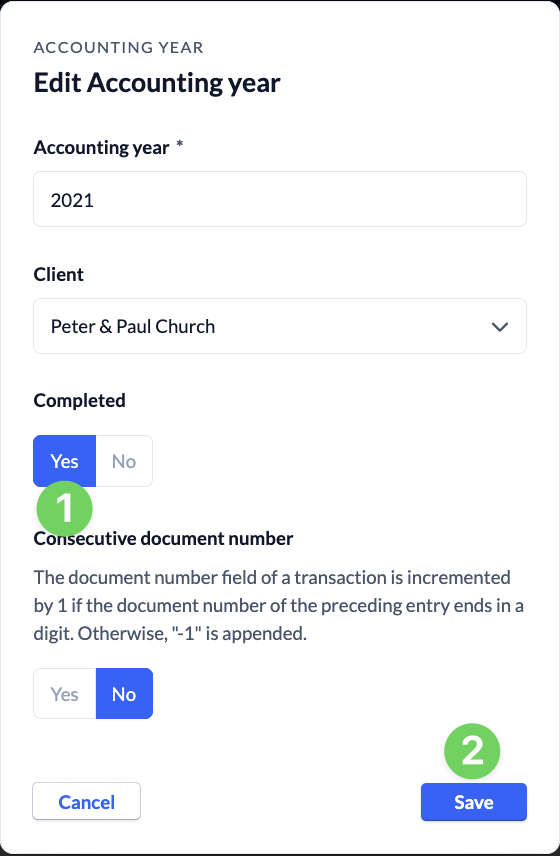
Next, mark the fiscal year as completed (1) and save (2) your changes.