


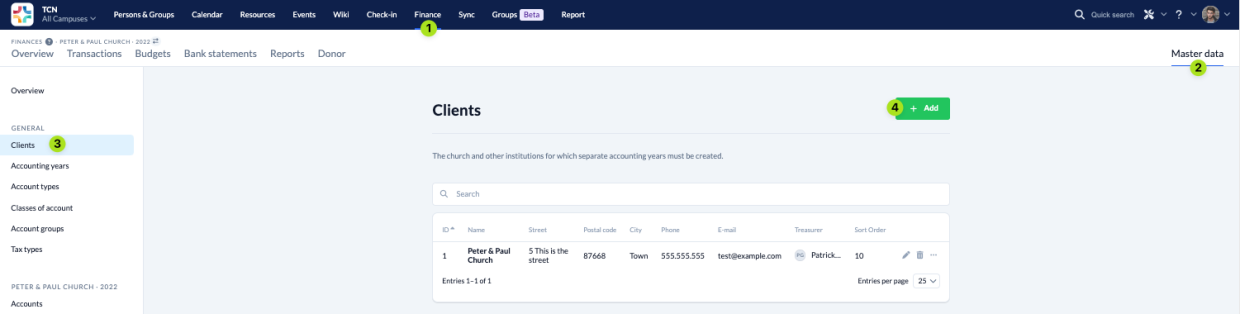
To add a new client, navigate in the Finance module (1) to the Master Data (2), select Clients (3) and click on Add (4).
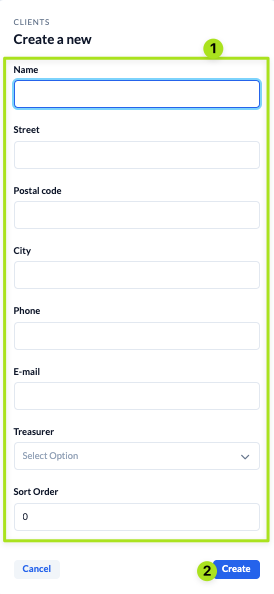
Then fill in all fields (1) and save (2) the new client.
To add a new client, navigate in the Finance module (1) to the Master Data (2), select Clients (3) and click on Add (4).
Then fill in all fields (1) and save (2) the new client.