


The actions you select for your task allow you to link and manage data pairs. For all data pairs, you can manually unlink them and relink them as needed.
The available actions vary depending on the order type (people, transactions, accounts, etc.). In this article, we provide a clear overview of the actions you can select for each order type.
The following applies:
- Any actions you select will always apply only to the specific people, transactions, accounts, etc., and their properties that you have selected for the order.
- You can find more information about all the actions right in ChurchTools.
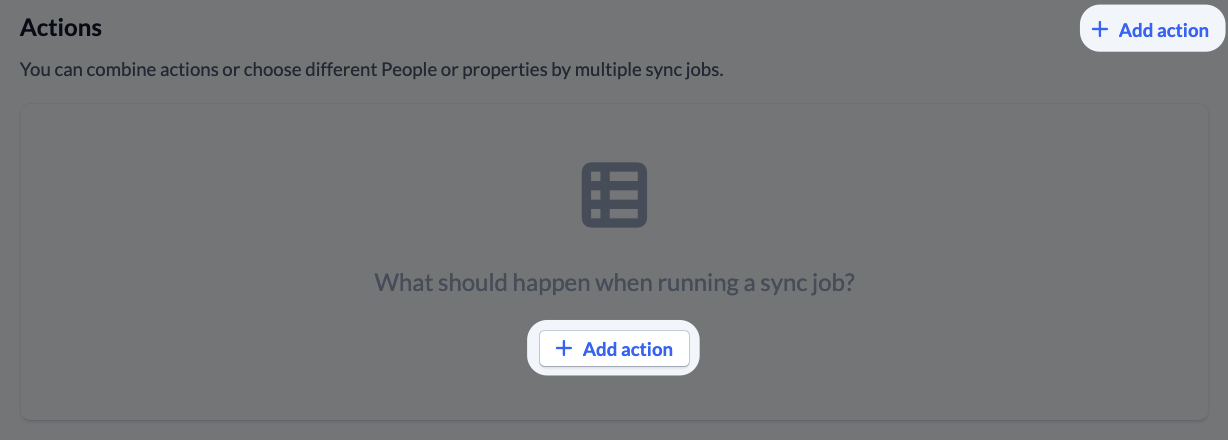
- For some actions, you’ll be asked to specify your preferences before activating them by clicking the “Add Action” button.
- Some actions are mutually exclusive. You’ll also be notified of this when you add the action. For example, “Update Properties” is replaced by “Import Properties” when you select the latter action.
Persons #
A person pair is a link between a person in your own system (e.g. Max Muster) and the same person in the connected system (e.g. Max Muster).
A combination of first name, last name, e-mail, and date of birth determines whether a person in your ChurchTools system is linked to the same person in the connected system. The minimum requirement for linking is that a person’s first and last names must be identical in both systems.
Actions 1–3 create new pairs of people when the job is run. Actions 4–10 always refer to existing pairs of people.
Actions that create new pairs of people #
- Link people and standardize properties
- Import persons
- Export persons
Actions that maintain linked pairs of persons
- Update properties
- Import properties
- Export properties
- Archive people in your own system
- Delete people in your own system
- Archive persons in the connected system
- Delete persons in the connected system
Transactions #
A transaction pair is a link between a transaction in your own system and the same transaction in the connected system. Two transactions are linked when all their fields are identical in both systems. The exception is the donor IDs.
Actions 1–3 create new transaction pairs when the job is run. Actions 4–8 always refer to existing transaction pairs.
Actions that create new transaction pairs #
- Link Transactions and Standardize Properties
- Import transactions
- Export transactions
Actions that maintain linked transaction pairs
- Update properties
- Import properties
- Export properties
- Delete transactions in your own system
- Delete transactions in the Linked System
Accounts #
An account pair is a link between an account in your own system and the same account in the connected system. Two accounts are linked if all their fields are identical in both systems.
Actions 1 – 3 create new account pairs when the order is executed. Actions 4 – 8 always refer to existing account pairs.
Actions that create new account pairs #
- Link accounts and standardize properties
- Import accounts
- Export accounts
Actions that maintain linked account pairs
- Update properties
- Import properties
- Export properties
- Delete accounts in your own system
- Delete accounts in the connected system
Cost centers #
A cost center pair is a link between a cost center in your own system and the same cost center in the linked system. Two cost centers are linked if all their fields are identical in both systems.
Actions 1 – 3 create new cost center pairs when the order is executed. Actions 4 – 8 always refer to existing cost center pairs.
Actions that create new cost center pairs #
- Link cost centers and standardize properties
- Import cost centers
- Export cost centers
Actions that maintain linked cost center pairs
- Update properties
- Import properties
- Export properties
- Delete cost centers in your own system
- Delete cost centers in the connected system
Account groups #
An account group pair is a link between an account group in your own system and the same account group in the linked system. Two account groups are linked if all their fields are identical in both systems.
Actions 1 – 3 create new account group pairs when the order is executed. Actions 4 – 8 always refer to existing account group pairs.
Actions that create new account group pairs #
- Link account groups and standardize properties
- Import account groups
- Export account groups
Actions that maintain linked account group pairs
- Update properties
- Import properties
- Export properties
- Delete account groups in your own system
- Delete account groups in the connected system
Classes of account #
An account class pair is a link between an account class in your own system and the same account class in the linked system. Two account classes are linked if all their fields are identical in both systems.
Actions 1 – 3 create new account class pairs when the order is executed. Actions 4 – 8 always refer to existing account class pairs.
Actions that create new account class pairs #
- Link account classes and standardize properties
- Import account classes
- Export account classes
Actions that maintain linked account class pairs
- Update properties
- Import properties
- Export properties
- Delete account classes in your own system
- Delete account classes in the connected system
Account types #
An account type pair is a link between an account type in your own system and the same account type in the connected system. Two account types are linked if all their fields are identical in both systems.
Actions 1 – 3 create new account type pairs when the order is executed. Actions 4 – 8 always refer to existing account type pairs.
Actions that create new account type pairs #
- Linking account types and standardizing properties
- Import account types
- Export account types
Actions that maintain linked account type pairs
- Update properties
- Import properties
- Export properties
- Delete account types in your own system
- Delete account types in the connected system