1. Open the calendar menu #
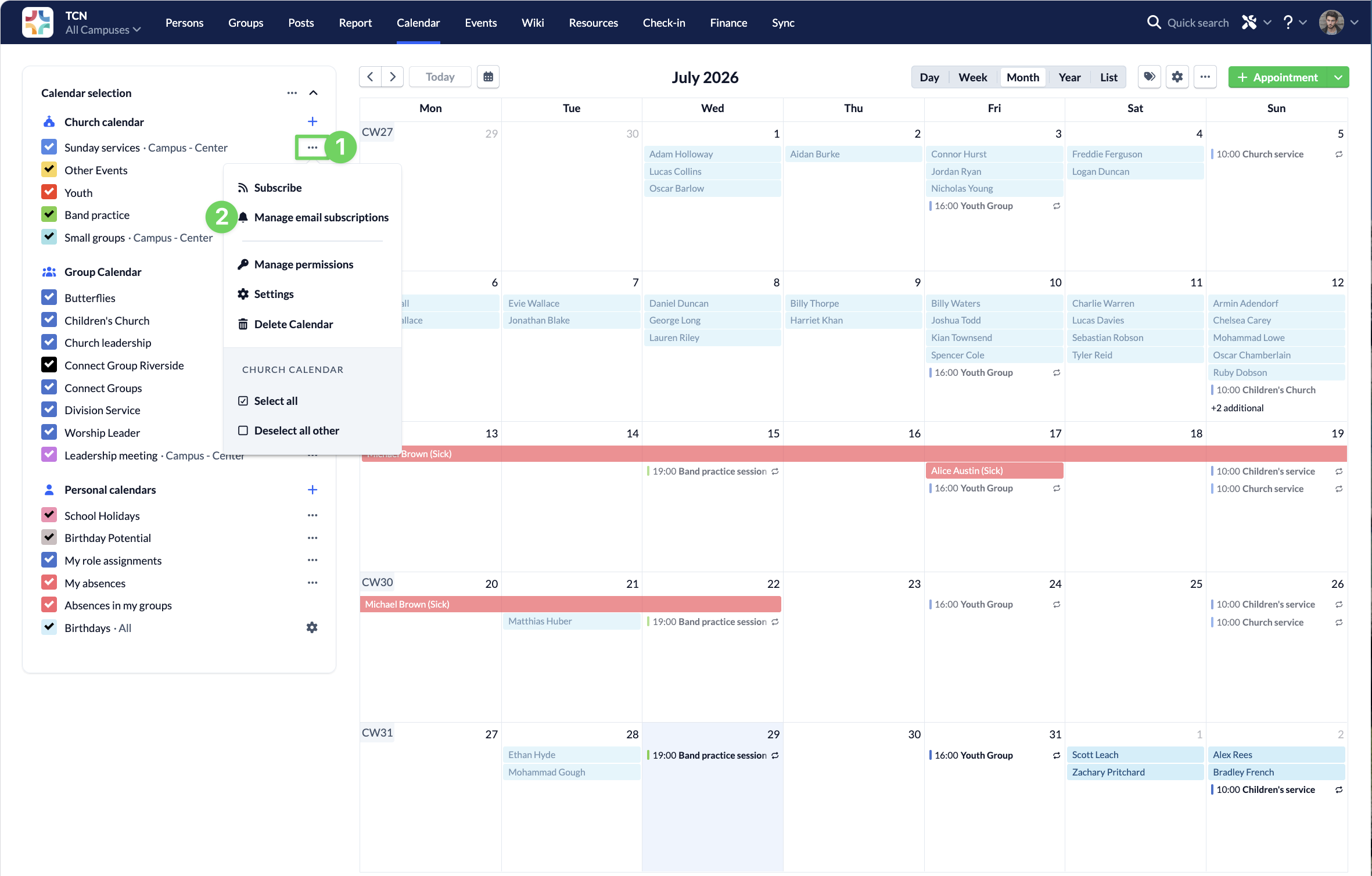
Go to the Calendar module, select the calendar for which you want to receive e-mail notifications about changes by first selecting the Options (1) for the calendar and then click Manage e-mail subscriptions (2).
2. Unsubscribe from the newsletter #
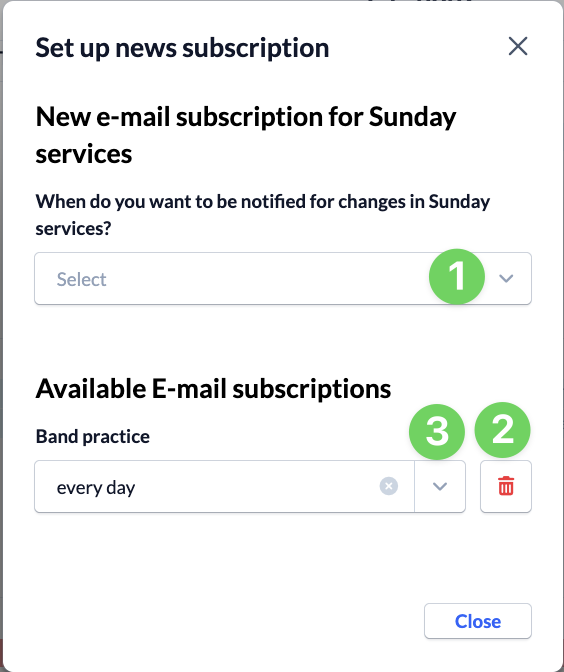
Specify how often you’d like to be notified of changes to the calendar (1).