You will find the Notes section in your group. You can use this to store brief information in your group.
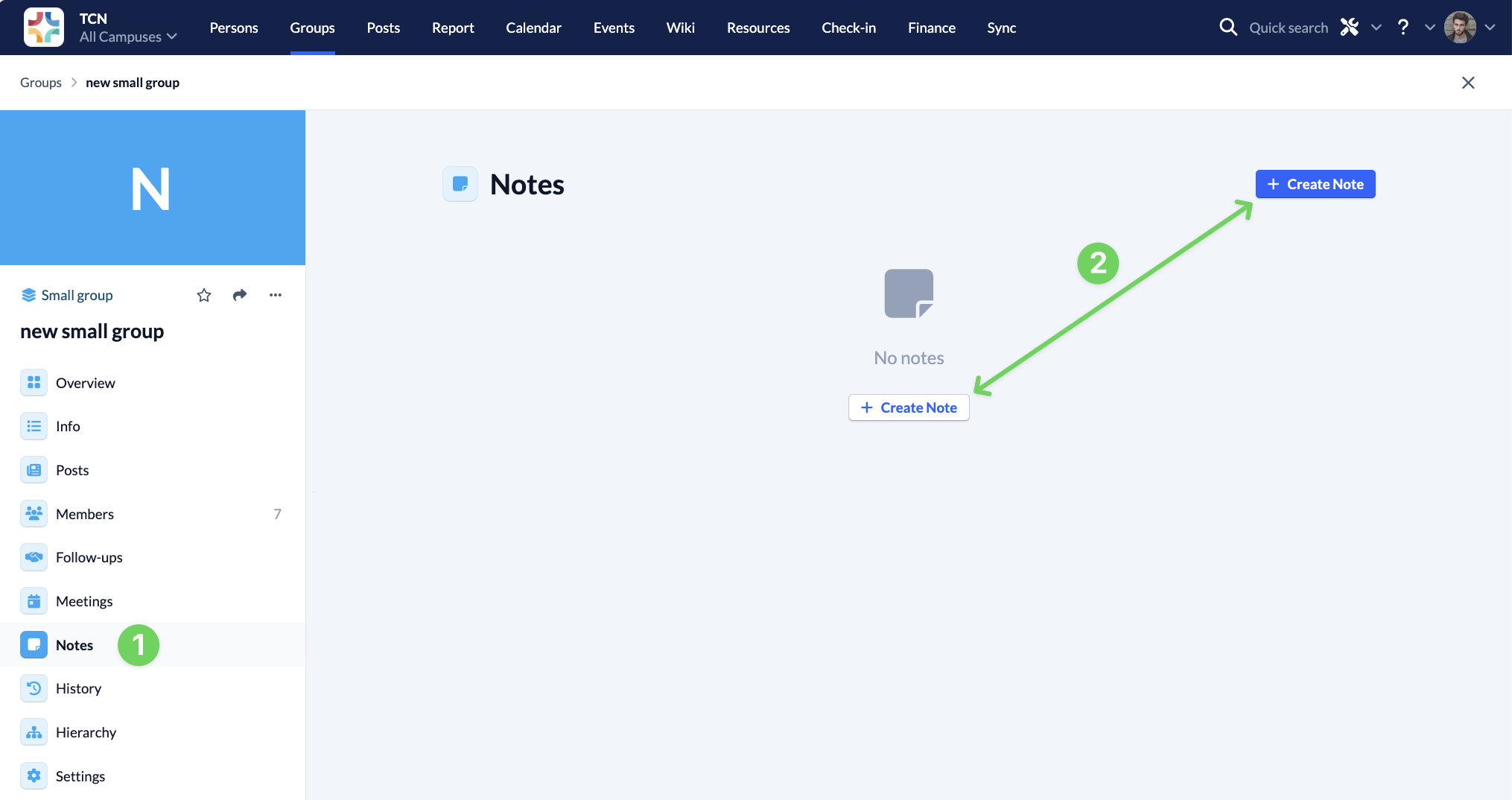
To create a new note, navigate to the Notes section (1) and click on Create Note (2).
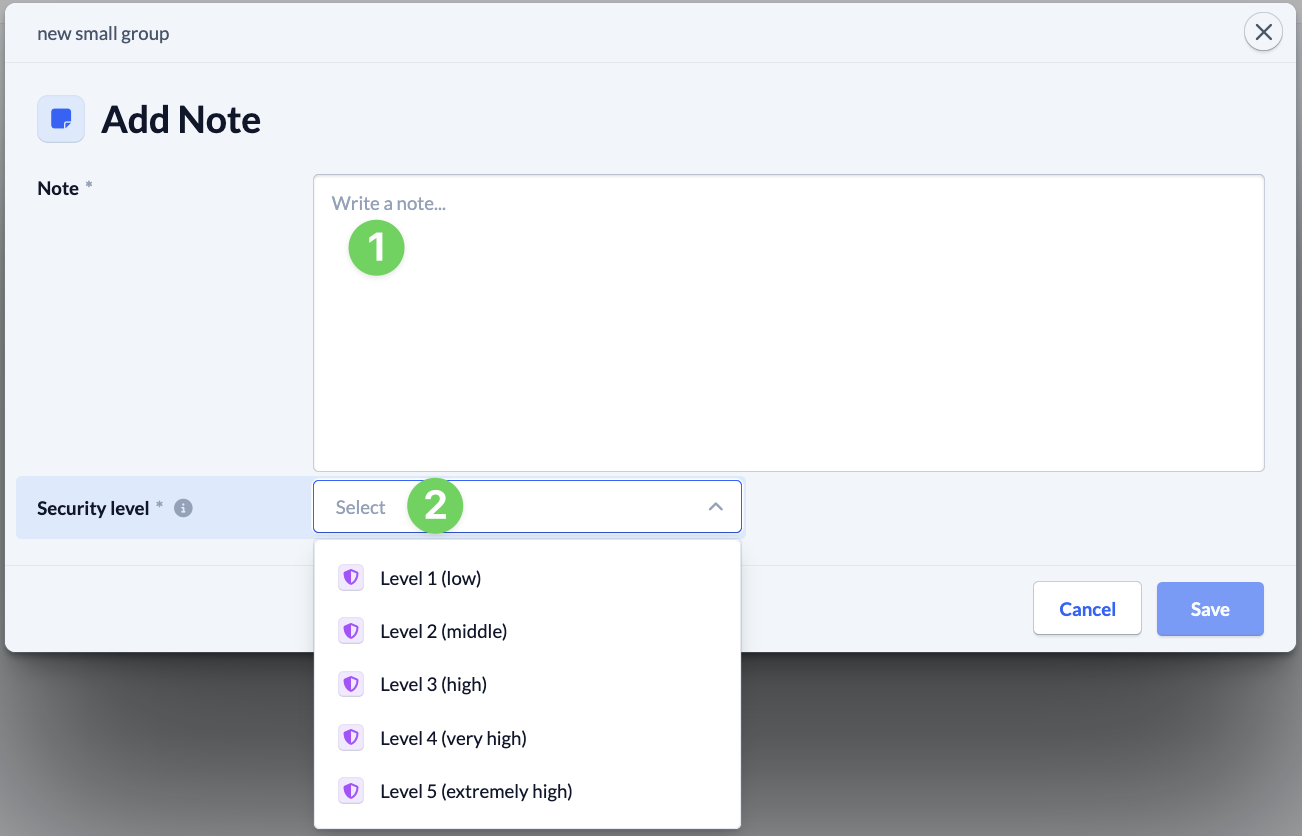
Then (1) write your note and select for which security level (2) a person must be permitted to see the note.
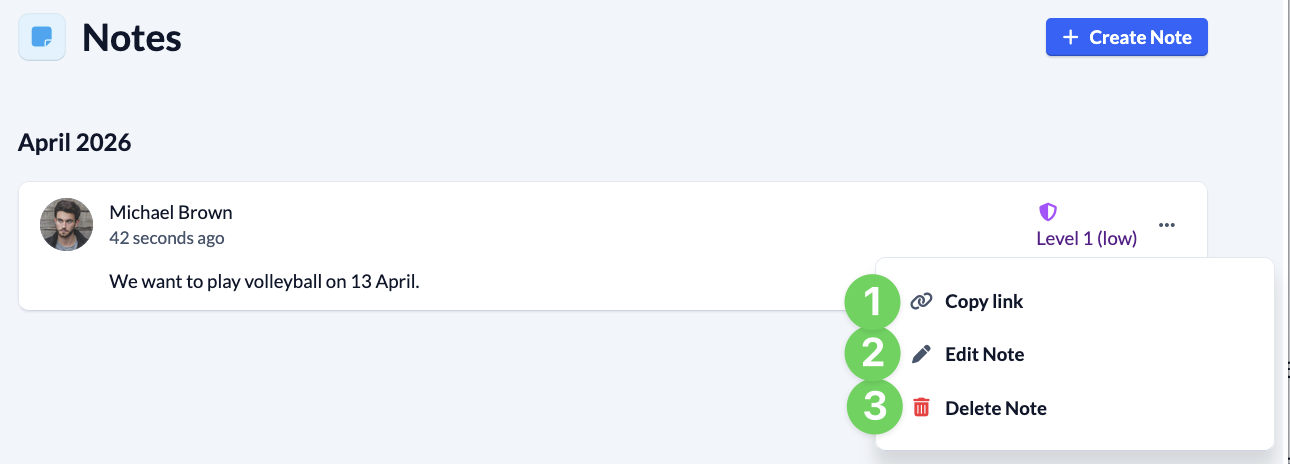
After you have created your note, it will be displayed in the Notes area.
You can use the context menu of the note to call up a direct link (1) to the note and edit (2) or delete (3) the note.