Person statuses describe people’s relationships to your congregation. Each person always has exactly one status in ChurchTools: the default statuses are “Potential“, “Friend“, “Member” and “To deleted.” You can customize and add to these person statuses for your congregation. This article explains how to do that.
View person status in Master data #
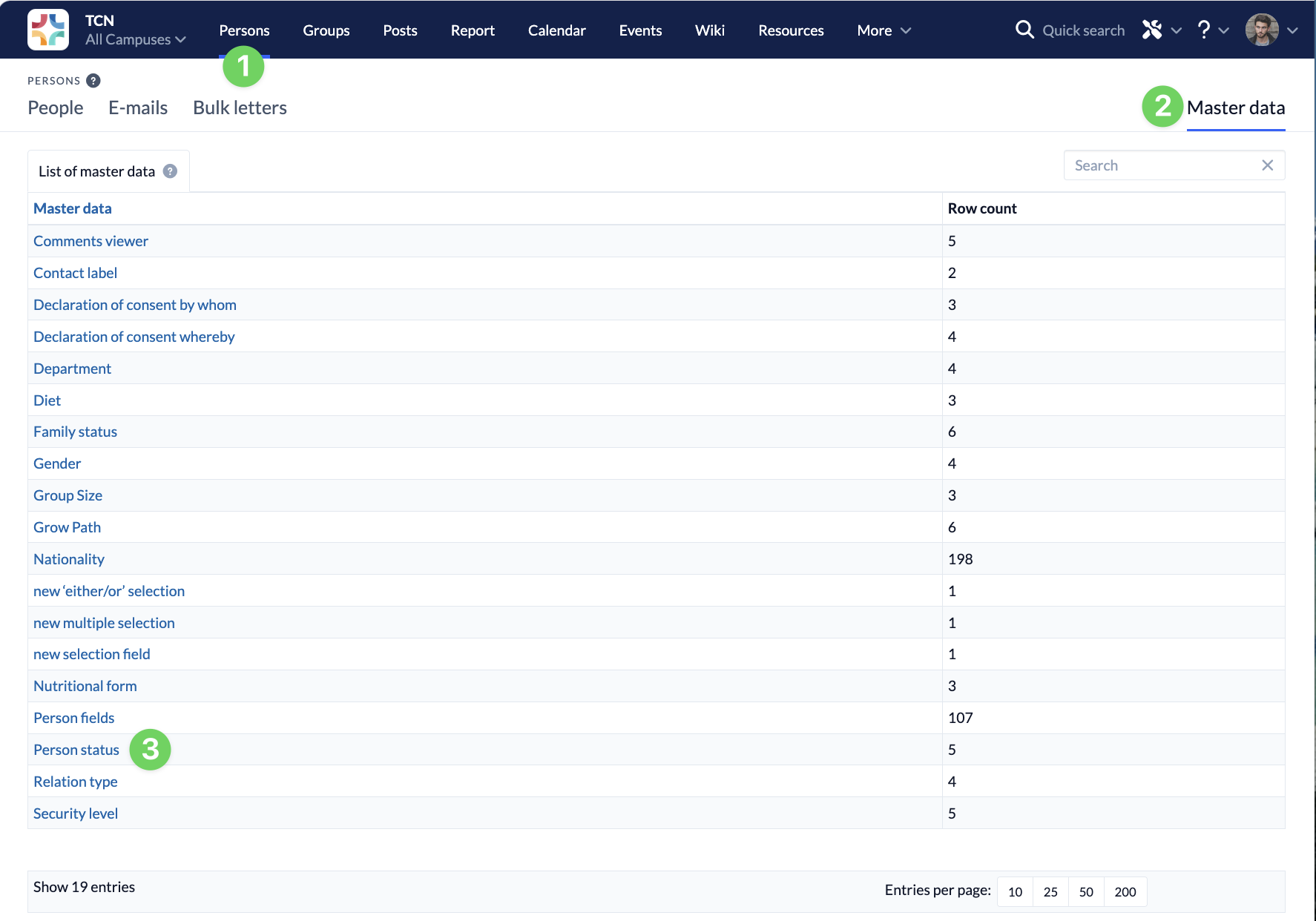
In the People module (1), you’ll find the Master data (2) on the right-hand side. When you open it, the Master data will be displayed in an alphabetical list. Here, you can access the Person status (3).
Edit existing person statuses or create new ones #
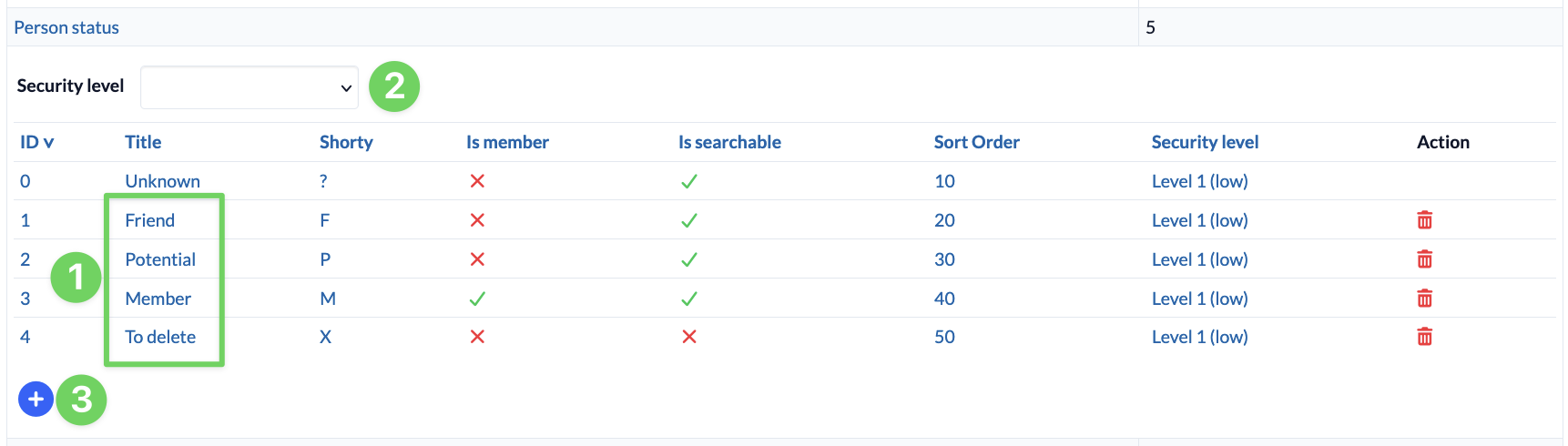
The list now shows you all existing person statuses (1). You can filter the list by the security level of the statuses (2).
By clicking on one of the person statuses, you can customize it for your congregation.
If you want to create a new person status, click the blue plus icon (3) below the person status list.
Edit person status #
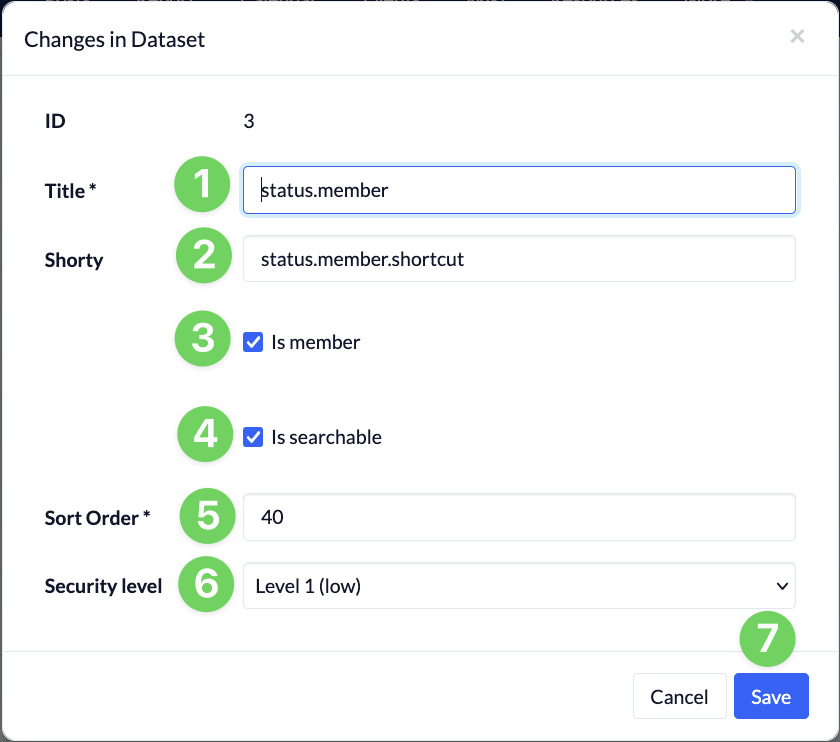
In the dialog box that opens, enter a name (1) and an abbreviation (2) for the person status. The abbreviation appears in a column on the right side of the list of people.
Checking the “Is member” (3) checkbox causes people with this status to be counted as members. “Is searchable” (4) means that people with this status can also be found in free-text searches—for example, when a person needs to be assigned to a group.
The sort order (5) determines the position of the person status in selection lists and in the master data. The security level (6) determines which users are authorized to assign this status to persons.
Clicking ” Save” (7) creates the person status or applies the change.