ChurchTools is a platform that helps the people in your congregation build and live out the church together. It fosters fellowship, strengthens collaboration, and helps you live out God’s mission to the fullest.
To allow the people in your congregation to participate in your ChurchTools, invite them to log in. You can invite individuals or a large group at once. This article explains how to do it.
Invite a single person #
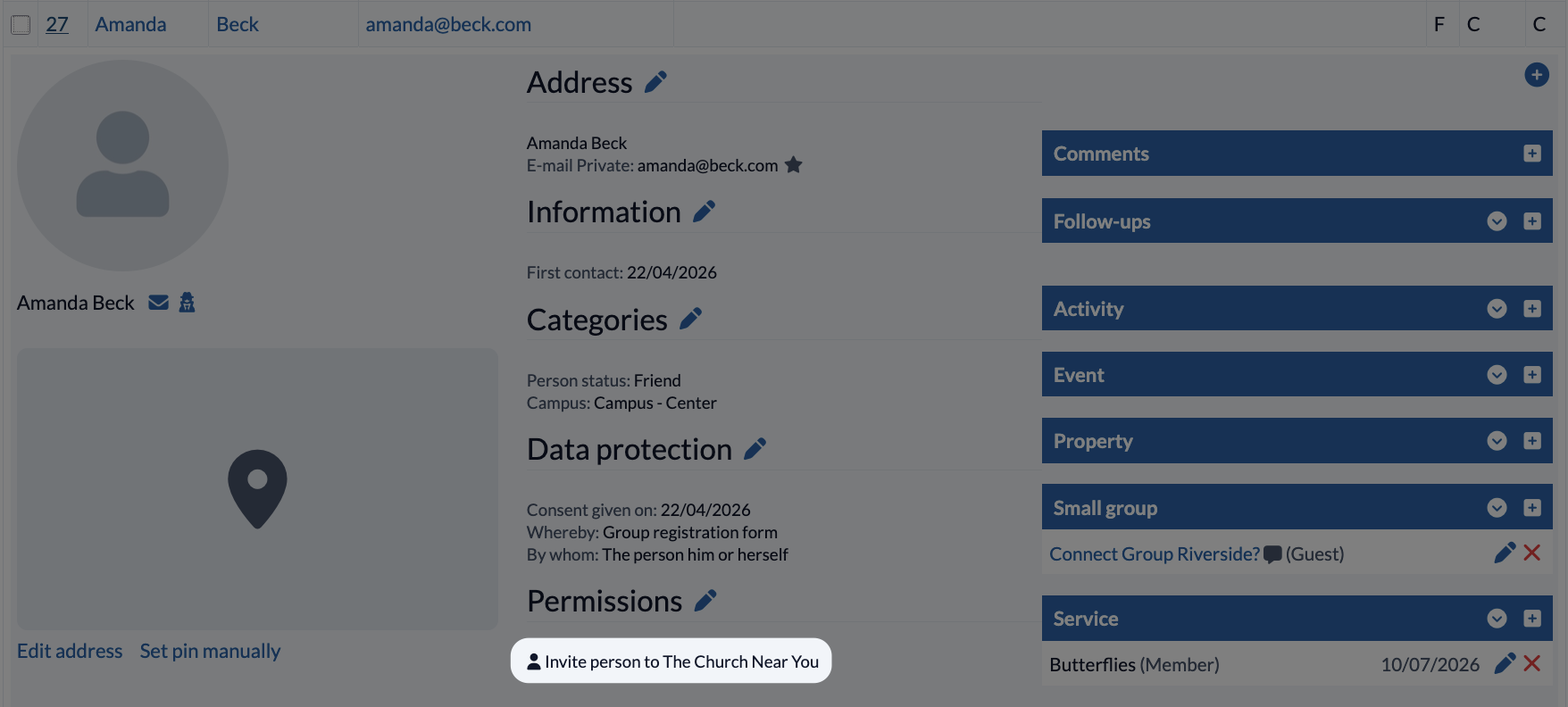
After you’ve created a user profile, go to the user list and invite them to [your ChurchTools] by clicking “Invite person to The Church [your ChurchTools].” ChurchTools will then send an e-mail with an invitation link to that person. If they follow the link, they’ll be directed to set a password and can then log in to your ChurchTools.
Invite again #
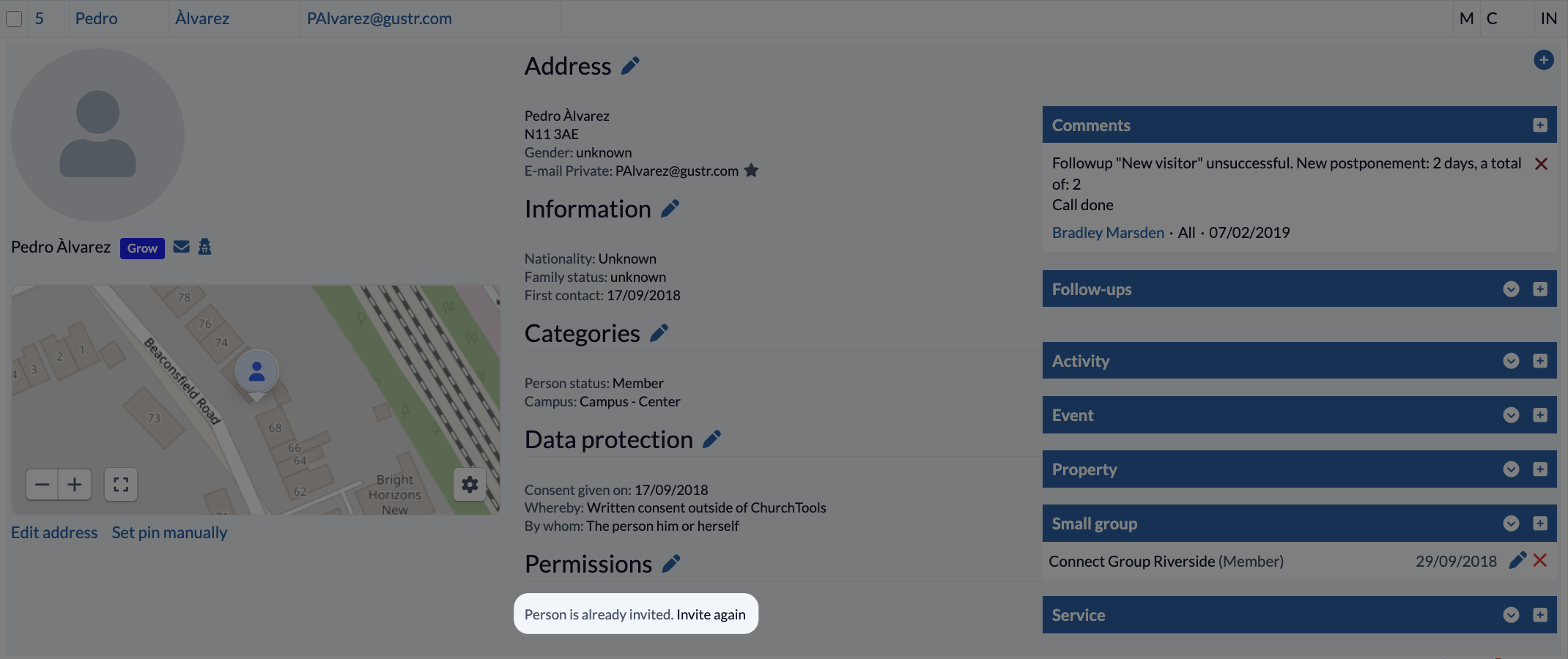
The invitation link is valid for 14 days and can be clicked only once. It’s possible that this period has expired or that someone clicked the link but didn’t complete the process. In that case, you can simply invite that person again to join your ChurchTools:
Invite multiple people #
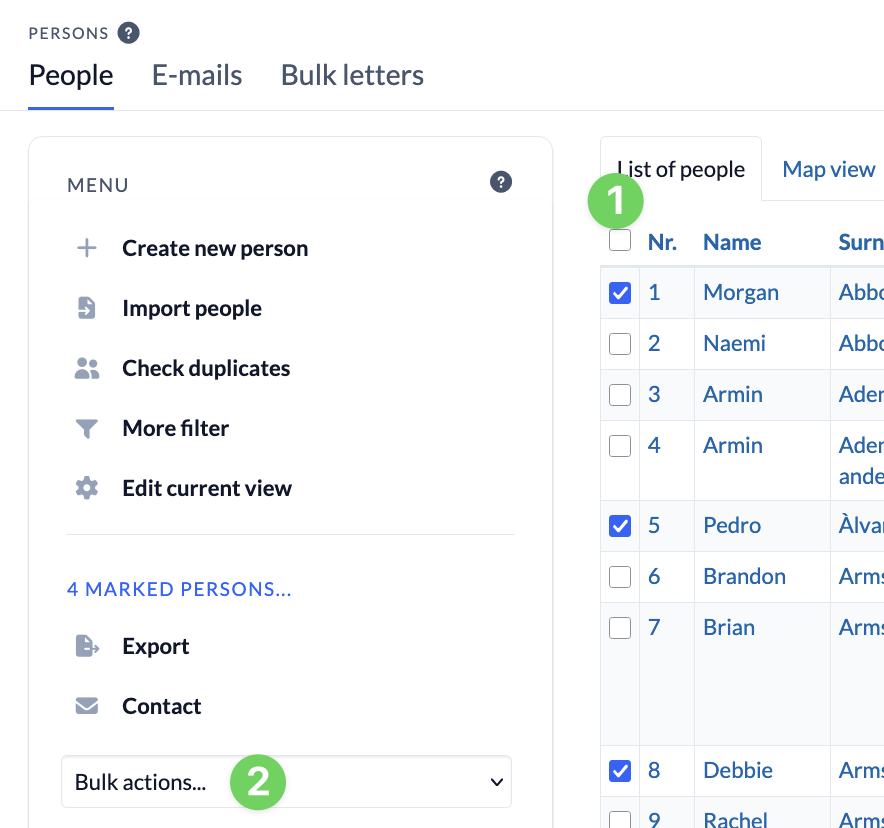
If you want to invite multiple people at once, select the people you want from the list of people (1).
Once you’ve selected all the people, expand the ” bulk actions ” (2) on the left side.
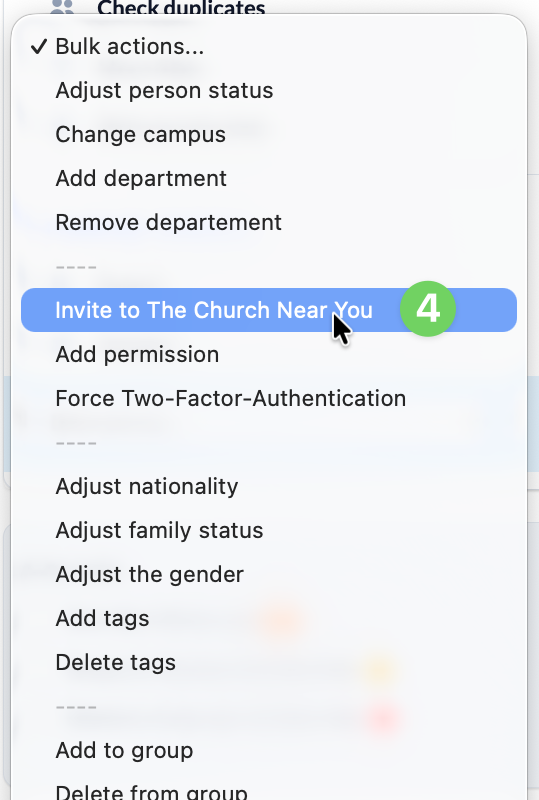
Finally, select ” Invite to The Church [your congregation] ” (3). Once you confirm, an invitation e-mail containing the link will be sent to all selected individuals.