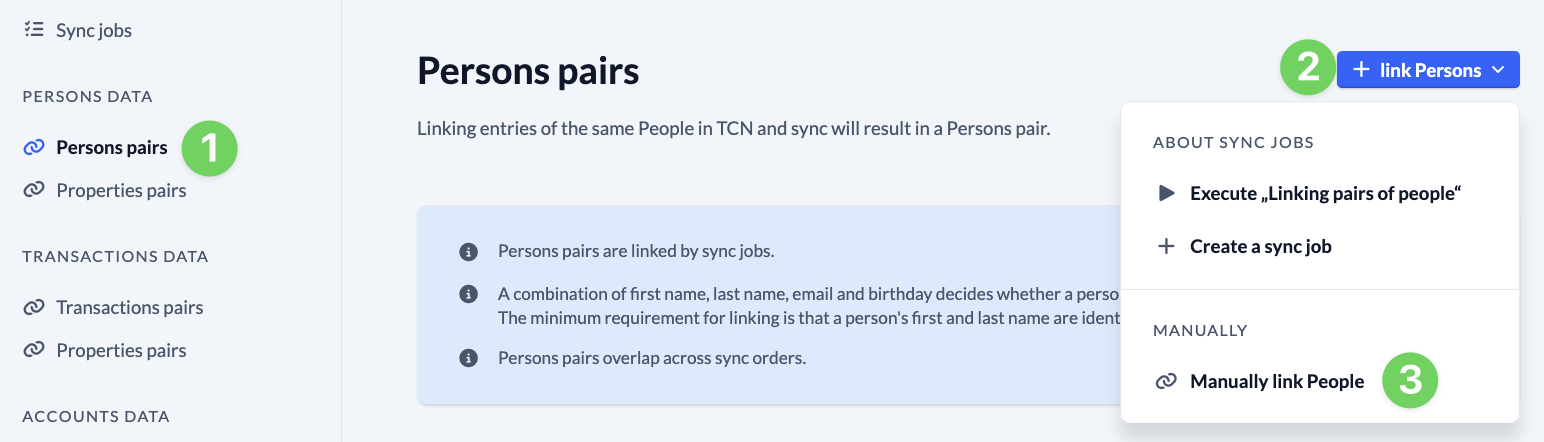
To synchronize data between systems, ChurchTools needs to know which data belongs together. For each connection, you map the people in both systems to each other, thereby linking pairs of people that you can then synchronize using sync jobs. You can have the pairs linked automatically via sync jobs or, if necessary, link them manually using their IDs on a case-by-case basis.
The following applies:
- The linked pairs of people apply to all orders placed by a connection.
- A combination of first name, last name, e-mail, and date of birth determines whether a person in your ChurchTools system is linked to the same person in another system.
- The minimum requirement for linking records is that a person’s first and last names must be identical in both systems.
Automatically link pairs of people #
1. Select a connection and create a sync job #
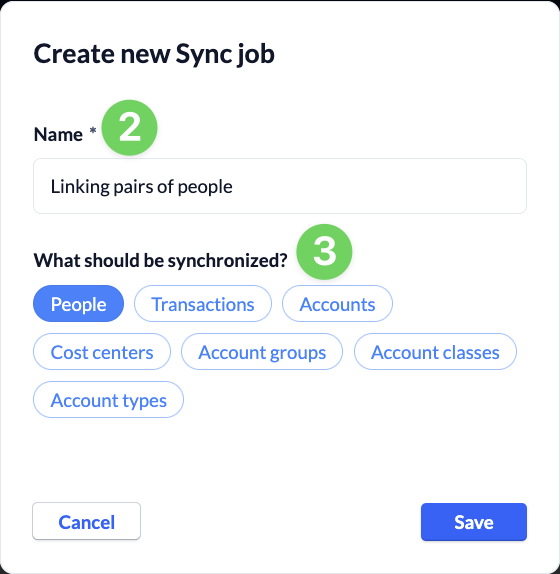
Open a connection and use the “+ Create Sync Job” button (1) to create a new job for your connection. Name the job (2), select “People” (3) to be synced, and save (4) the job.

2. Configure the sync job and run it #
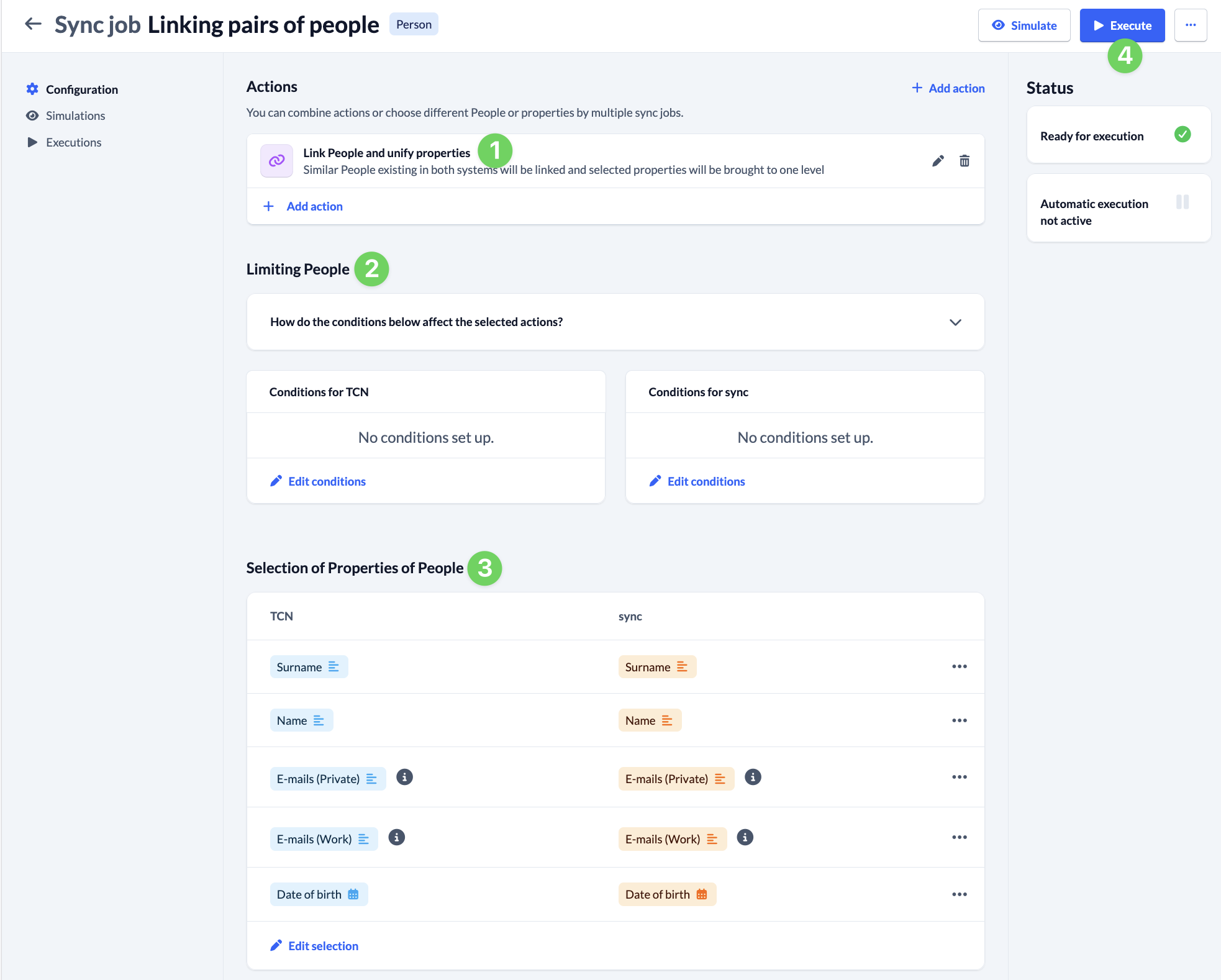
- For the newly created task, select the action ” Link People and unify properties ” (1).
- Optionally, you can narrow down the group of people to sync with (2).
- Specify which properties (3) should be synchronized with the execution of the task. To form pairs of people, the first name, last name, e-mail, and date of birth are sufficient. Of course, you can also choose to synchronize additional properties.
- Run the sync job once (4) to link the person pairs. You can find a list of all linked person pairs in the “Connections” section of the left-hand menu under ” Person Pairs.”
Unlink #
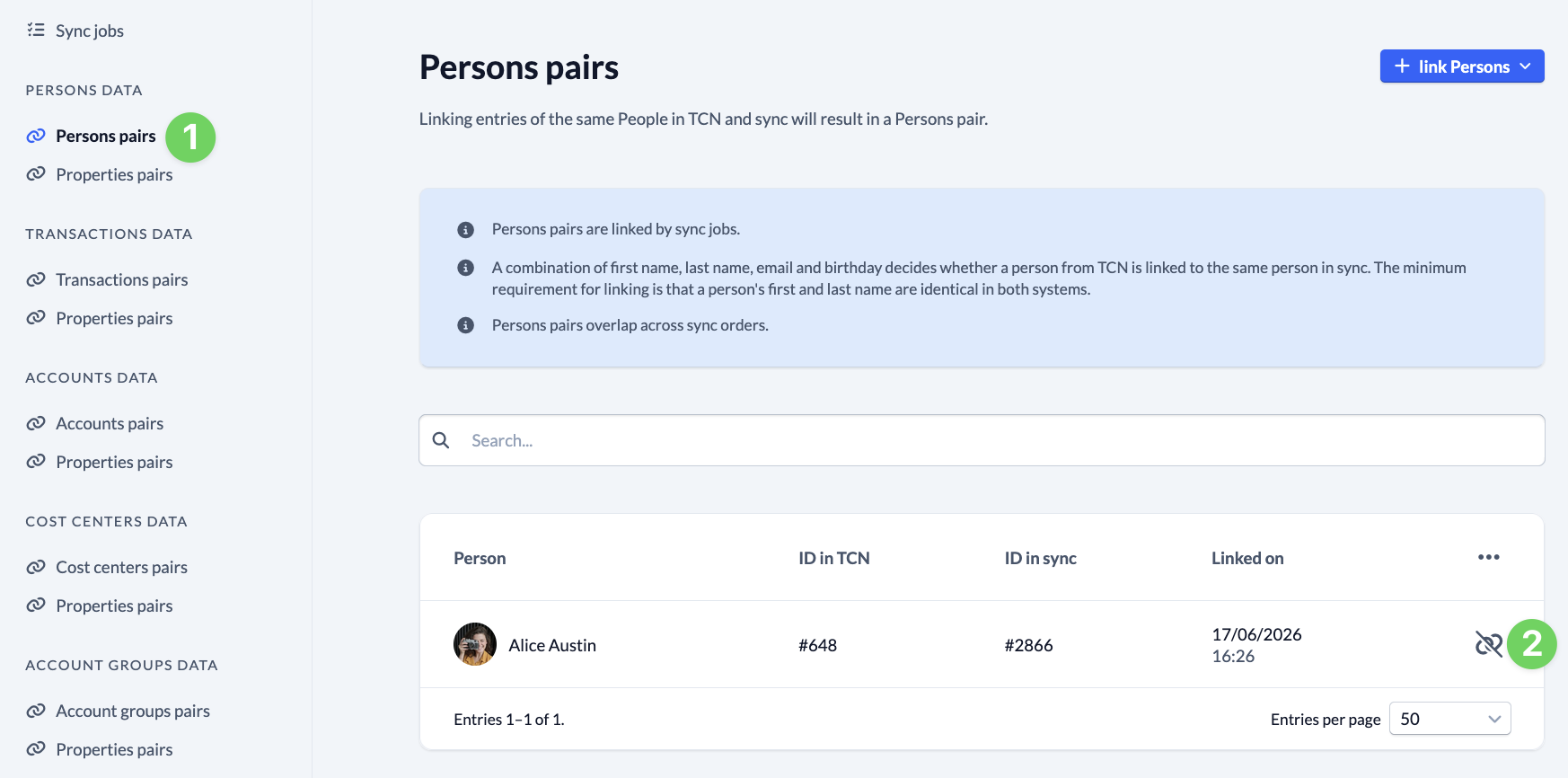
If the wrong people have been linked to each other, you can remove that link at any time.
To do this, select the person in question under ” People Pairs ” (1) and remove the link (2). Then manually link the correct people from both systems to each other.
Manually Link Pairs of People #
In some cases, it may make sense to manually link people to each other. To do this, go to “Persons Pairs ” (1) in the connection overview, click the “+ Link Persons” button (2), select ” Manually link People ” (3), and enter the IDs of the people from both systems.