Once you’ve created a filter, you can save it as a “filter group.”
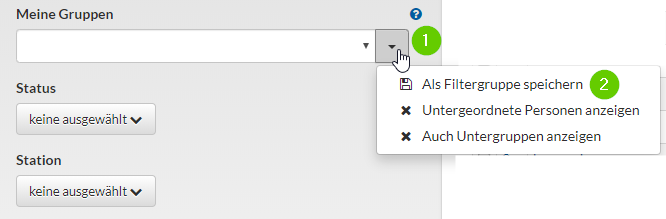
That way, in the future, you’ll just need to open the filter instead of entering all the criteria every time. The feature is hidden behind the small arrow to the right of “My Groups”:
Next, give the filter a unique name and choose whether to save it only for yourself or for all users:
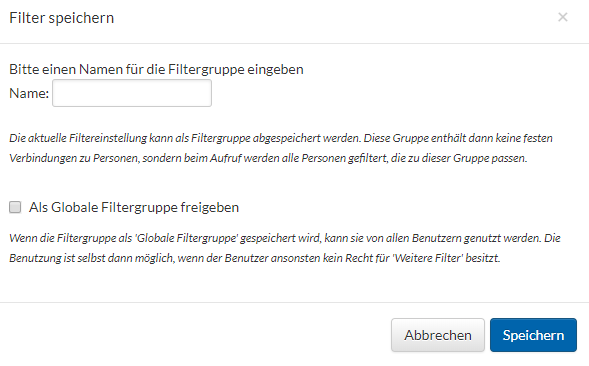
The filter group is therefore “dynamic,“ as the help text explains: “The current filter settings can be saved as a filter group. This group does not contain any fixed links to people; instead, when you open it, all people who match this group are filtered.”
Global filters apply to everyone. “If the filter group is saved as a ‘Global Filter Group,’ it can be used by all users. It can be used even if the user does not otherwise have permission for ‘Additional Filters.'”
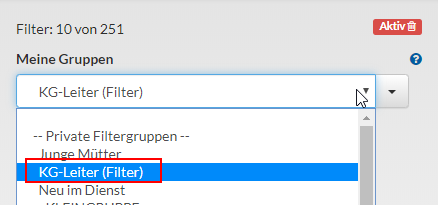
Open filter groups. In the “My Groups” filter, the filters now appear as options: