


An event is an occasion for which people can be invited. A specific role for an event is represented by a role.
By clicking “Create New Event,” you can create a new event or a series of events.
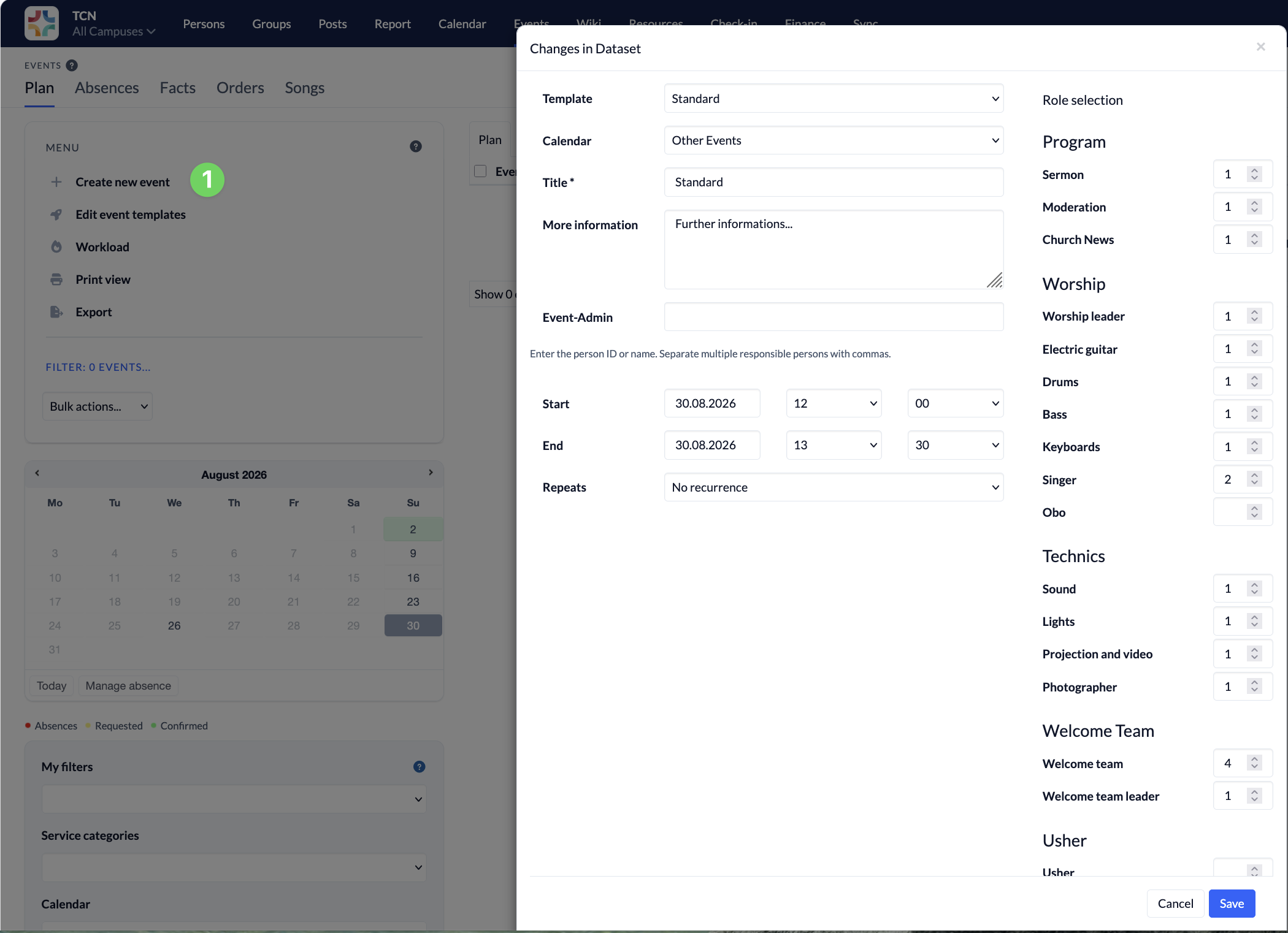
To perform a booking for resources for an event at the same time, you must complete this step using the calendar. Once you’ve selected the appropriate event template, the same options will be available there.
- Template – The template allows you to define typical events, including the required roles, descriptions, additional information for admins, etc.
- Kalender – Dies sind die Kalender aus dem Kalender-Modul. Die Kalender sind dort einzurichten. Für Events können Gemeindekalender oder Gruppenkalender verwendet werden. Durch die Zuordnung des Events ist auch die Sichtbarkeit einstellbar. Wenn z. B. ein Event im Gruppenkalender Lobpreis geplant ist, können nur die jeweils für diesen Gruppenkalender berechtigen Personen das Event sehen.
- Additional Information – This appears directly below the event you created and is visible to everyone who can view the event.
- Responsible – One or more people can be assigned here. These individuals are then authorized to configure any roles for the event, regardless of other permissions, and will receive notifications about changes to the event.
- Repeat Until – If an event occurs on a regular basis, you can specify the end date here—the date until which the recurring event should be scheduled. This can be set up to 5 years in the future. Changes to the recurring event are made through the calendar.
Create and edit event templates #
An event template contains all the information that is always the same for a particular type of event. To create a template, first fill in all the fields. Then click the Save icon next to the template selection. You can then enter a name. If the name already exists, the template will be overwritten.