To enable data synchronization between two systems, the properties of the data must be linked so that ChurchTools knows which property in ChurchTools corresponds to which property in the external system and can be synchronized. They are linked into what are called property pairs. The property pairs always apply to the entire connection.
Some of these properties have values that must also be linked to one another; for example, the ” gender ” property has the values ” unknown,” ” male,” ” female,” and possibly ” diverse.”
If not all values in a property pair are linked—that is, if the link is incomplete—this will prevent the execution of all sync jobs for which you have selected that property pair.
To prevent this, you can define a fallback behavior for the relevant values. This allows you, for example, to synchronize the data first and then review the data assigned here in ChurchTools later to ensure it is correctly mapped. In this article, we’ll show you how to define a fallback behavior.
Call a connection with an incomplete value mapping #
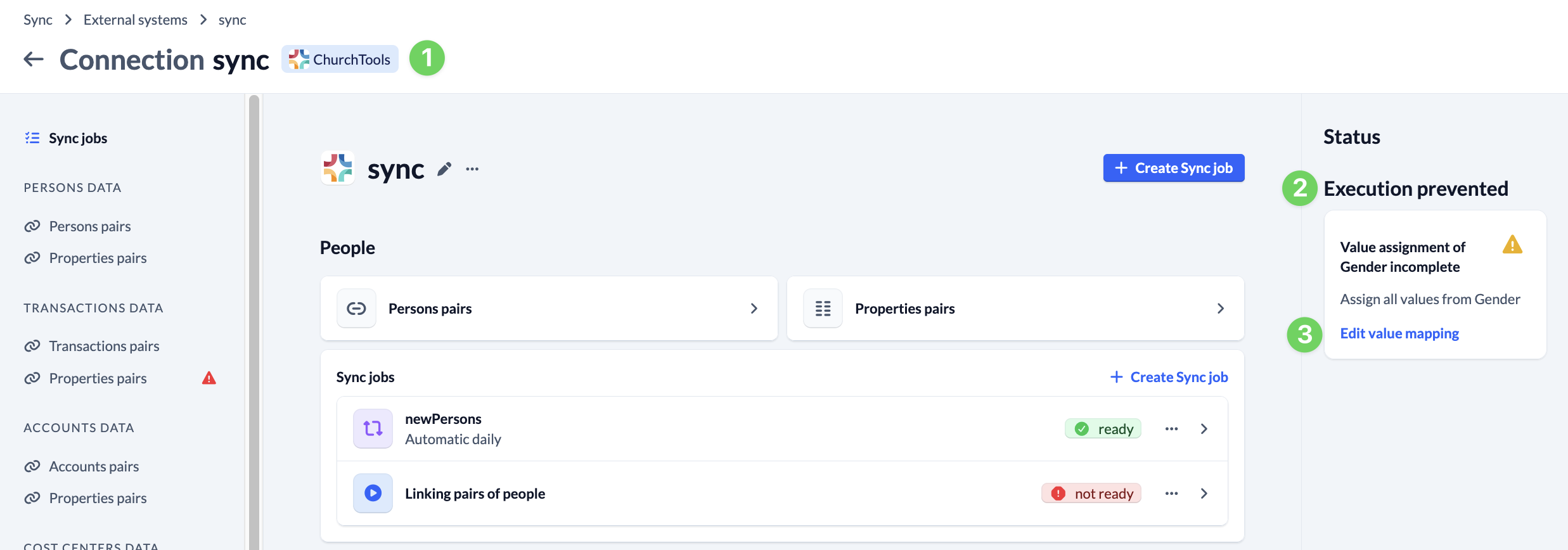
Navigate to a connection (1) with an incomplete value mapping for which you need to define a fallback behavior. On the right side, you’ll see a message indicating that synchronization is being prevented (2) because the value mapping is incomplete. Click “Edit Value Mapping” (3) here.
Define fallback behavior #
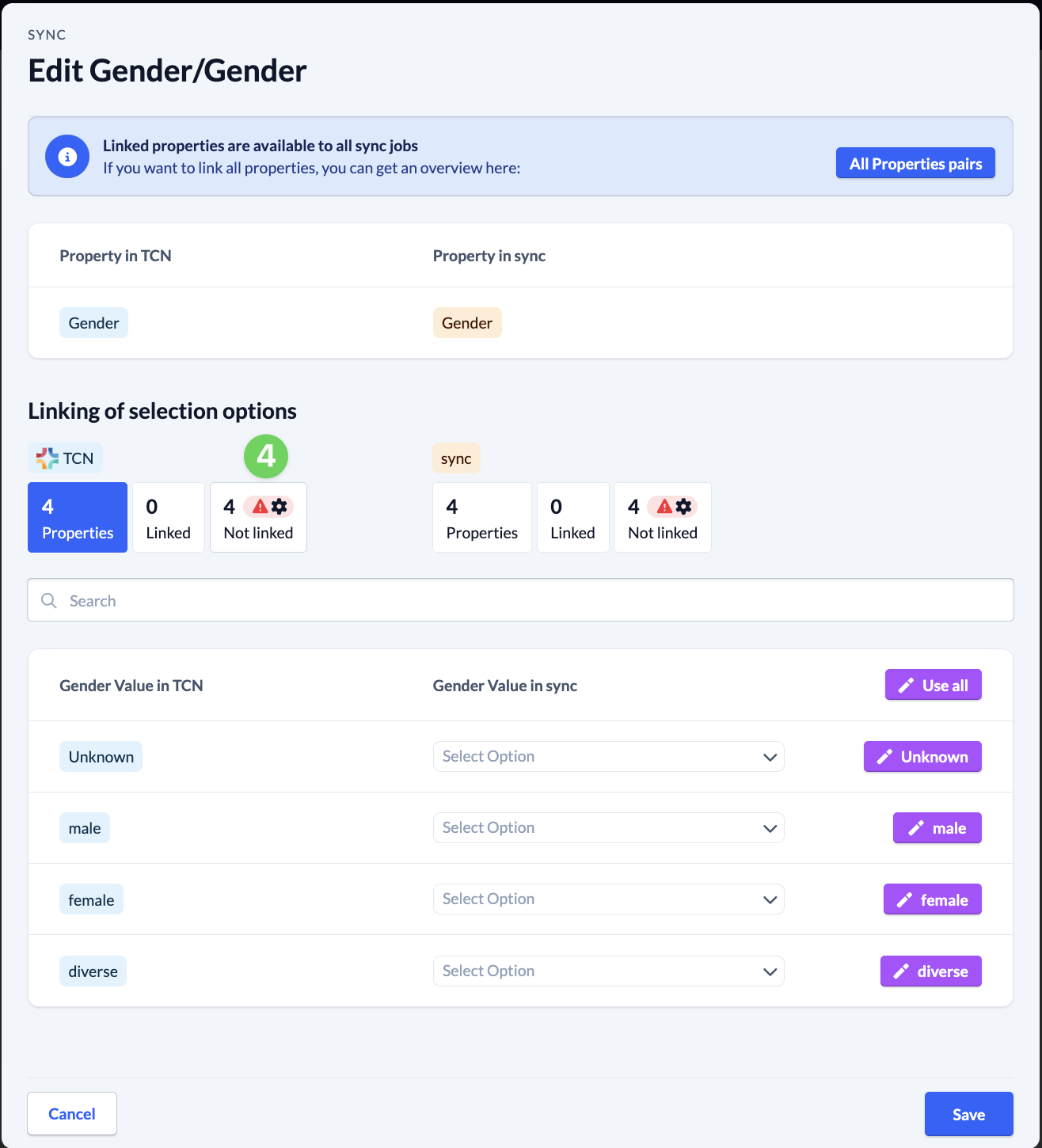
In the value mapping, click the red exclamation mark (4) that appears next to ” Not linked .”
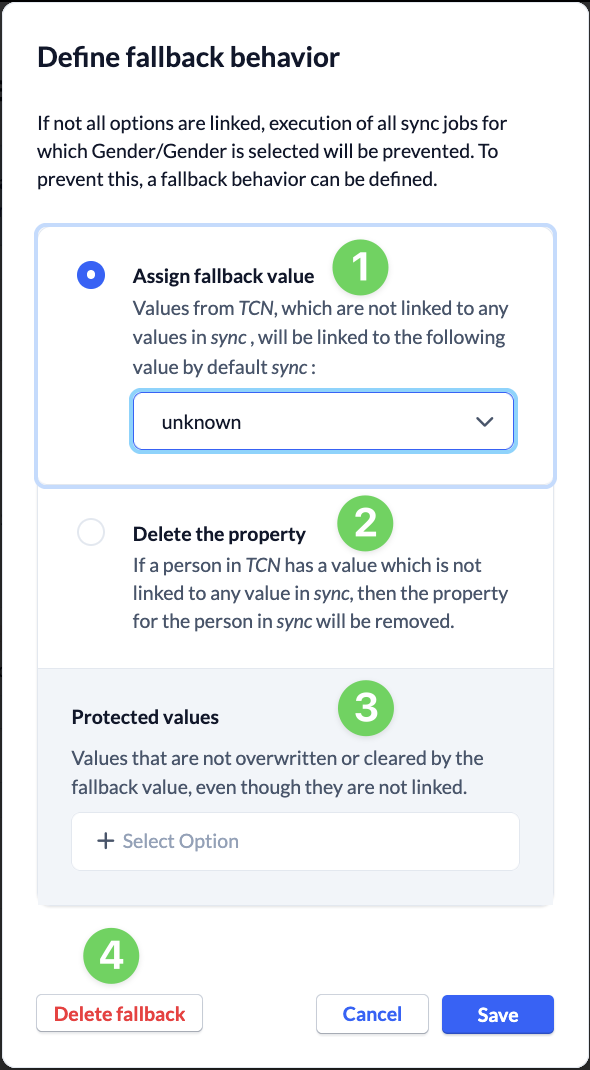
When defining the fallback behavior, you have the option to assign a fallback value (1), clear the property (2), or define protected values (3) that should not be overwritten by a fallback value even if they are not linked. You can delete an existing fallback behavior by clicking Delete Fallback (4).