A department is a subdivision of a campus that has its own management structure and list of people. Every person is always assigned to one or more departments in ChurchTools: the default is always the “Congregation List” department. You can customize this area for your congregation and, of course, add additional ones. This article explains how to do that.
Accessing Department in the Master data #
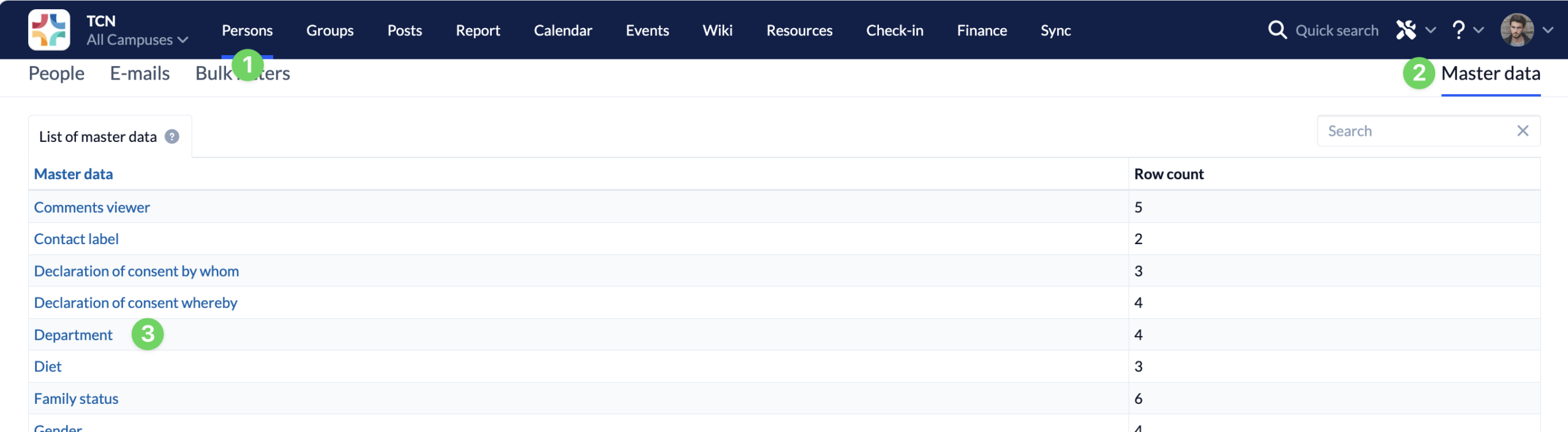
In the Persons module (1), you’ll find the master data (2) on the right-hand side. When you open it, the master data will be displayed in an alphabetical list. This is where you can access the deparments (3).
Open existing departments or create new ones #
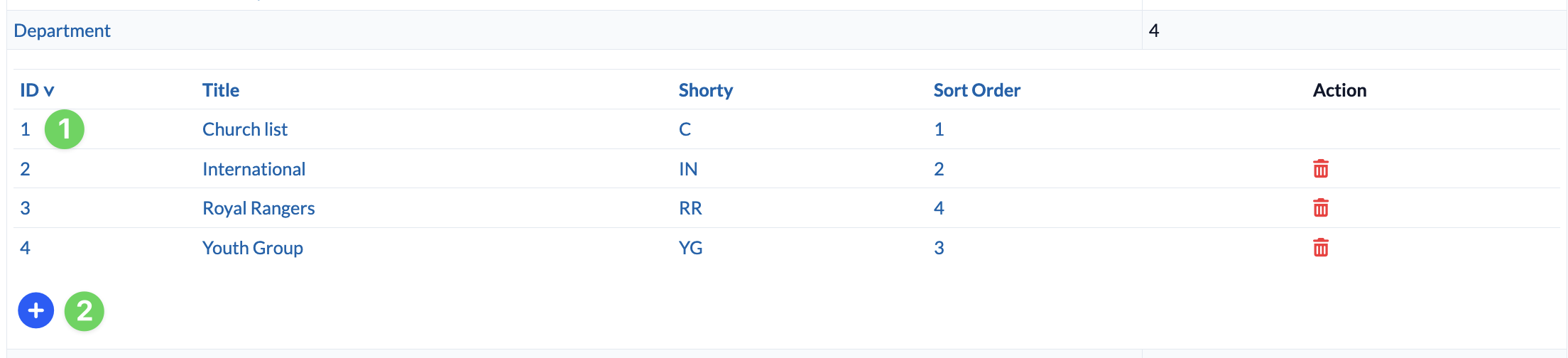
The list now shows you all existing departments (1). By clicking on one of the departments, you can customize it for your congregation.
If you want to create a new department, click the blue plus icon (2) below the list of sections.
Edit departments #
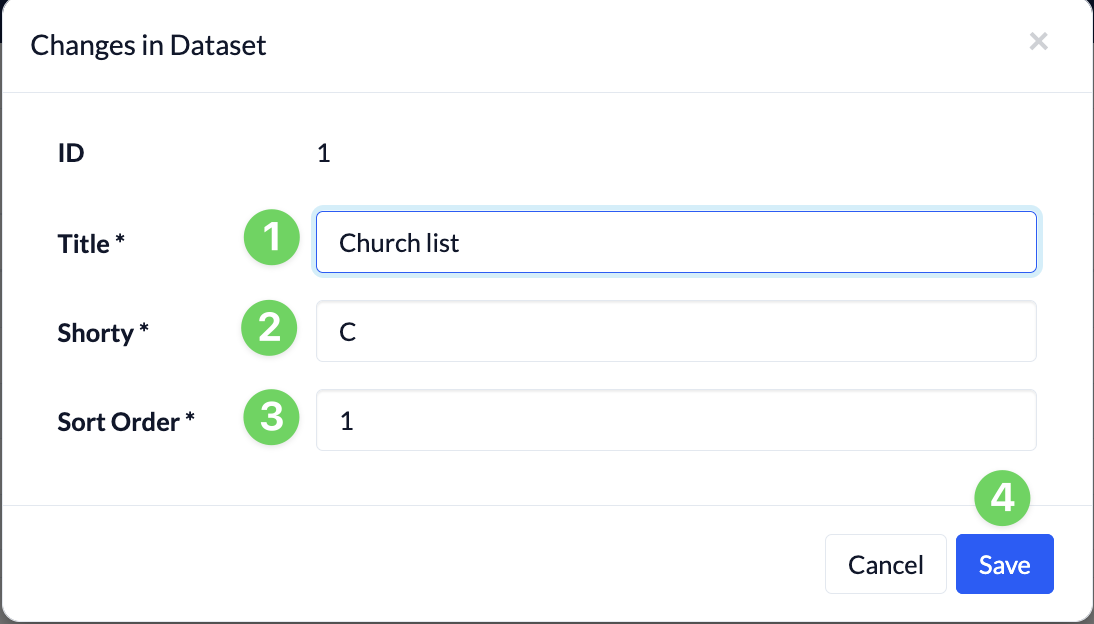
In the dialog box that opens, enter a name (1) and an abbreviation (2) for your department. The abbreviation will appear on the right side of the list of people for each person as soon as there is more than one section.
The sort order (3) determines the position of the field in selection lists and in the master data.
Clicking ” Save ” (4) creates the department or applies the change.