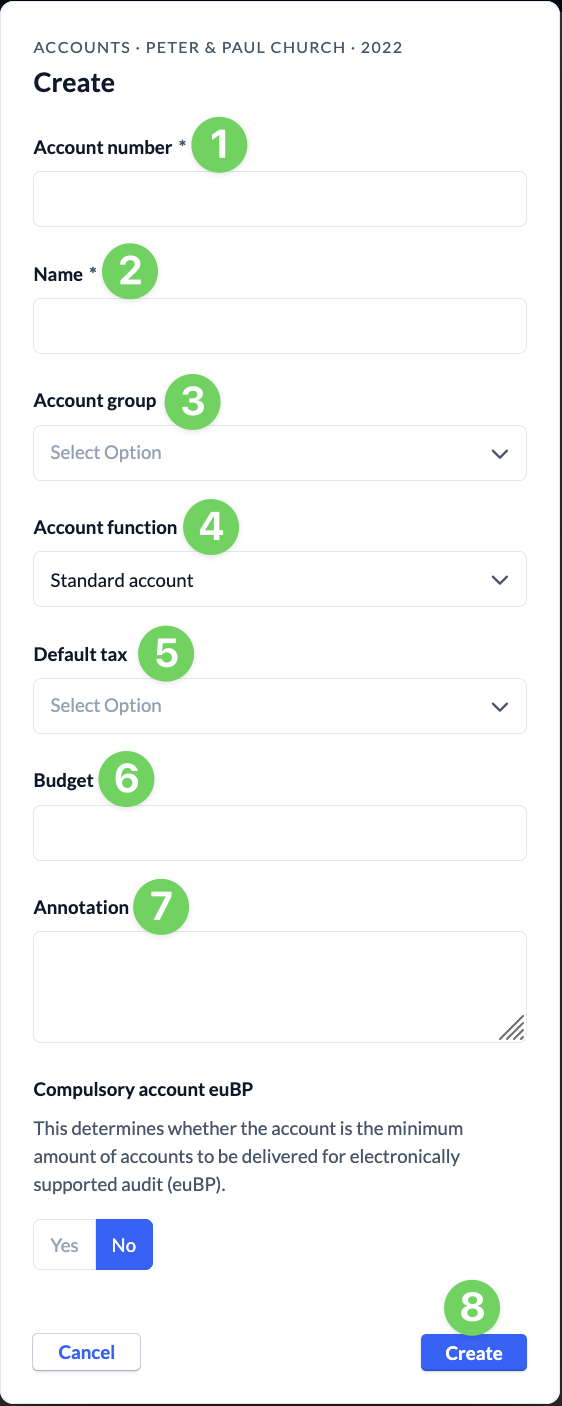
In this article, we’ll show you how to manually add an account to a fiscal year.
1. Add account types, classes, and groups, as well as tax types #
To add accounts manually, you must first add all the required account types, classes, and groups, as well as tax types.
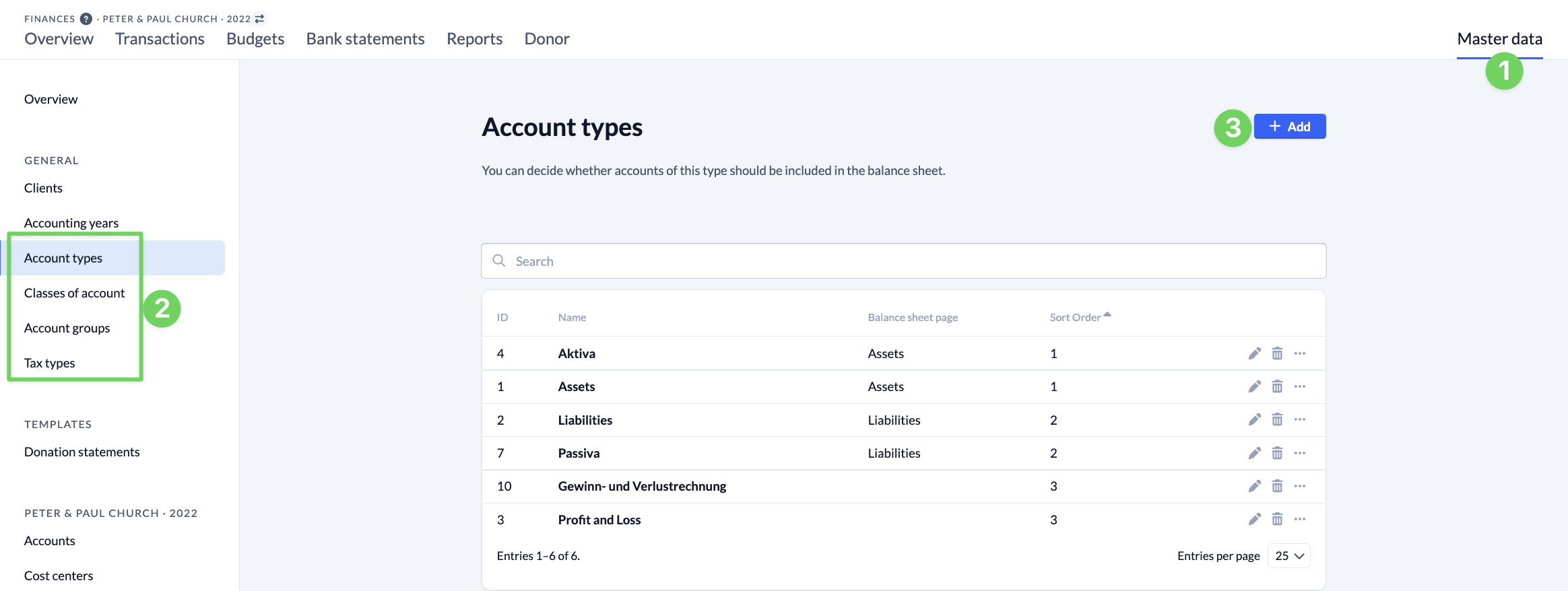
To do this, navigate to the relevant tab (2) in the master data (1) and click Add (3).
2. Add an account #
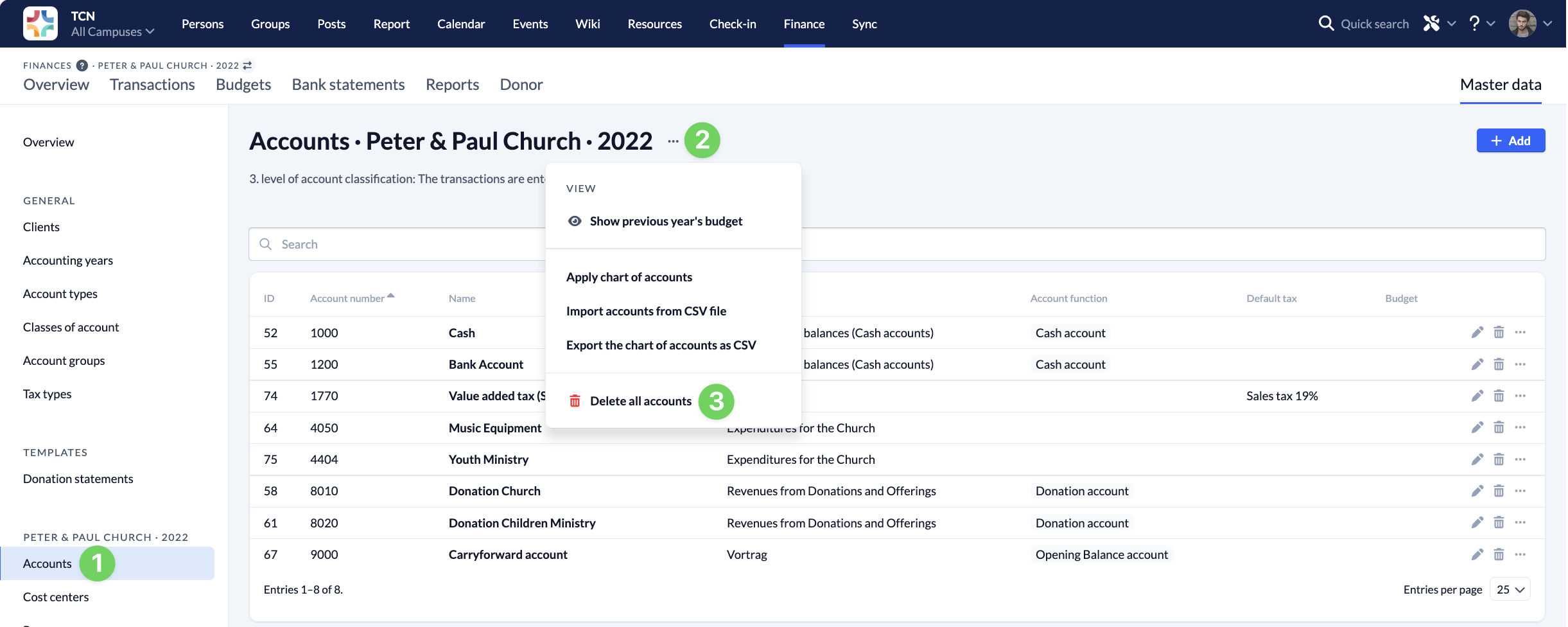
Next, navigate to Accounts (1) within the master data for the relevant fiscal year. Using the context menu (2), you can, among other things, delete all accounts for a fiscal year (3). To create a new account, click Add (4).
In the dialog box that opens, you can now enter all the necessary information for your new account and then save it.