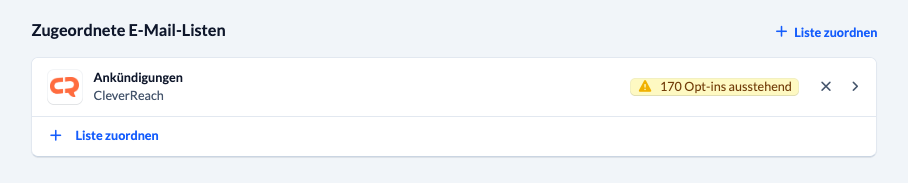
ChurchTools lets you link an e-mail list to your group so you can send regular e-mails to group members using a newsletter application. This link is active only as long as the group has the ” Active ” status.
Prerequisites #
To use this feature for your group, an admin must have set up a newsletter application in your ChurchTools system settings. Once that’s done, you can link an e-mail list to your groups here and then use that connection to send newsletters to your group members.
All individuals added to your group will then also be created in the linked application. As soon as a recipient withdraws from the newsletter, the application records the deregistration, and ChurchTools cannot reassign that person to the newsletter. This complies with legal requirements for newsletters.
Assign an e-mail list #
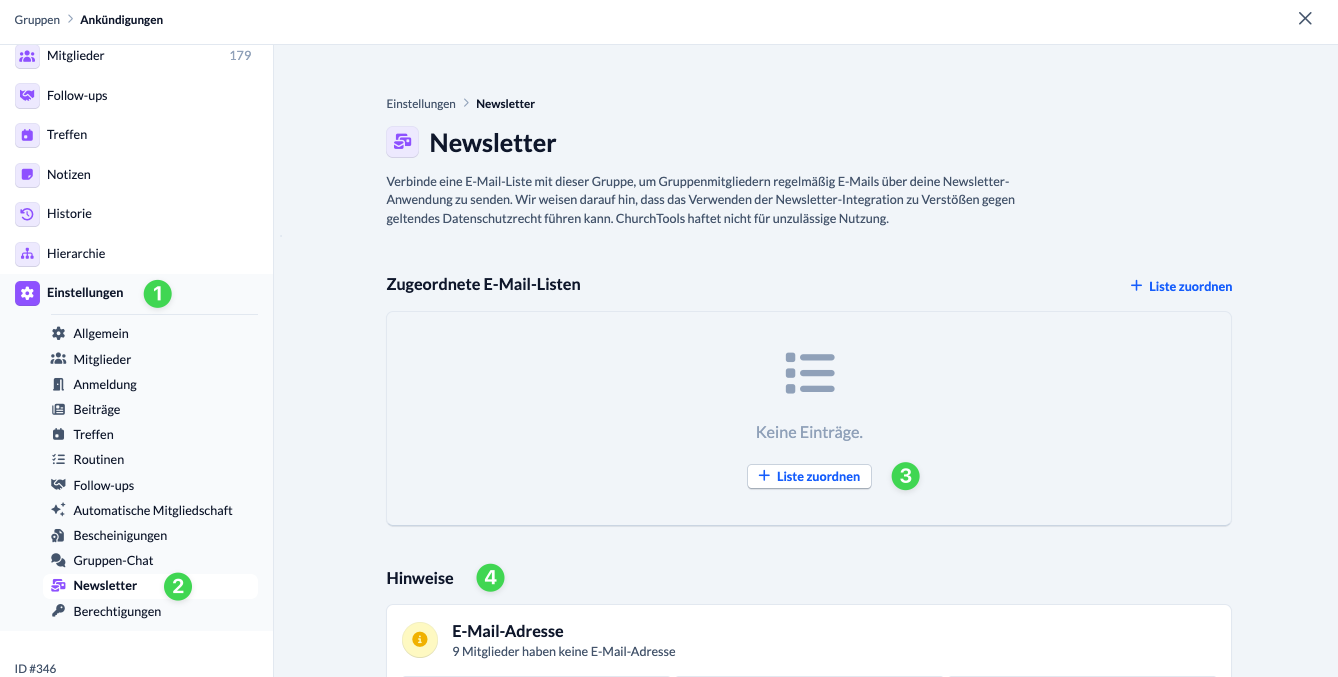
In your group settings (1), select the “Newsletter ” menu item (2) and click “+ Assign List ” (3). This menu item will only appear once your ChurchTools account is connected to at least one newsletter provider.
Under “Notes ” (4), you’ll see how many of your group members don’t have an e-mail address on file.
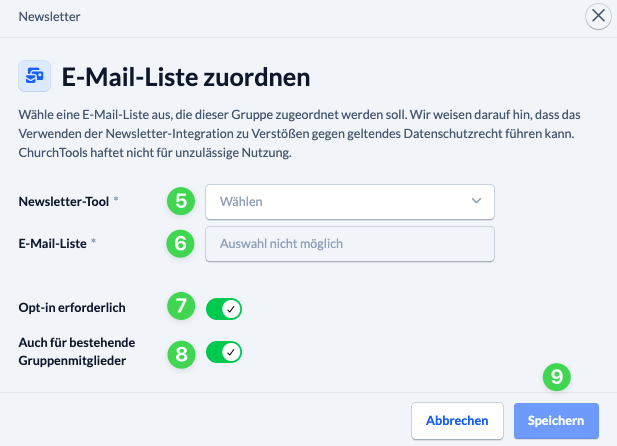
In the dialog box, select the desired newsletter tool (4) and the correct e-mail list (5).
In this section, you must decide whether an opt-in is required (7) in your case and whether existing group members (8) must also reconfirm their consent.
When you click ” Save” (9), you’ll see a note indicating how many people will receive the confirmation e-mail, and you’ll need to confirm that you want these e-mails to be sent.
Synchronization with the newsletter tool #
After assigning the list, it will appear in the newsletter overview. Here, you’ll also see the current status of pending opt-ins, as well as in the detailed view of the list assignment, in the group members table, and for individual group members.
During synchronization, ChurchTools syncs with the newsletter tool, and the name and e-mail address are verified. If a group member’s e-mail address changes, the user is automatically deleted from the newsletter tool and then recreated. In this case, the user must give consent again if opt-in is enabled.