


In the Events module, you can create facts to record a wide variety of information about your events.
For example, you can enter the number of visitors, the total amount collected, or other information that’s important to you, and specify who is allowed to view this information.
On this page, we’ll show you how to create new facts.
1. View facts #
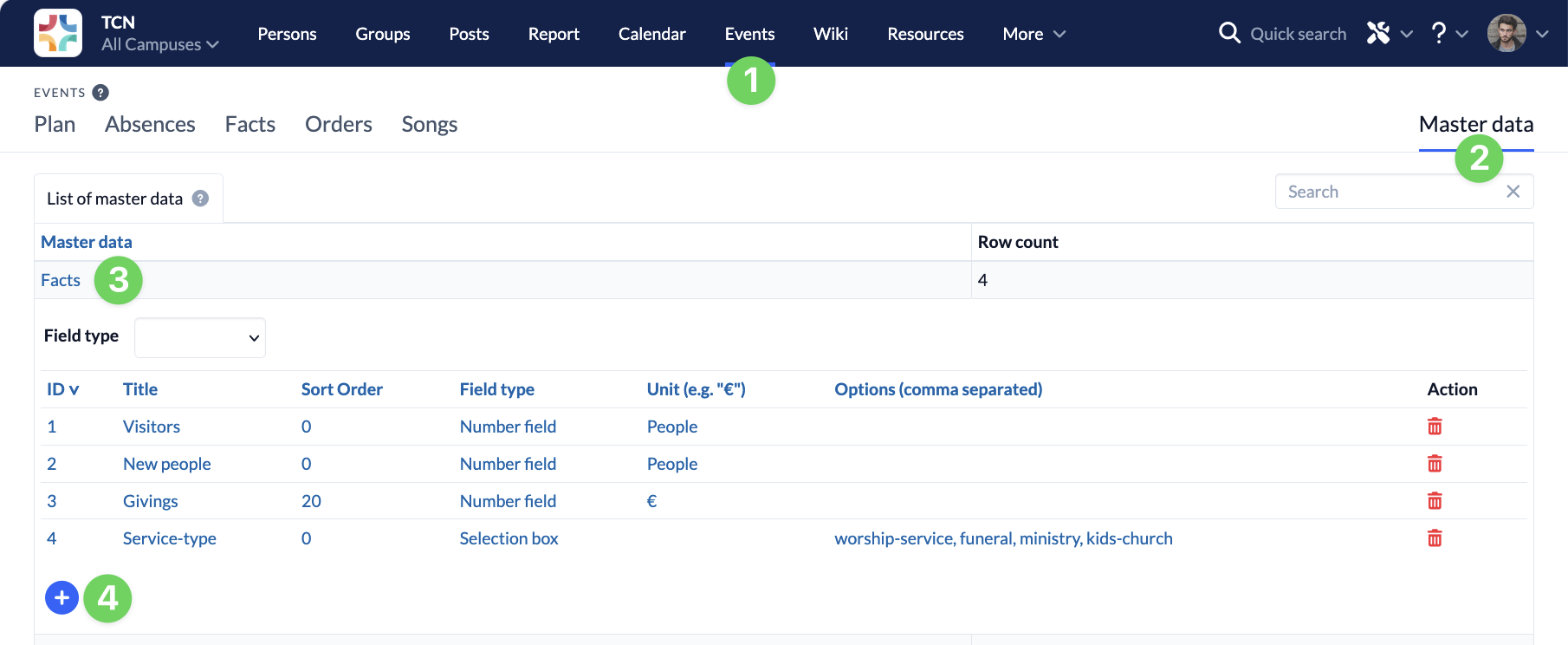
To create new facts, navigate to Master Data (2) in the Events module (1), select Facts (3), and click the plus sign (4) to open the dialog box for creating a new fact.
2. Enter information #
Next, enter all the information (1–4) for your new fact and save (5) it.
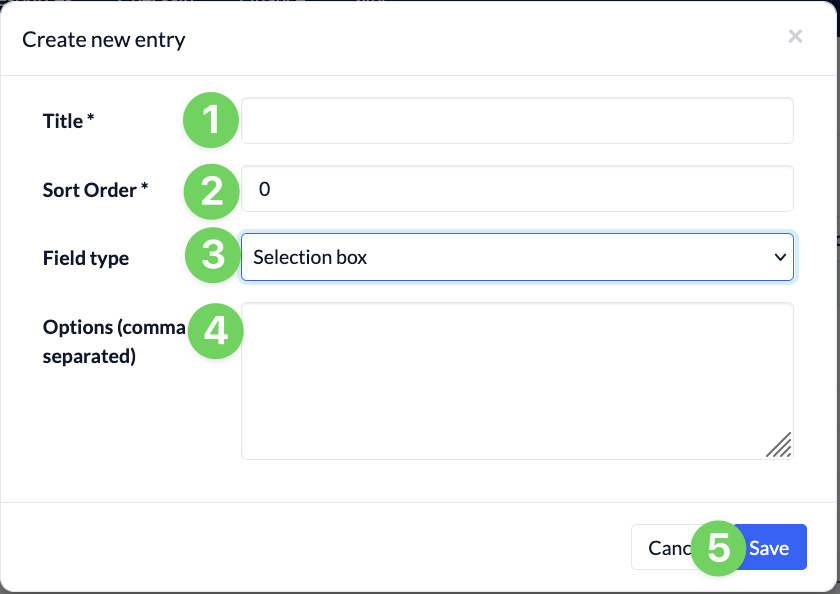
- (1) What’s the name of your fact?
- (2) Where should your fact be sorted?
The sort order determines where your new fact will appear in the Facts tab. - (3) Should the fact be a number field or a drop-down menu?
- You can enter any alphanumeric characters you like in a number field.
- For a drop-down menu, you specify options that must then be used when filling out the fact.
- Enter the options for a drop-down list, separated by commas, in field (4) below.
