For various reasons, it may be necessary to remove a large number of people from your contact list to keep it organized and ensure that it includes only those who are part of your congregation.
This can be especially helpful right after an event for which many people signed up who aren’t usually part of your congregation.
On this page, we’d like to show you two ways to quickly and easily clean up your contact list.
Option 1: Add external people to a group and then delete them #
This option requires a few preparatory steps, which you should ideally complete before performing the registration for your event.
The idea is for you to create a new person status and name it, for example, ” External Person ” or ” Event Registration.”
You can then configure the settings in the sign up group for your event so that everyone who signs up for the event and is not yet on your attendee list is assigned this person status.
After your event, you can then create a new group—for example, ” External Participants“—and have it populated automatically.
To do this, use Automatic Membership and set the person filter so that all people with the person status ” External Person/Event Registration ” who are members of your event group are added to the group.
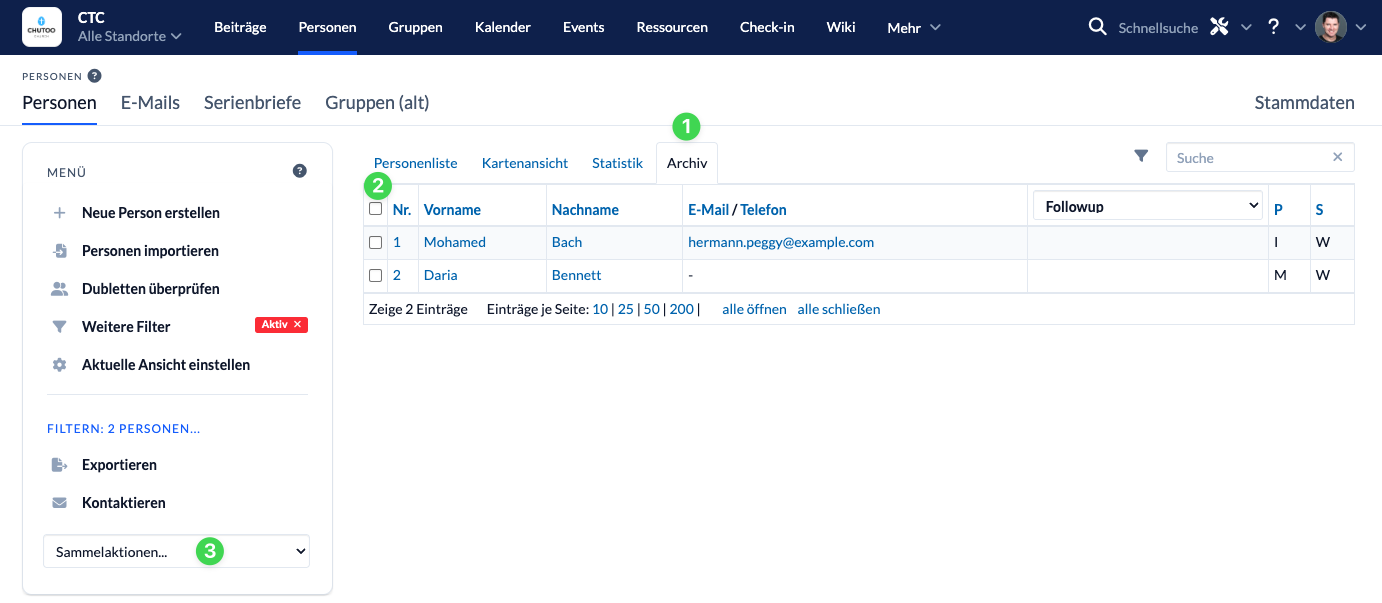
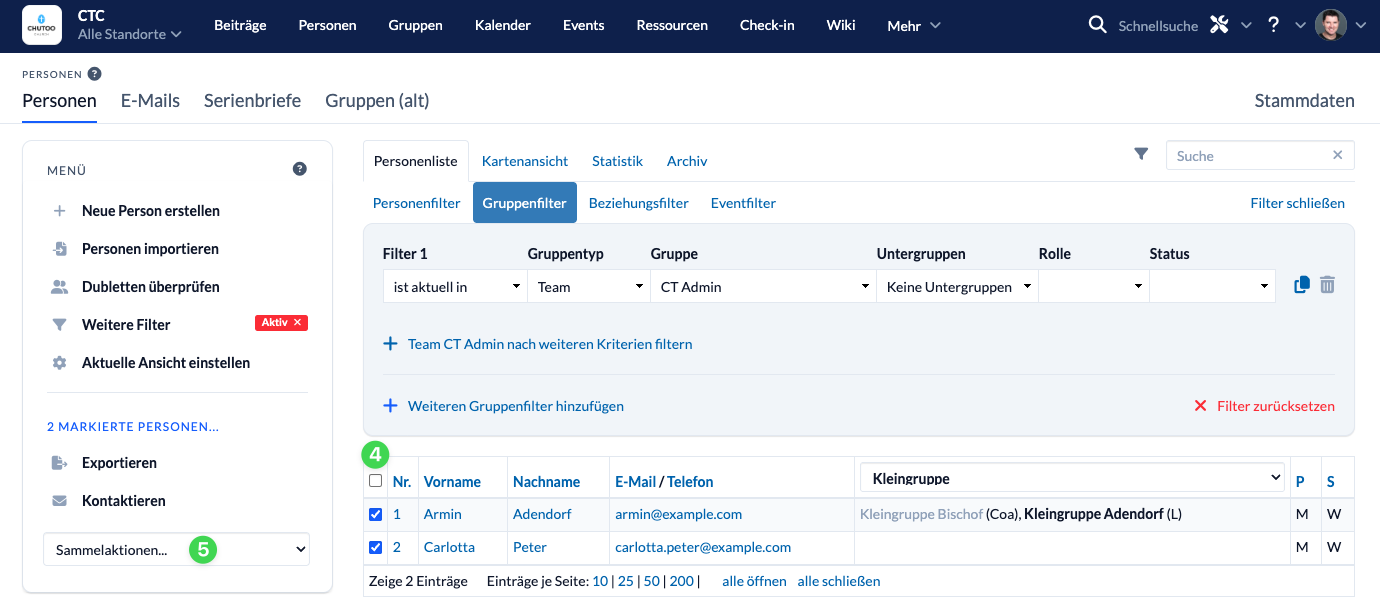
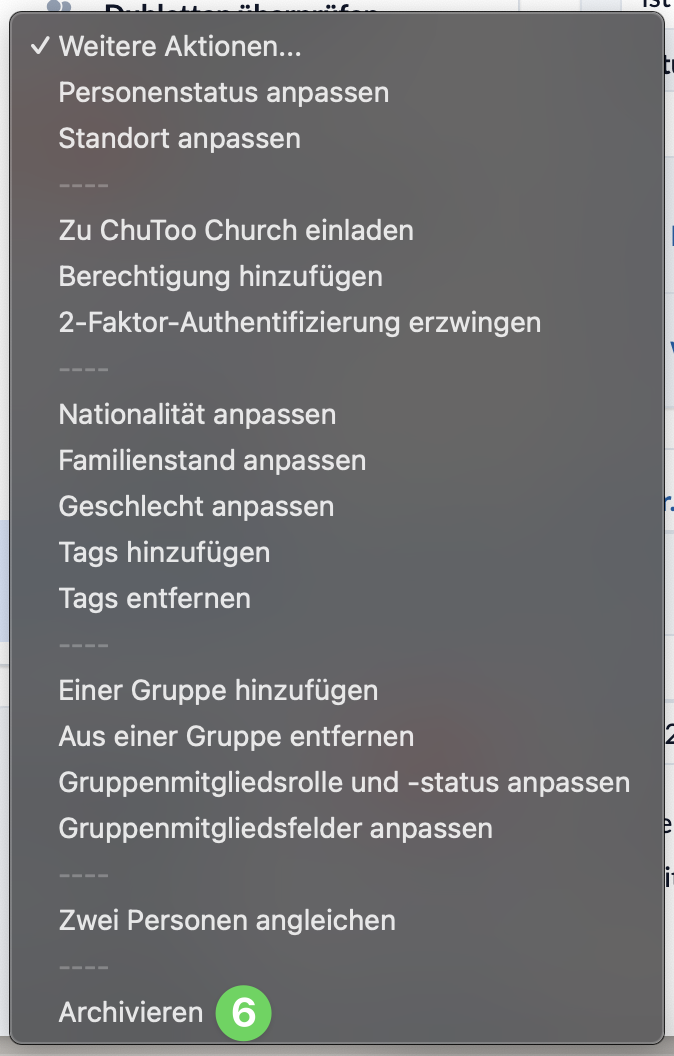
Next, filter (1-3) all members of this group in the contact list, select (4) them, and archive (6) them using the bulk actions (5).

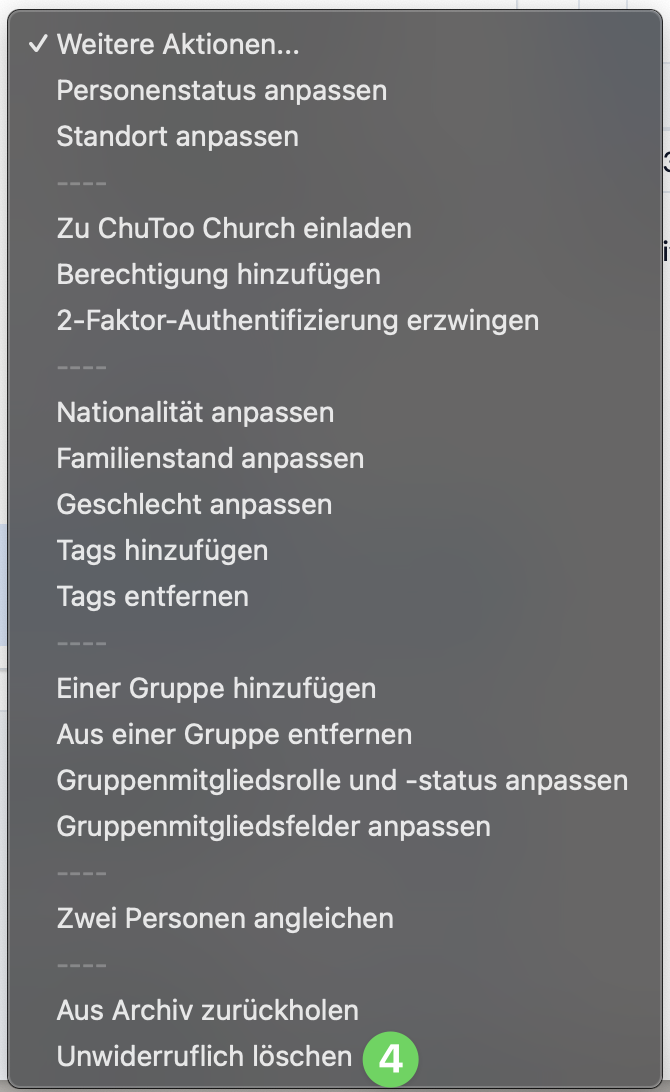
You can then either leave the people in the archive or delete them completely from there.

Option 2: Delete all users who do not have group membership #
This option requires that everyone in your congregation be a member of at least one group.
For your event, you can then handle registration as usual through ChurchTools and add the new attendees via the registration form in your group.
After the event, you should delete the event group. Anyone who signed up for the event but isn’t a member of your congregation will still appear in the list of attendees, but they will no longer be a member of any group in your ChurchTools.
Now you can filter the list of people to show only those (1-3) who are not members of any group, select those people (4), and archive them (5-6).

You can then either leave the people in the archive or delete them completely from there.