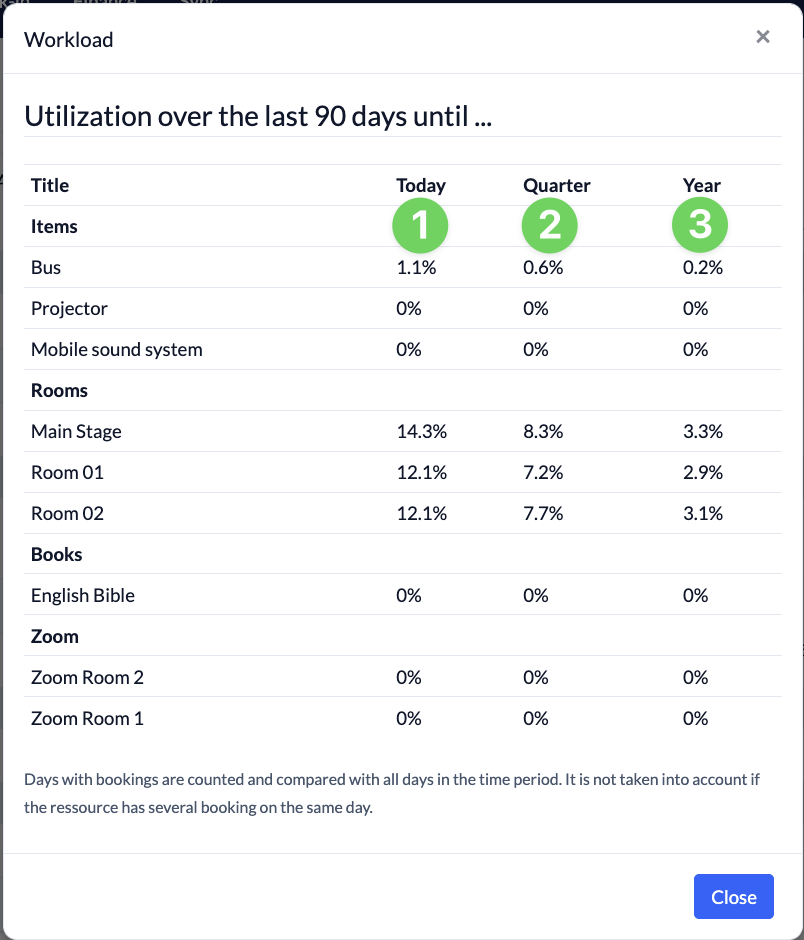
The utilization report provides you with a report on all bookings for your resources within a specified time period. It counts the number of days with bookings compared to the total number of days within that time period. It does not take into account whether there were multiple bookings for the same resource on a single day.
Set the evaluation period #
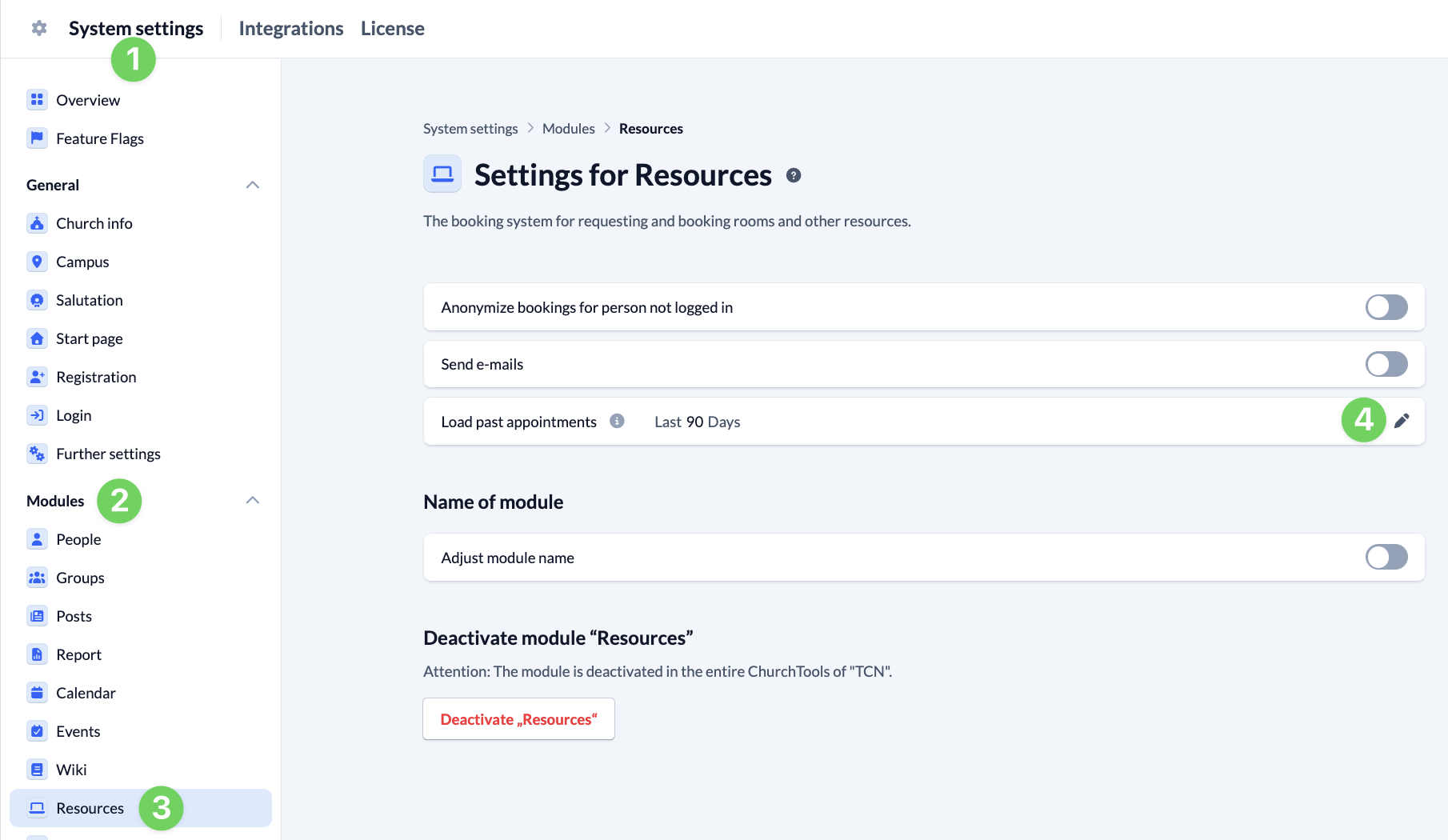
By default, the report always starts 90 days before the current date. You can adjust this number of days in the System settings (1): To do this, go to Modules (2) and open the Resources module (3). Use the pencil icon next to “Load past appointments” (4) to customize the display of past appointments in the Resources module. If you change this value, more or fewer past appointments will be displayed in the Resources calendar and included in the Report.
Reading the utilization #
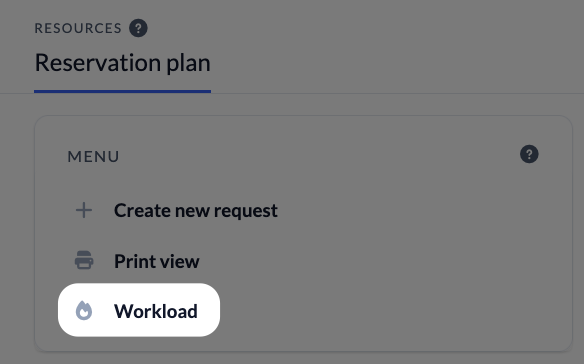
You can access the utilization report via the menu on the left side of the Resources module.
The ” Today” column uses the most recent days entered up to today.
The ” Quarter” column reports the most recent days entered and the next 90 days.
The ” Year” column reports the most recent days entered and the next 365 days.