


Communication is incredibly important. That’s why we offer many ways to make sure everyone gets the information they need and stays up to date.
These include e-mail, form letters and even text messages. But we would also like to show you a few additional ways to make some e-mails superfluous.
… via the Persons module #
In many cases it makes sense to send e-mails. The most obvious way is to use the Contact function in the Persons module in the menu on the left-hand side.
You should first filter the people you want to contact, for example a group, all people with a certain status or individual people.
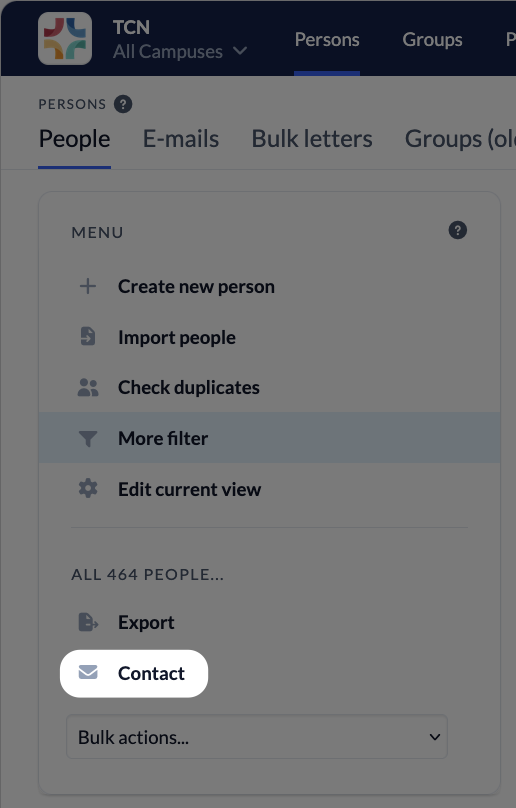
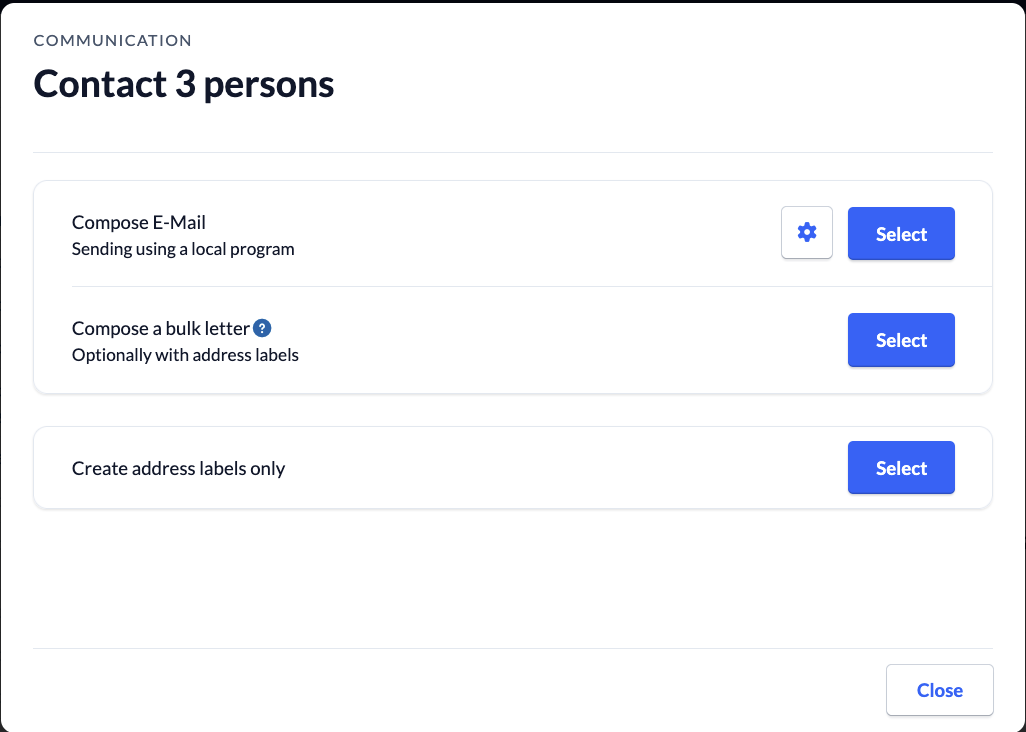
You can then choose how you want to contact these people: by e-mail, mail merge or address labels.
In the following, we will deal with the topic of e-mails. For the other two functions, there is a separate help page.
… via other modules #
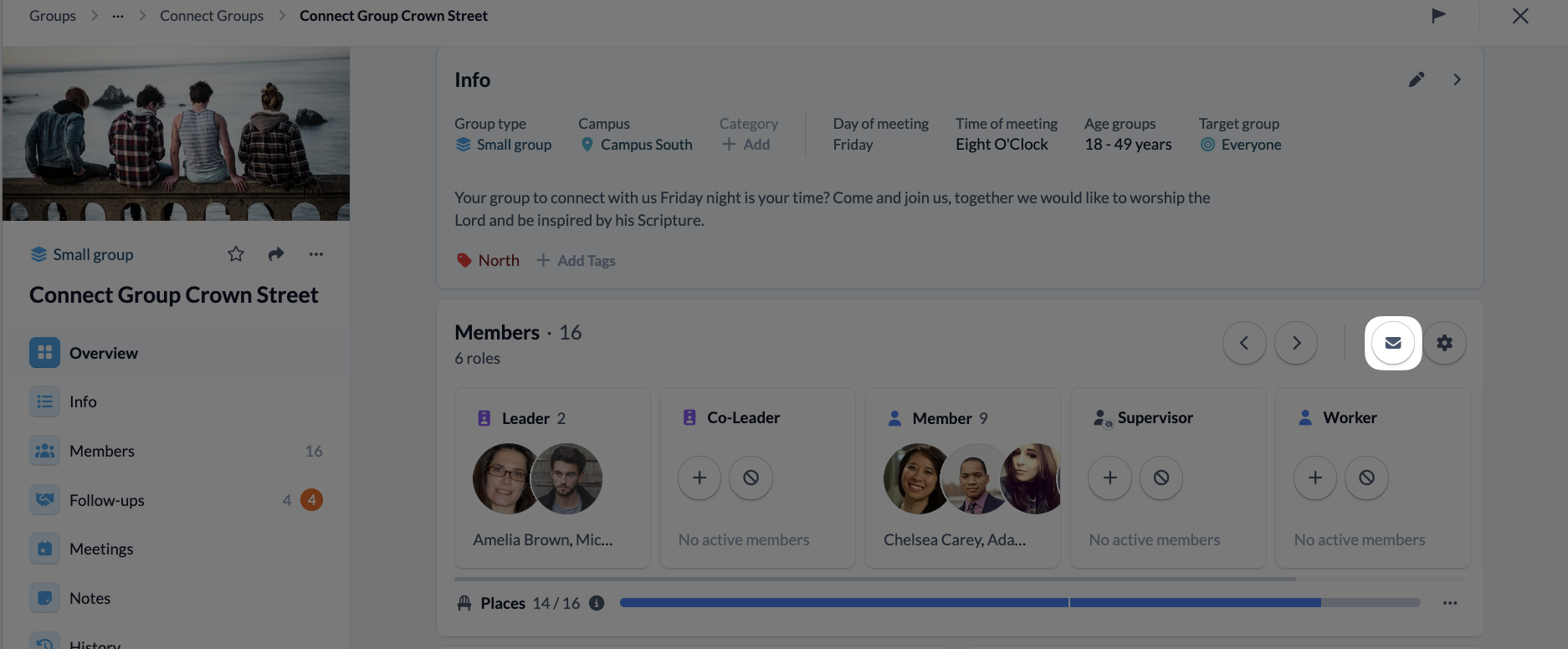
You can open a group directly in the Groups module and click on the envelope icon. This saves you having to switch to the Persons module and then filter the list of people.
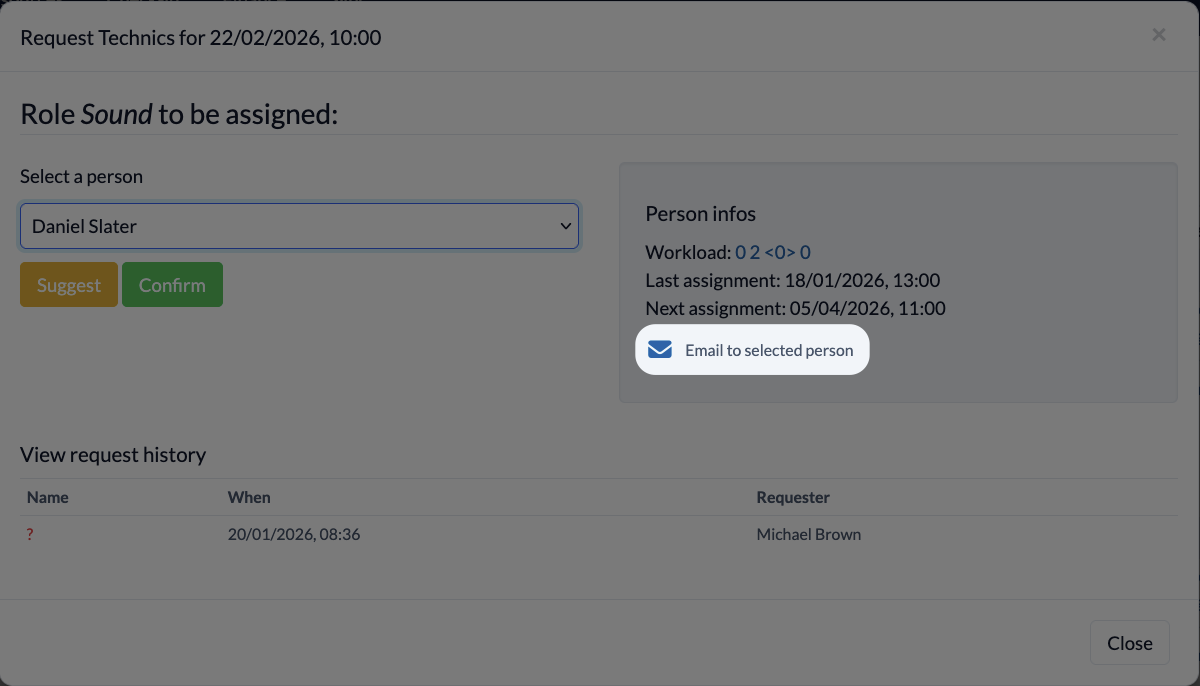
In the Events module, you can send an e-mail to scheduled employees directly from the duty roster.

You can also contact a person directly via the duty roster:
E-mail settings #
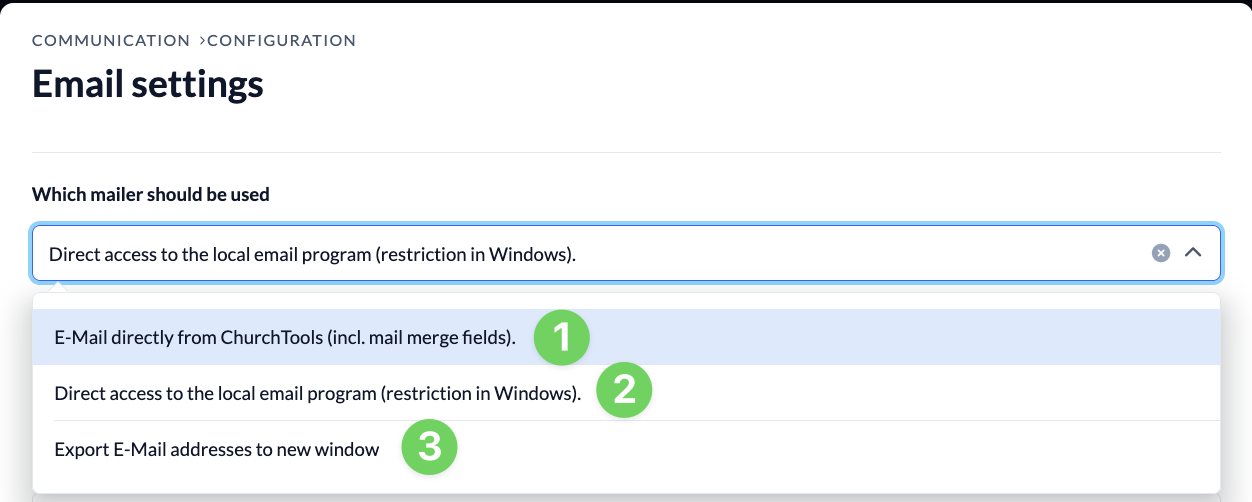
The cogwheel in the “Compose E-Mail” line allows you to set the way in which the marked people should be reached by e-mail and you can store a signature that then applies to all e-mails that you write via ChurchTools. In most cases, the integrated e-mailer of ChurchTools is the easiest and fastest way.
E-mail options #
Option 1 (direct dispatch) opens an e-mail program within ChurchTools.
Option 2 calls up the local e-mail program you have set up and transfers the selected addresses to the software.
Option 3 creates a list of all selected addresses, which you can then copy and paste into any e-mail program. This would also make it possible to import all e-mail addresses into the local e-mail program – which should be done with caution for data protection reasons.
Signature #
You can add a personal signature below the e-mail selection. This signature only applies to e-mails that you send manually from your account. It is inserted below your text. This is useful, for example, if you want to include the contact details of the congregation or insert the congregation logo.
Automated communication #
ChurchTools offers you and your congregation many ways to be informed automatically.
As an employee, you will receive requests for Roles and reminders for Roles, for example.
You will receive the request both by e-mail and via the Home page in the web and app.
If you manage employees, you can be informed about open Roles.
As a leader, you can be informed about many things, e.g. when changes are made to your group (e.g. someone joins, signs up, etc.).
You can use the Calendar module to be informed of new events by e-mail.
As a group member with a certain status, you will receive a predefined e-mail, e.g. because you have signed up for a leisure activity and have been put on the waiting list.