A church congregation thrives on the people who attend and join it. To introduce your congregation to these people, you manage your public profiles in the Public relations section. This is also where you launch your ChurchTools Website and manage its access permissions.
In your public profiles, you can enter information about your congregation and your campuses, which will then be displayed in the ChurchTools Finder and the ChurchTools app. This allows you to reach more people and encourage them to visit your congregation. You’ll also make it easier for people who are already part of your church and have a ChurchTools account to perform the Login to your ChurchTools and get involved. You can set up profiles under “Public Profiles.” We explain how to do this in our tutorial “How to create and edit my public profile?”
In addition, you’ll launch your ChurchTools Website in the Public Relations section, which lets you easily showcase your congregation in your own unique way using pre-designed layouts. You can add posts, people, groups, and events from your ChurchTools account to your website with just a few clicks. They will then be updated automatically. You can also manage these permissions in the Public Relations section under “ChurchTools Website.” All other configurations are made in the website’s admin area. You can find information on this topic in our “Website” category.
You can use the permissions settings to determine who is allowed to manage the public profiles and website shares in the Public relations section. For more information, see our guide “Who can edit the public relations section?”
If your congregation doesn’t want to use the ChurchTools Website, there are ways to integrate information from ChurchTools into your website using the API.
View public relations #
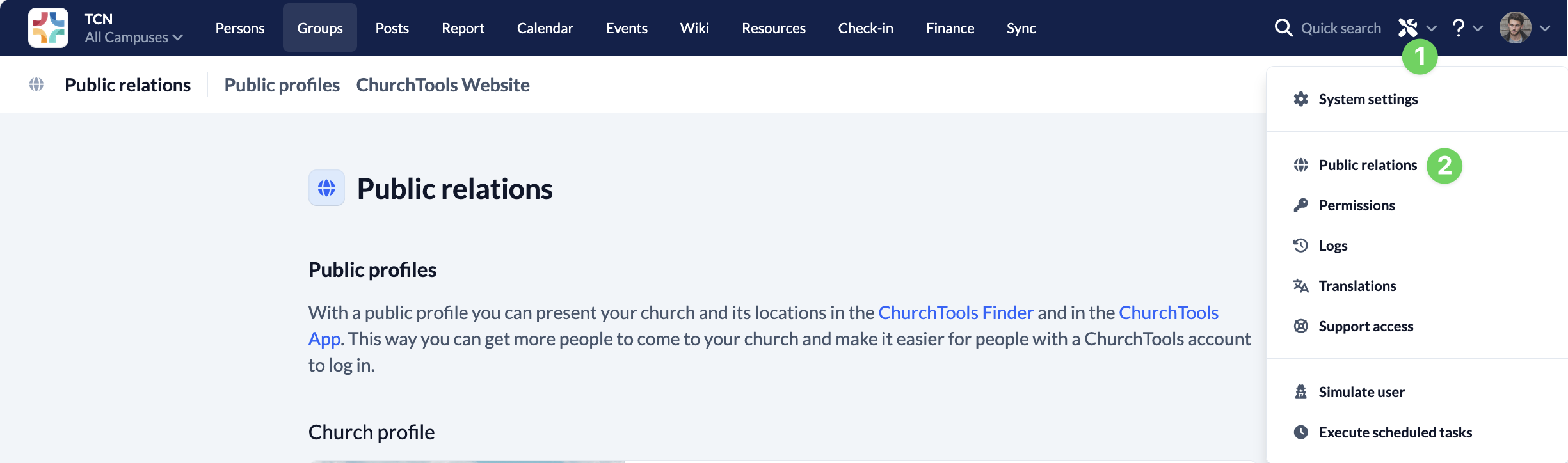
In the “Manage” menu (1), you’ll find the link to the ” Public relations ” section (2).
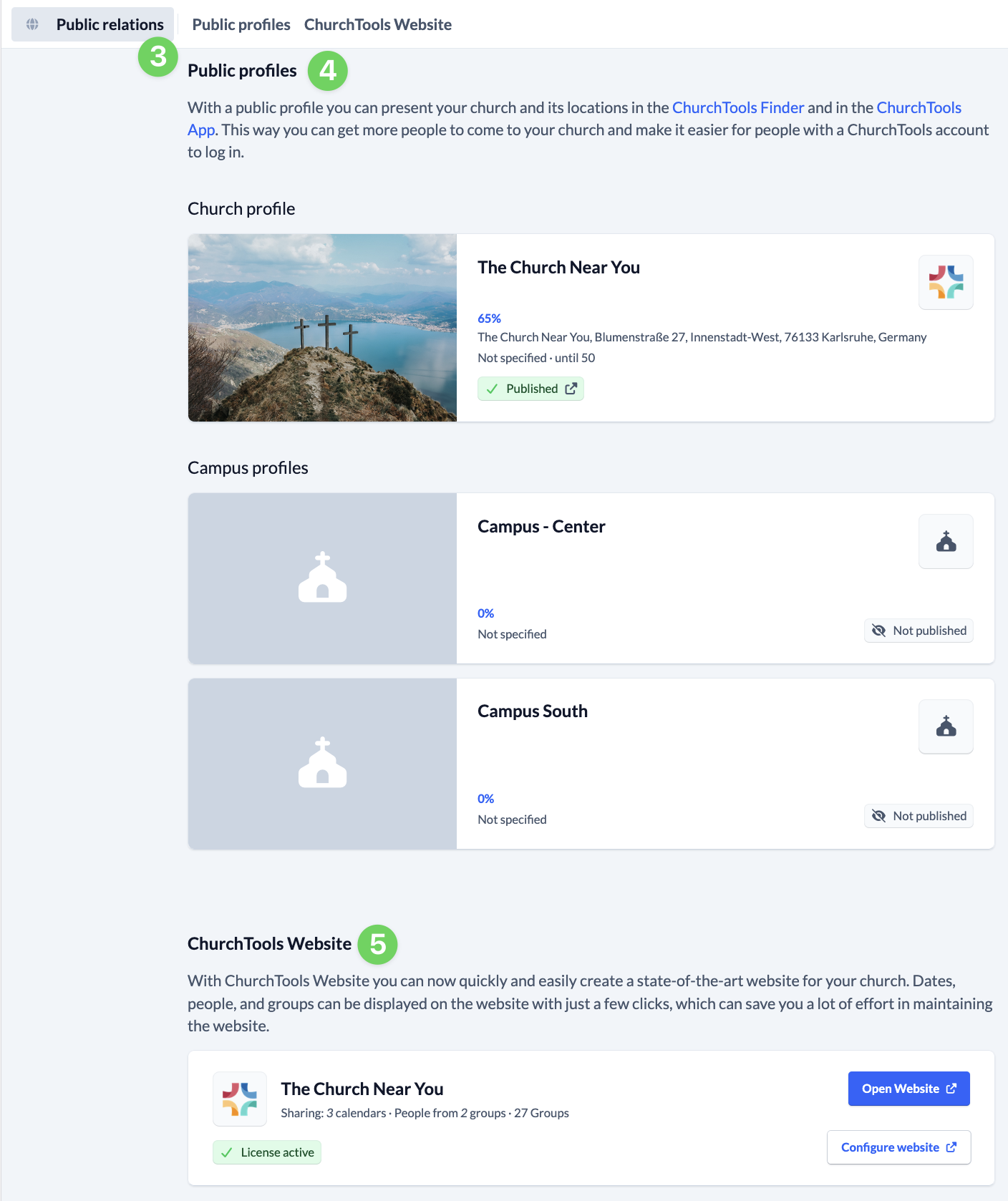
There, the Public relations overview (3) shows you your public profiles (4) and your ChurchTools Website (5).