This function allows you to redirect from old websites to new ones.
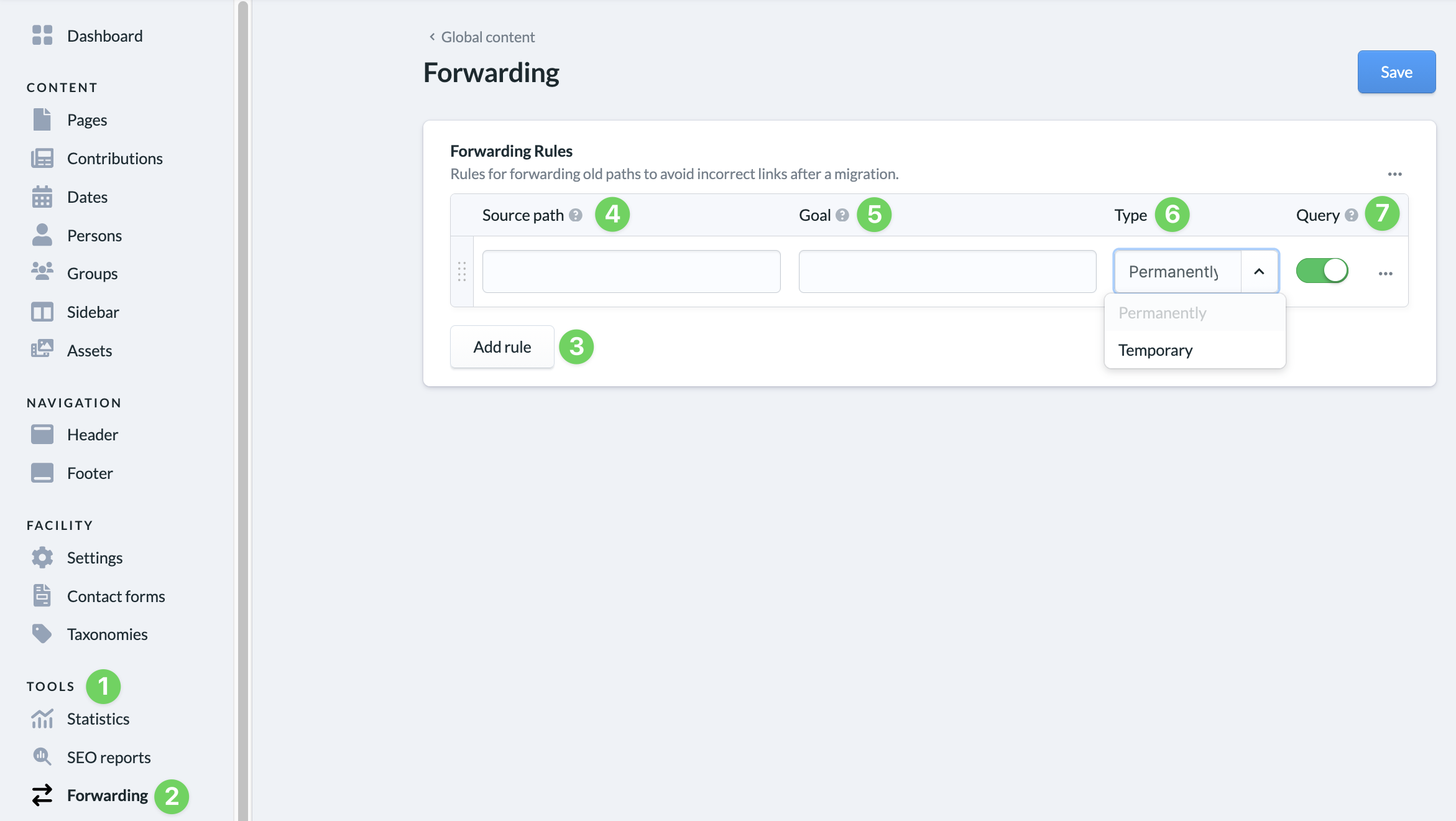
To do this, go to Tools (1) and select Redirects (2). Use the Add rule (3) button to create a new rule.
Here you enter the source path (4) and the destination (5) of the forwarding. Use the type (6) to adjust whether the redirect should be set up permanently (status code 301) or only temporarily (status code 302). This is important for search engines.
Use the switch under Query (7) to activate the recording of which website the person who called up the string came from. This is also taken into account in the statistics.