


If you haven’t selected any other content for a sidebar on a website, ChurchTools Website will automatically insert the groupings or elements you’ve selected.
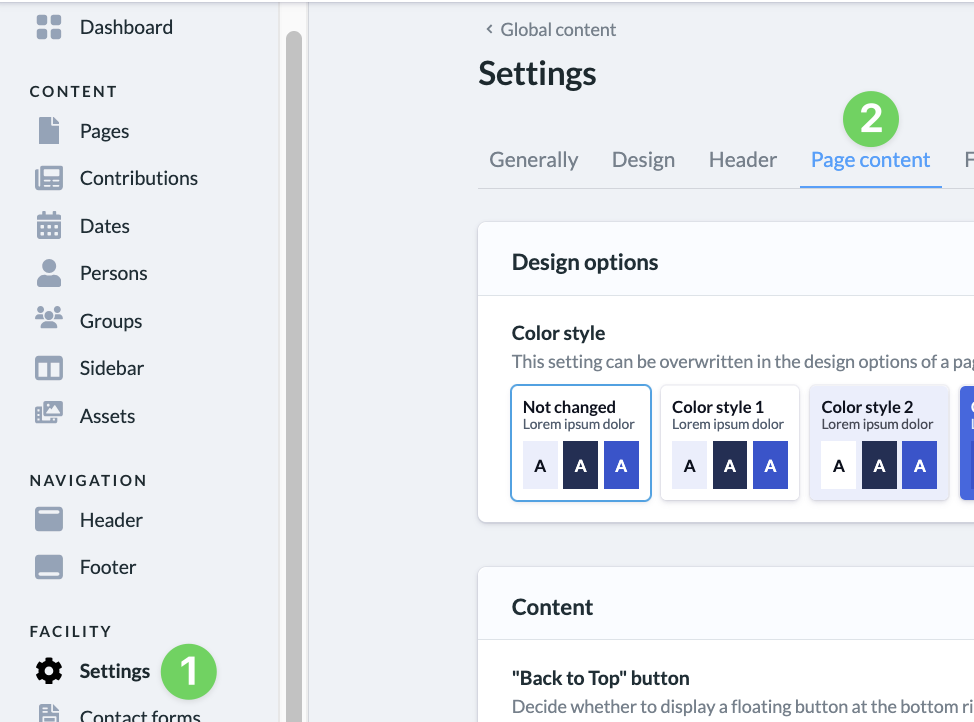
To select these default groupings or elements, go to the “Settings ” (1) section in your website’s admin area and then select ” Page Content ” (2).
Under “Sidebar” (3), you can either create new entries and link them (4) or select existing groupings or elements (5).
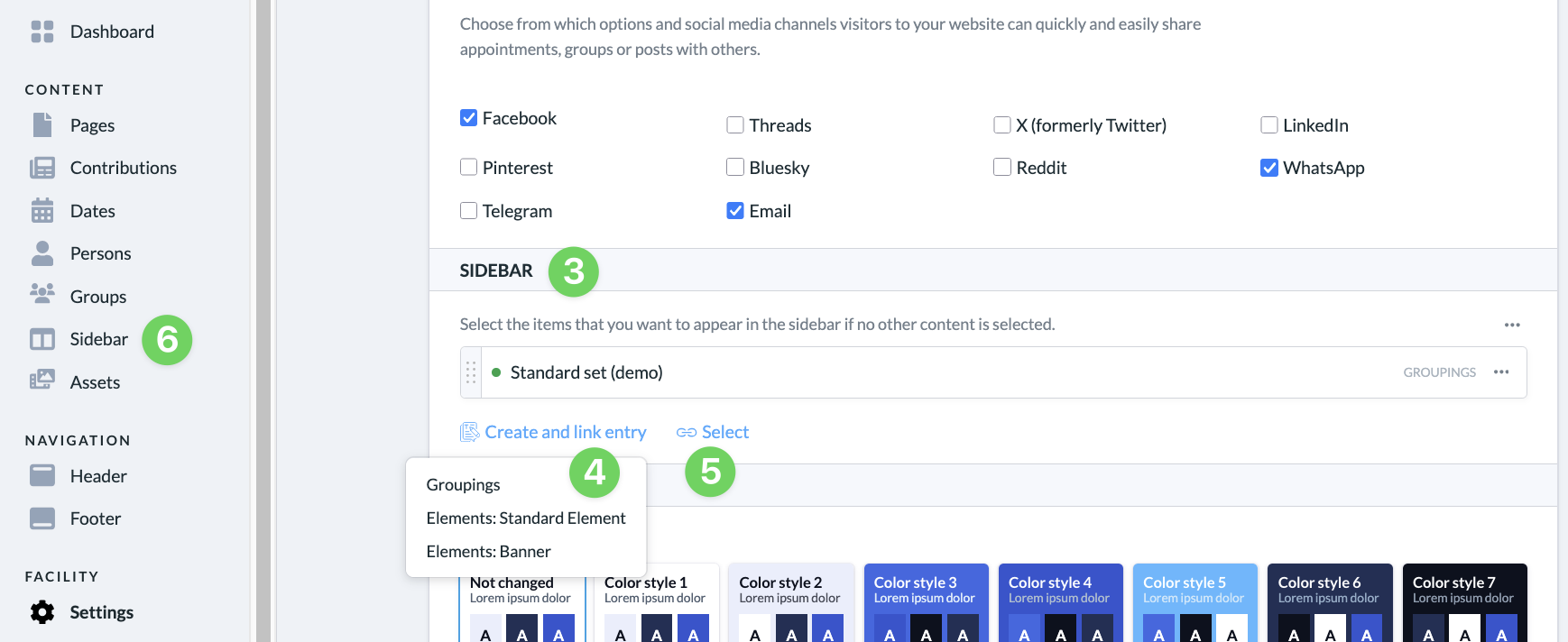
The elements you select here will be displayed by default on web pages when a sidebar is shown but has not been filled with content.