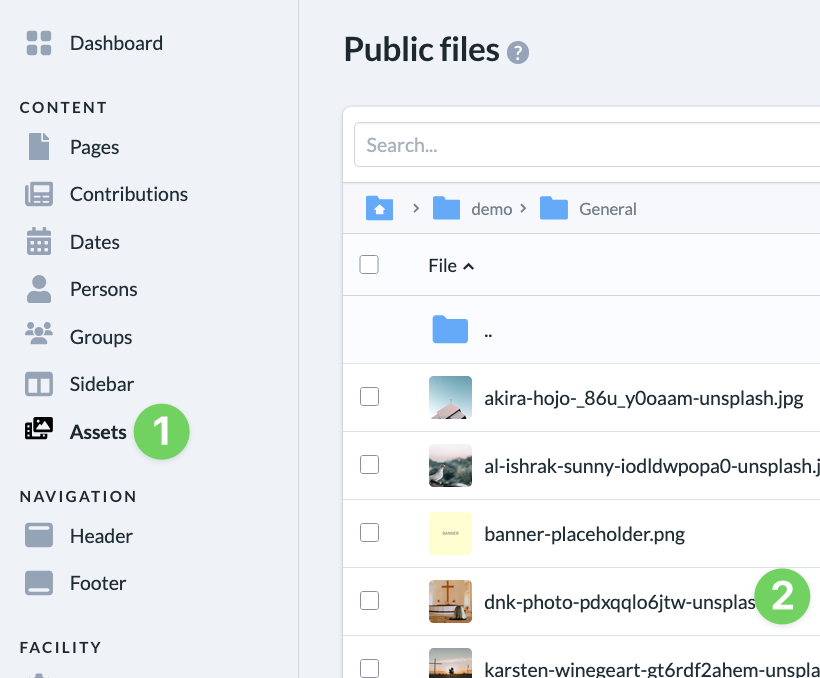
To change the focal point of an image, go to ” Files ” (1) via the menu on the left side of the admin area and click on the photo ( 2) you want to adjust. This will open the photo’s detail view.
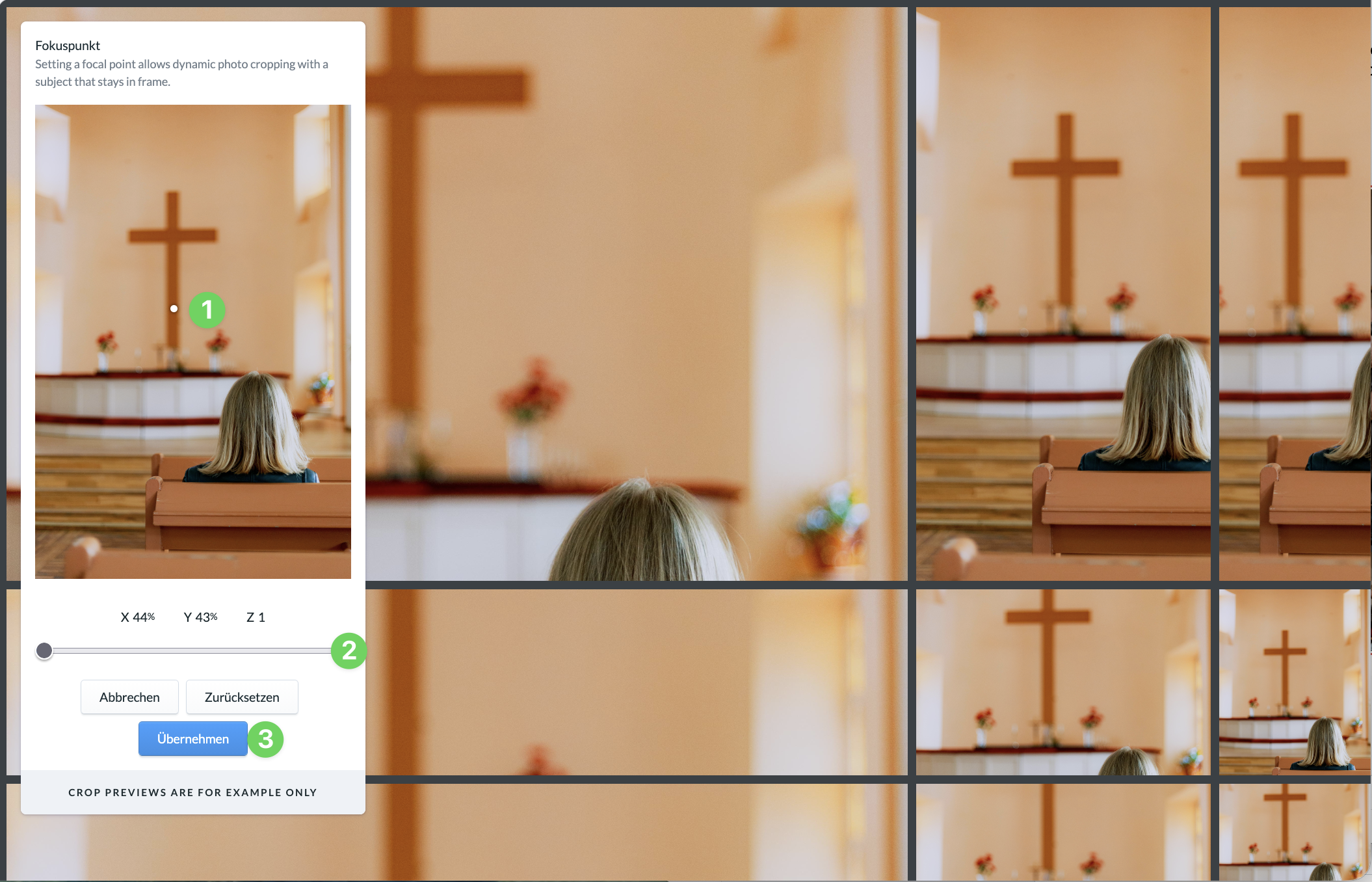
In the photo’s detailed view, click ” Focus Point” in the upper-left corner. This opens a view where you can reset the focus point in the photo. At the same time, you’ll see in the background how changing the focus point affects the photo in various aspect ratios.
To reset the small white focus point (1), click on the spot in the photo where you want it to be (you can’t move the existing point; instead, you can reset it). You can also change the portion of the photo displayed using the zoom bar (2).
If you’re satisfied with the new focal point and the photo’s cropping, apply your changes (3) and then save the photo in the detail view.