


The ChurchTools Website offers you a variety of preset color schemes, allowing you to customize the color scheme of your church’s website. These schemes are professionally coordinated and make your website look great. We explain how to select a color scheme for your website in the article on design settings.
If you’re familiar with this, you’ll also have the option to further customize the color scheme for your website.
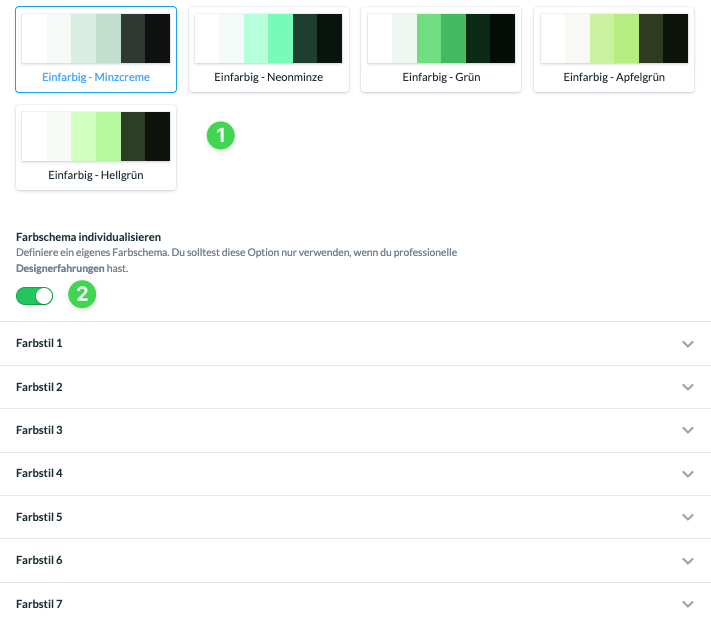
Scroll down to “Color Scheme” in the design settings. Here you’ll find the preset color schemes (1). Below that, use the slider to enable customization of the color scheme (2).
To make it easier for you to review the individual changes, we’ve made a Figma file available in the Figma Community that shows you examples of how the different color styles look.
So before you make any changes to your own website, you can take a closer look at the Figma file to understand it better. The file is also designed to let you experiment with the logic behind the color schemes.