The ChurchTools Website offers integration with Eye-Able assistive software, from which you can select individual solutions for your website.
Access Integrations #
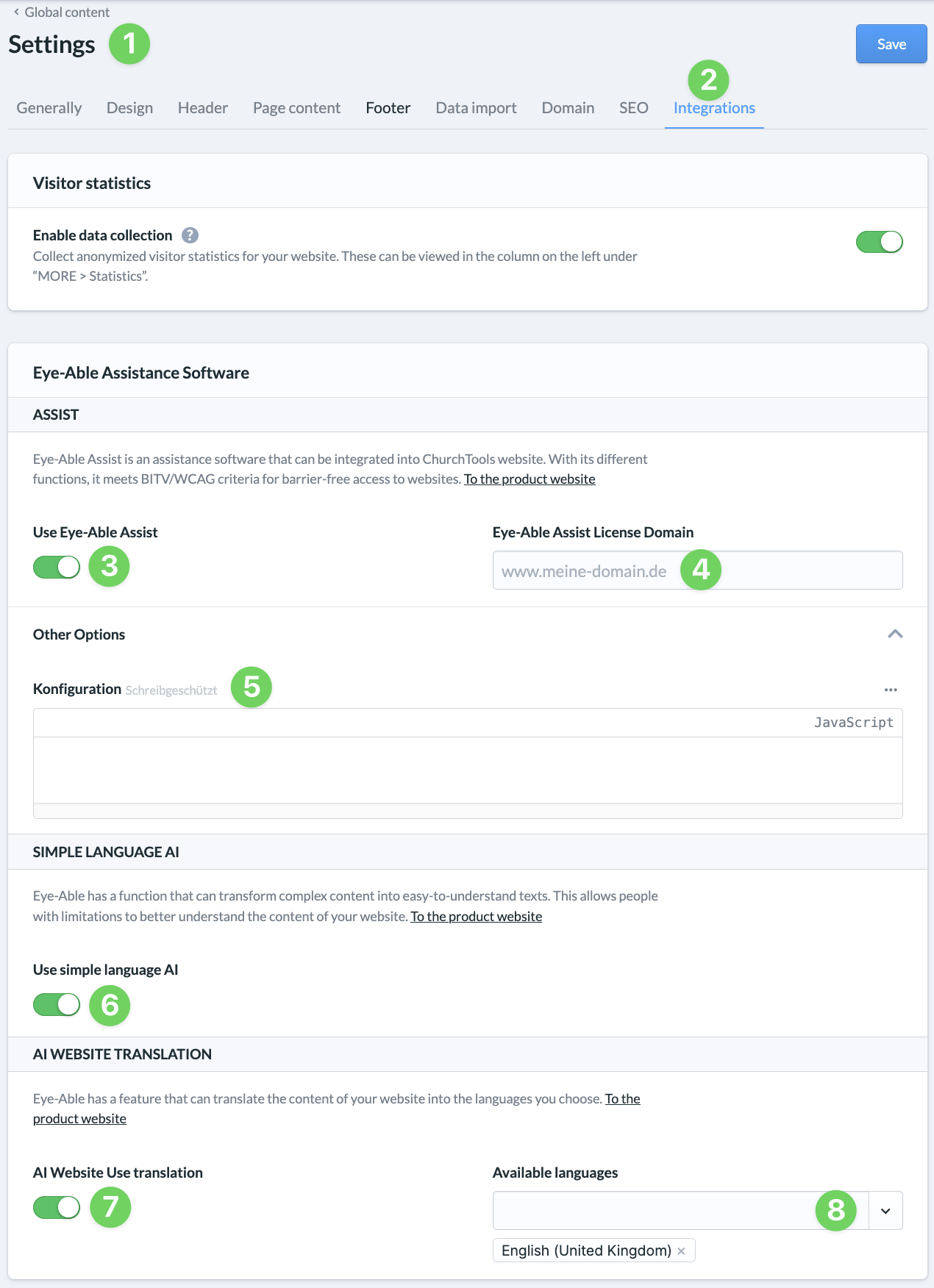
Use the menu on the left side of your admin panel to access Settings (1) and then Integrations (2).
Enable Eye-Able Assist #
Under “Assist,” toggle the switch to enable Eye-Able Assist (3), enter the domain (4) on the right that you provided when purchasing the Eye-Able Assist license, and save (9) your entries.
After saving, the configuration (5) of your Eye-Able Assist license will be displayed under ” Additional Options.” The import may take a short while. You cannot edit the configuration on the ChurchTools Website. To do so, log in to Eye-Able and make the changes there.
Use other solutions #
Under ” Simple Language AI,” toggle the switch (6) to enable this feature.
If you want to use AI website translation, toggle the corresponding switch (7) and select the available languages (8) on the right.
Finish both activations by clicking ” Save” (9).