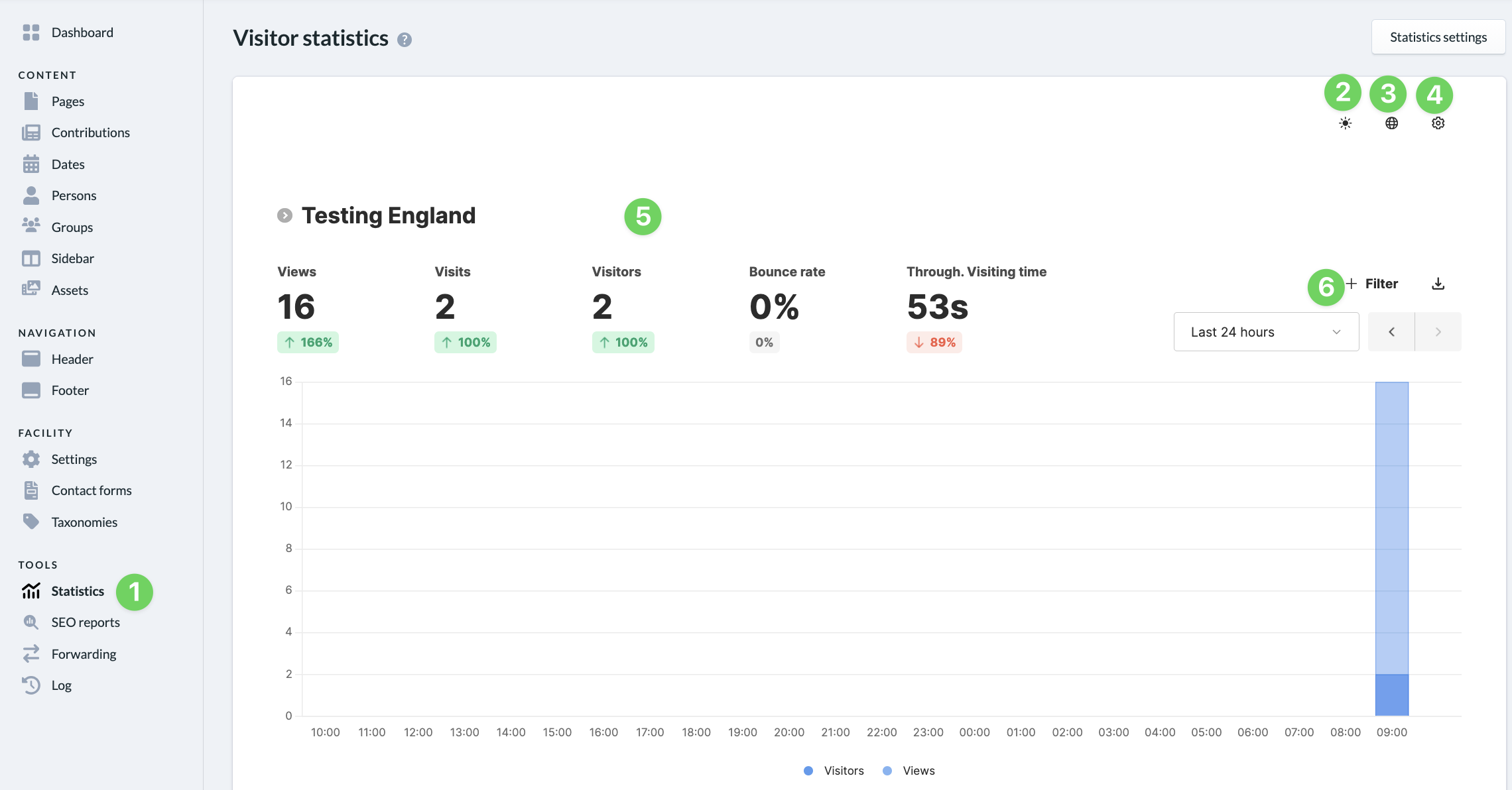
The visitor statistics track anonymized data from visitors to your ChurchTools Website. No personally identifiable visitor data or IP addresses are stored; instead, all data is extracted from the logs in an anonymized form. For more detailed information on data collection for visitor statistics and data security at ChurchTools, see the article “What are visitor statistics?”
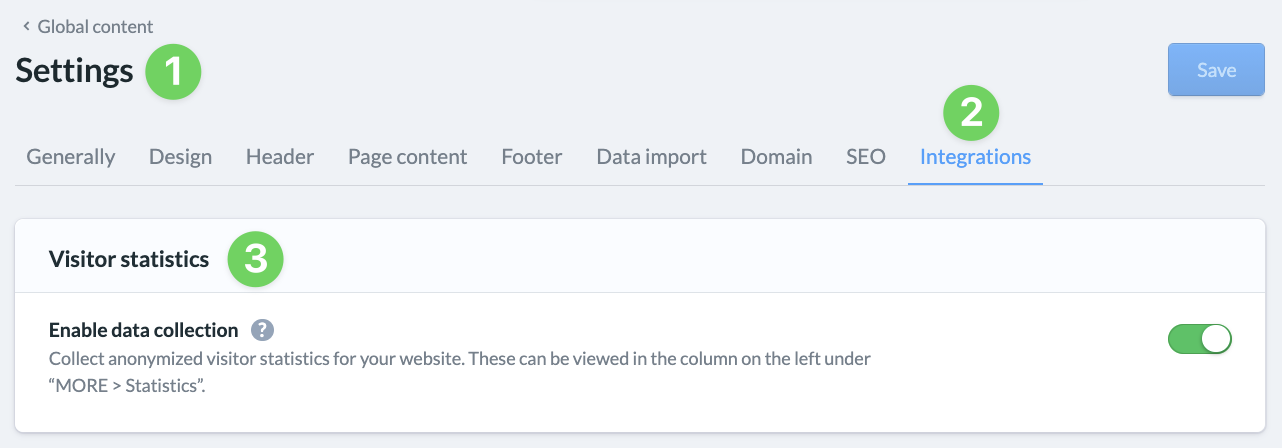
This feature is enabled by default on your website and is free to use. Of course, you can disable it at any time (3) in the settings (1) under ” Integrations ” (2).
If it is disabled, no further data will be collected. Any data that already exists will remain stored. If you would like to have the stored visitor data deleted, please contact our support team.
This article explains how you can view the data that has been collected.
View visitor statistics #
In the menu on the left, click “MORE” to access the statistics (1), which display anonymized data collected from visitors to your ChurchTools Website.
Here you can select a theme (2) and language (3), and configure your statistics (4) to specify your time zone and the default date range.
At the top of the display (5), you’ll see summary statistics on page views, visits, visitors, their bounce rates, and average visit durations.
Below, you’ll find individual, more detailed statistics that you can filter by specific data (6).