Here you’ll find information about the SEO reports we provide in ChurchTools. You’ll also learn how to verify your ownership of your website with Google and other search engines to gain access to additional reports.
To learn how the ChurchTools Website helps you optimize your website’s search engine rankings, visit ” How does ChurchTools support SEO?”
SEO Reports #
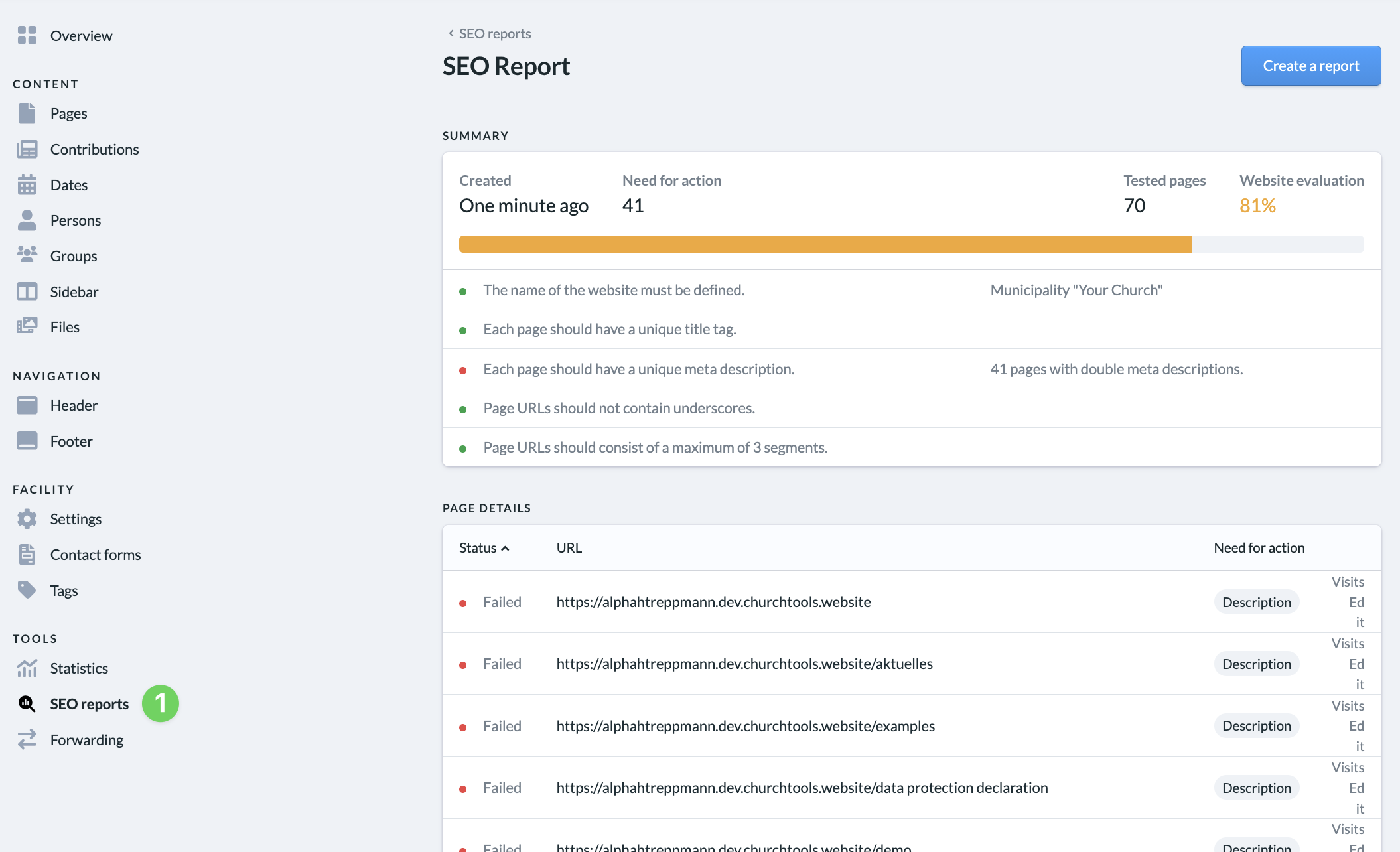
Under “More” in the admin area of your ChurchTools Website, you can generate SEO reports (1) using the ChurchTools Website Builder. These reports contain helpful notes on how to optimize your website.
Search Engine Verification #
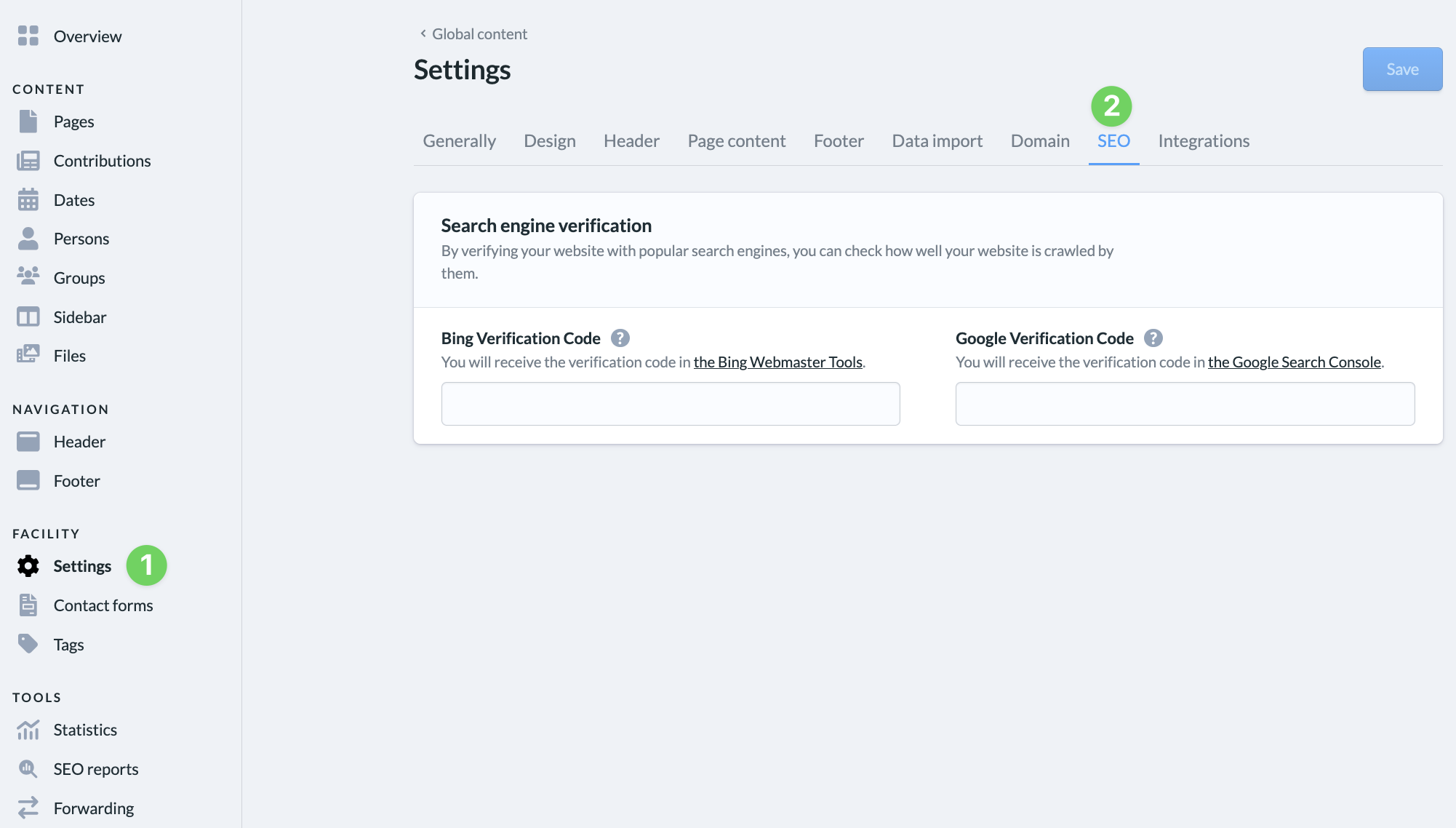
Search engine verification allows you to confirm to Google or Bing that you are the owner of your website. To do this, you’ll receive a unique verification code from Google Search Console or Bing Webmaster Tools, which you can enter in the settings of your ChurchTools Website.
Once your account has been successfully verified, you’ll gain access to important reports —such as search visibility, search terms, and technical notes—and will be able to further optimize your website in a targeted manner.
You can enter your verification codes in the Settings (1) of your website, under the SEO tab (2).