Info e-mails about changes in a group are system e-mails that are automatically sent to group leaders. There can be several reasons why a group member with a leadership role does not receive e-mails about changes in their group. With this step-by-step troubleshooting guide, you can find and fix the reason.
If no change e-mails are sent in general, then check from point 1. If this only applies to individual groups, then check from point 3 in any case.
1. Check general message dispatch #
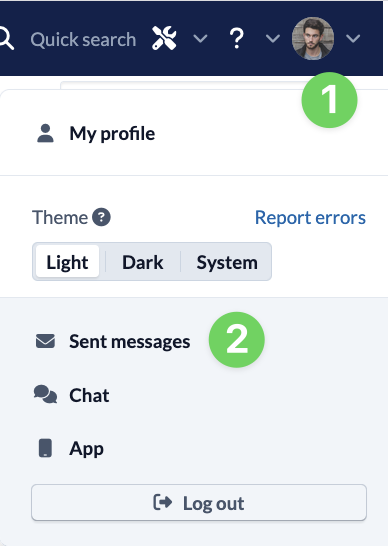
Check in the sent messages (2) via your person menu (1) at the top right whether messages are generally sent from your ChurchTools.
If no messages are being sent and you are using our e-mail server, please contact our support team. If you are using your own e-mail server, check that the server is set up and running correctly.
2. Check System settings #
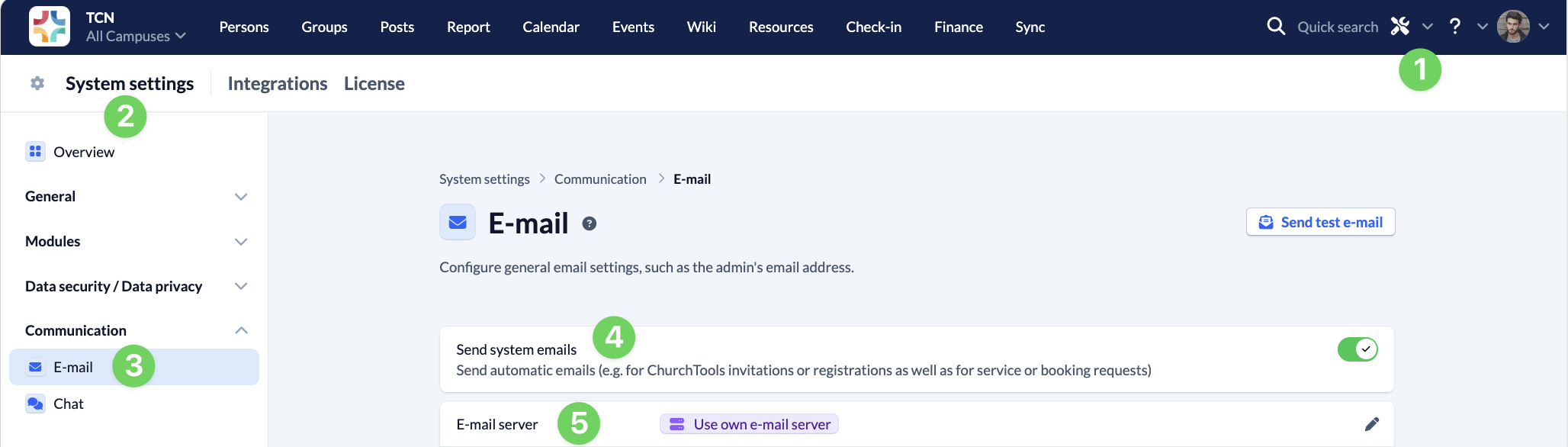
Call up the System settings (2) via the tool icon (1) in the blue menu bar.
Under Communication, navigate to the E-mail section (3) and check whether the Send system e-mails (4) switch is activated. If you are using your own e-mail server (5), also check whether the e-mail server settings are set correctly.
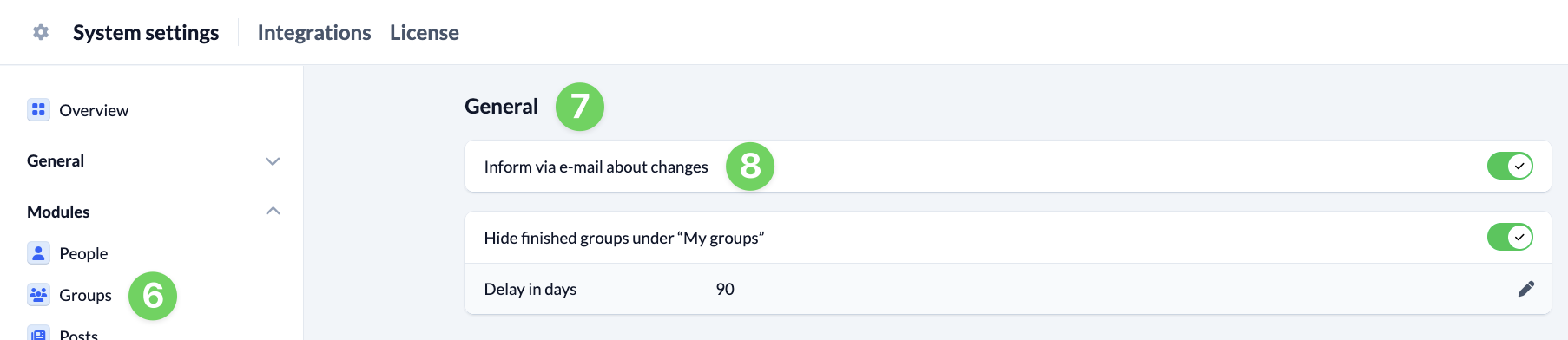
Go to the Groups (6) section under Modules and check under General (7) whether the switch for Inform about changes by e-mail (8) is activated.
3. Check group settings #
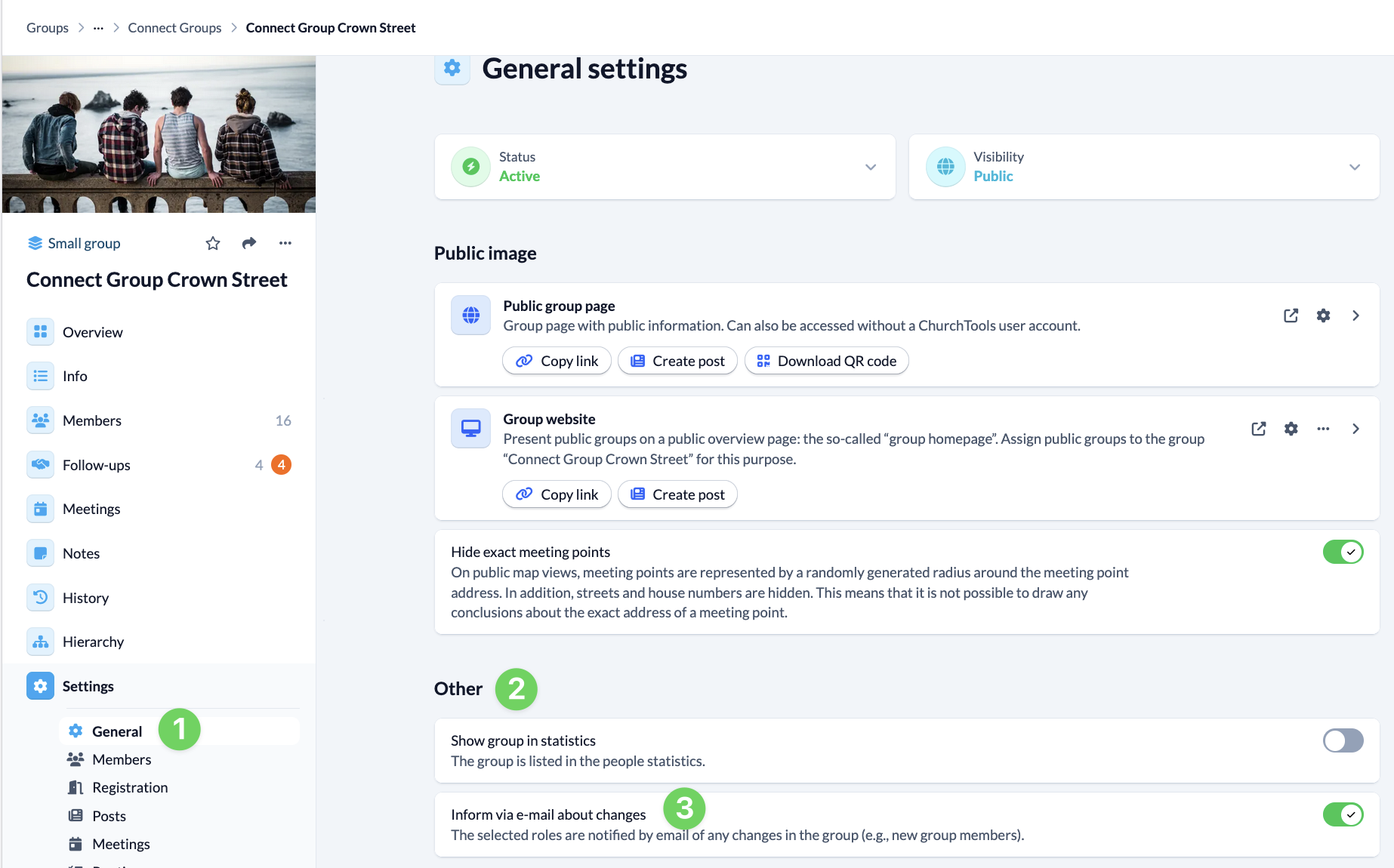
Then call up the relevant group in the Groups module. Open the general settings (1) and check under Other (2) whether Inform about changes by e-mail (3) is activated so that group members with permission roles are informed about changes.
4. Check group-internal permissions #
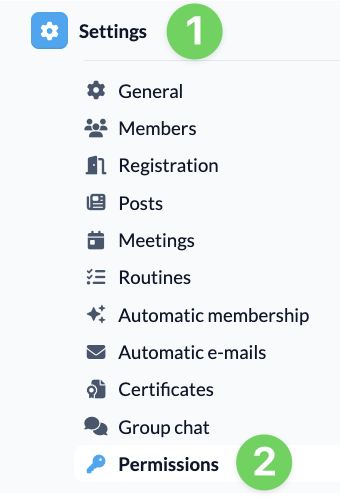
In the settings (1), go to Permissions (2) and switch to permission management for the relevant group.
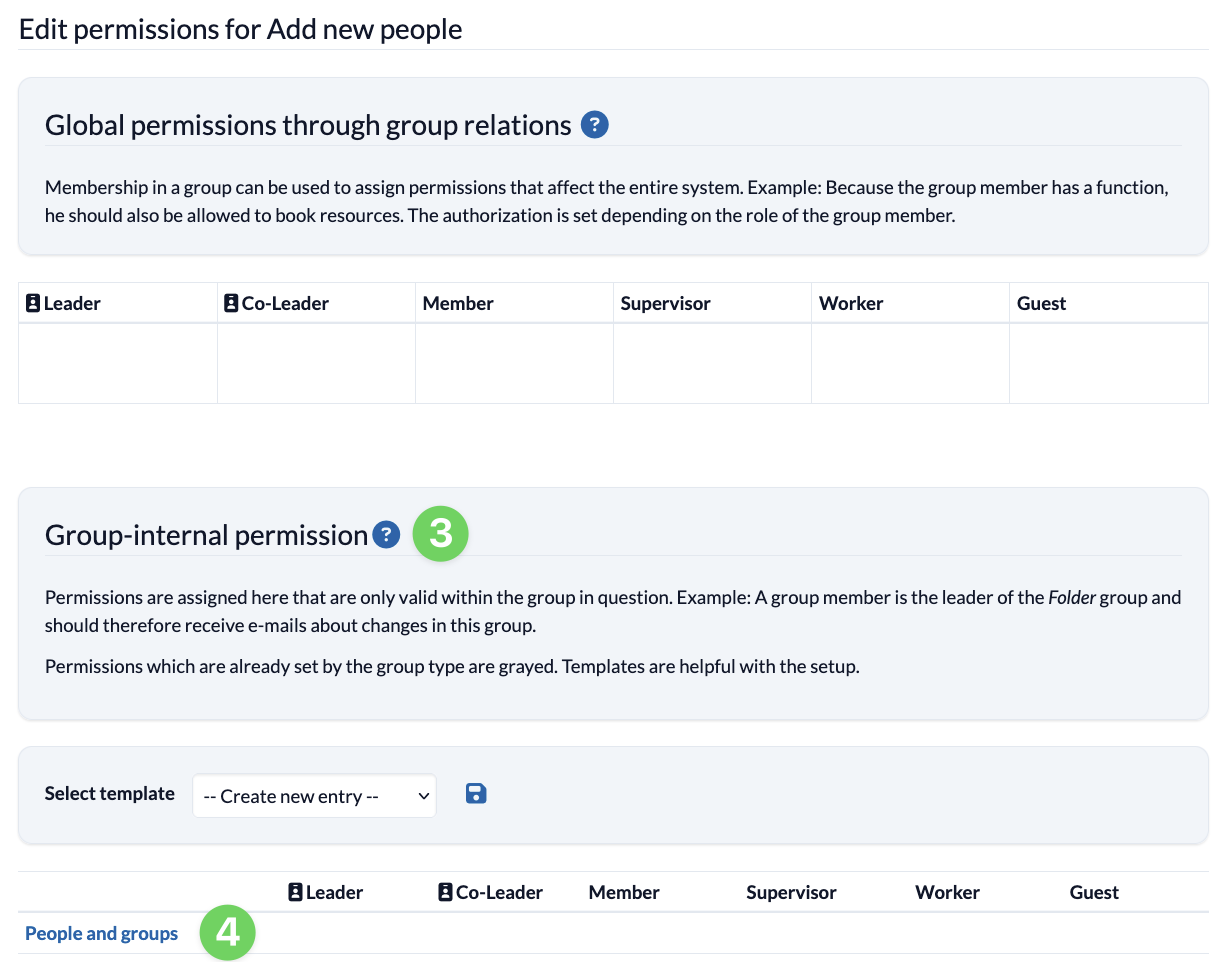
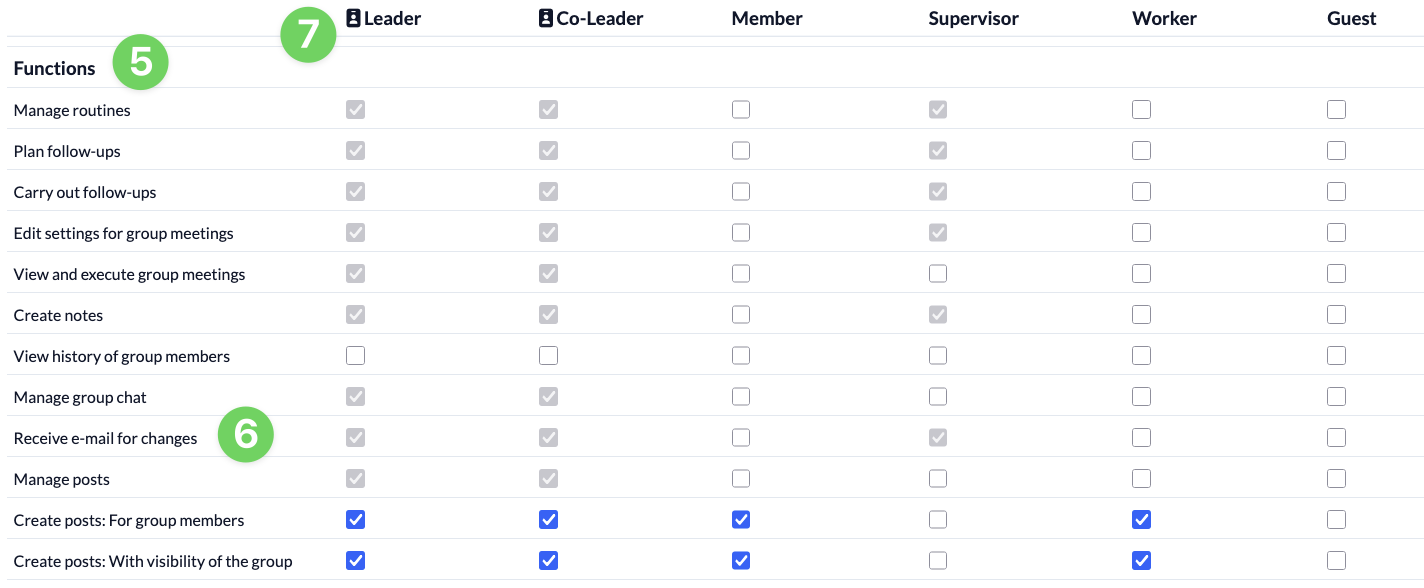
Scroll down to the group-internal permissions (3). Under People and groups (4), you will find the Functions (5) section a little further down. Check here whether the checkbox for Receive e-mails when changes are made (6) is checked for the relevant Role (7).
5. Check the ladder users #
If only certain people do not receive the change e-mails, check in the Persons module for the relevant managers:
- Is an e-mail address stored for the person and is it correct?
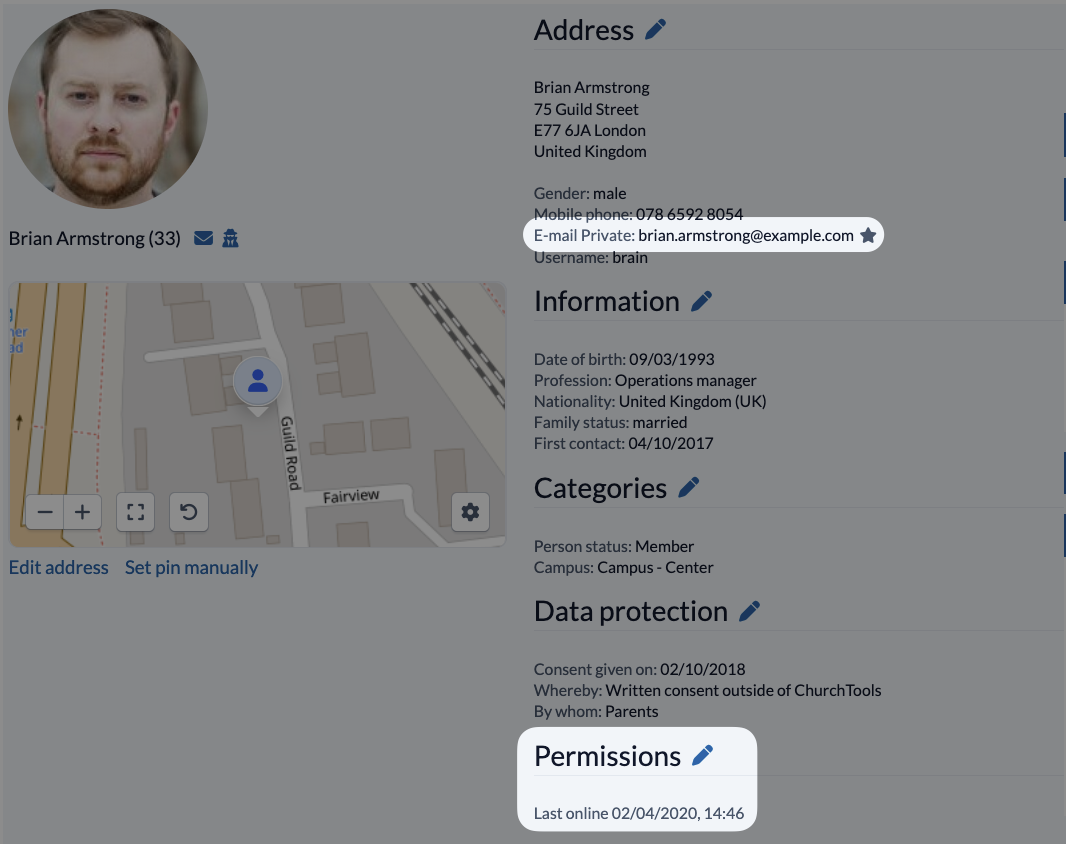
- Has the person already been logged in or invited to ChurchTools at least once? You can find this information in the person detail view under Permissions.