ChurchTools sends out various e-mails that automatically inform those responsible about changes in their departments. These system e-mails are different from the e-mails that users write personally to other users. Personal e-mails are sent independently of the settings for the system e-mails.
You decide whether and which of these system e-mails should be sent. There are three levels at which you can allow or prevent sending.
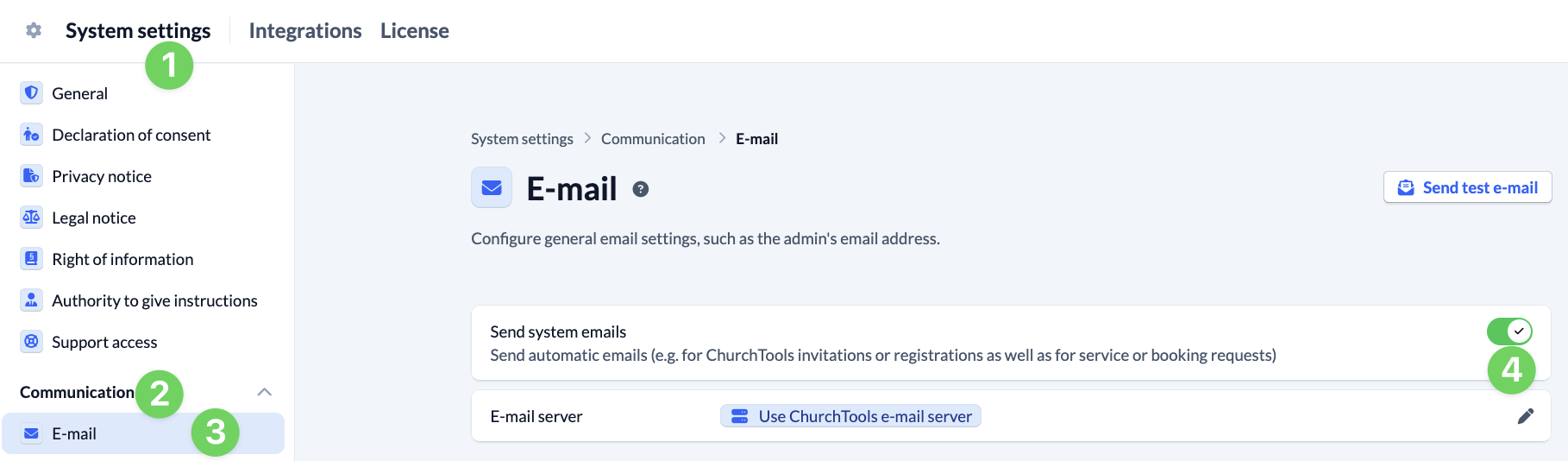
System e-mails – system-wide #
In the System settings (1), under Communication (2) and E-mail (3), you can specify whether system e-mails should be sent or not (4). If you deactivate sending, only personal e-mails are sent and no automatically generated system e-mails are sent system-wide.
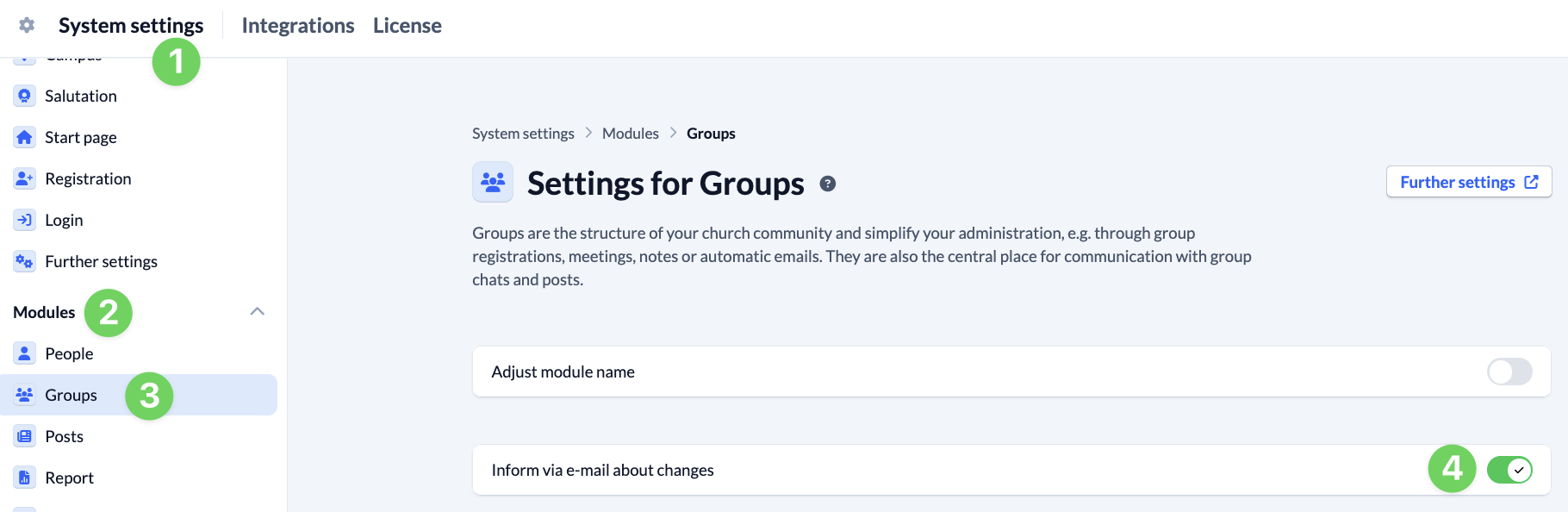
System e-mails – for all groups #
In the System settings (1) under Modules (2) and Groups (3), you can specify for all groups whether or not group members with a group role who have been given the group-internal permission to send e-mails when changes are made should be informed of changes in their groups by e-mail (4). If you deactivate sending, these group members are not automatically informed about changes.
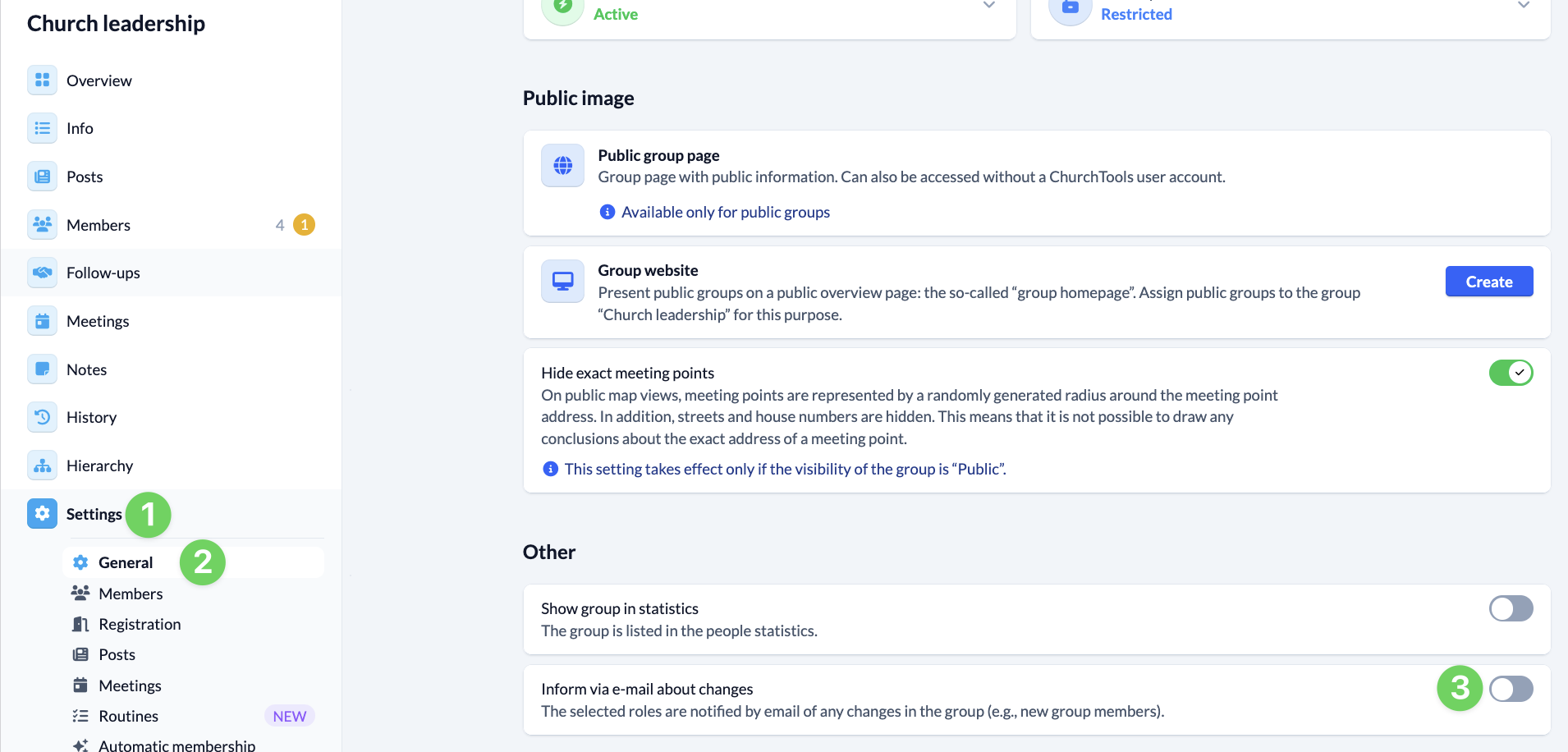
System e-mails – for individual groups #
If sending is generally permitted, you can specify for each individual group in the group settings (1) under General (2) whether or not you want to be informed of changes by e-mail (3).