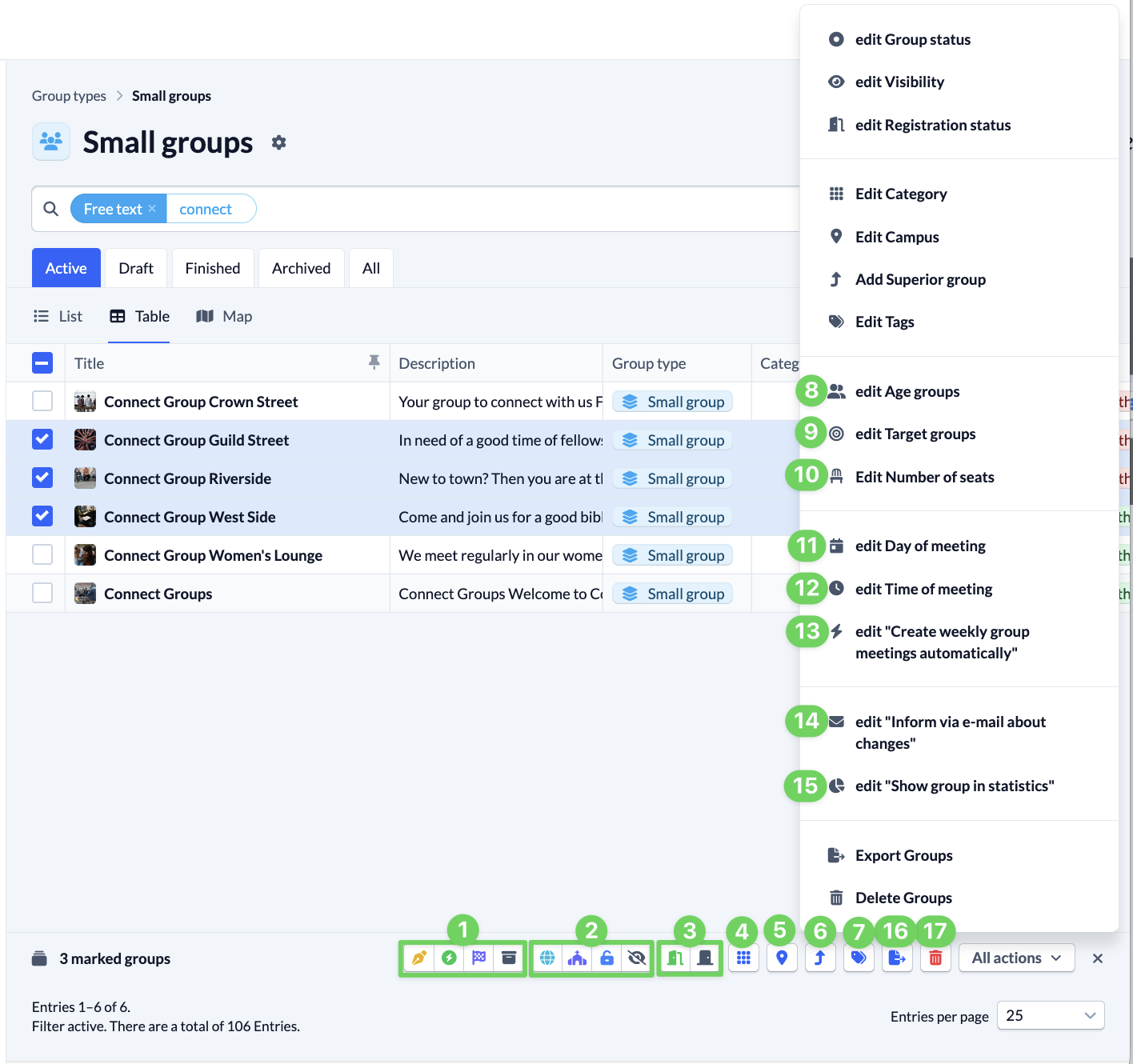
Here you will find a list of all actions that you can use for multiple groups at the same time. You can find out how to edit multiple groups at the same time with these actions here.
- (1) Edit group status
- (2) Edit visibility
- (3) Edit status of registration
- (4) Edit category
- (5) Edit campus
- (6) Add supergroup
- (7) Edit tags
- (8) Edit age groups
- (9) Edit target groups
- (10) Edit number of spaces
- (11) Edit day of the week
- (12) Edit start time
- (13) Edit “Create weekly group meetings automatically”
- (14) Edit “Inform about changes by e-mail”
- (15) Edit “Show group in statistics”
- (16) Export groups
- (17) Delete groups