Roles reminders are system e-mails that are automatically sent to people assigned to a role. There can be several reasons why service reminders are not sent. With this step-by-step troubleshooting guide, you can find and fix the reason.
If no service reminders are sent in general, then check from point 1. If this only applies to individual persons, then check point 4 in any case.
1. Check general message dispatch #
Check in the sent messages (2) via your persons menu (1) at the top right whether messages are generally sent from your ChurchTools.
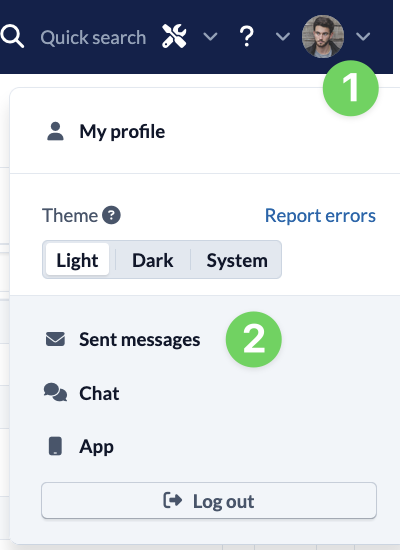
If no messages are being sent and you are using our e-mail server, please contact our support team. If you are using your own e-mail server, check that the server is set up and running correctly.
2. Check System settings #
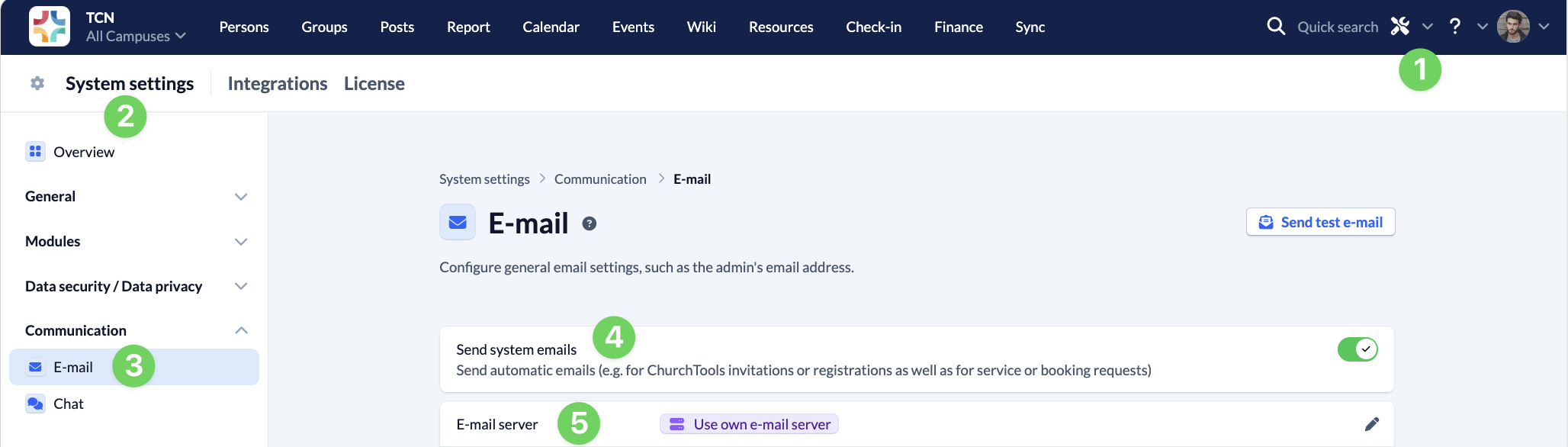
Call up the System settings (2) via the tool icon (1) in the blue menu bar.
Under Communication, navigate to the E-mail section (3) and check whether the Send system e-mails (4) switch is activated. If you are using your own e-mail server (5), also check whether the e-mail server settings are set correctly.
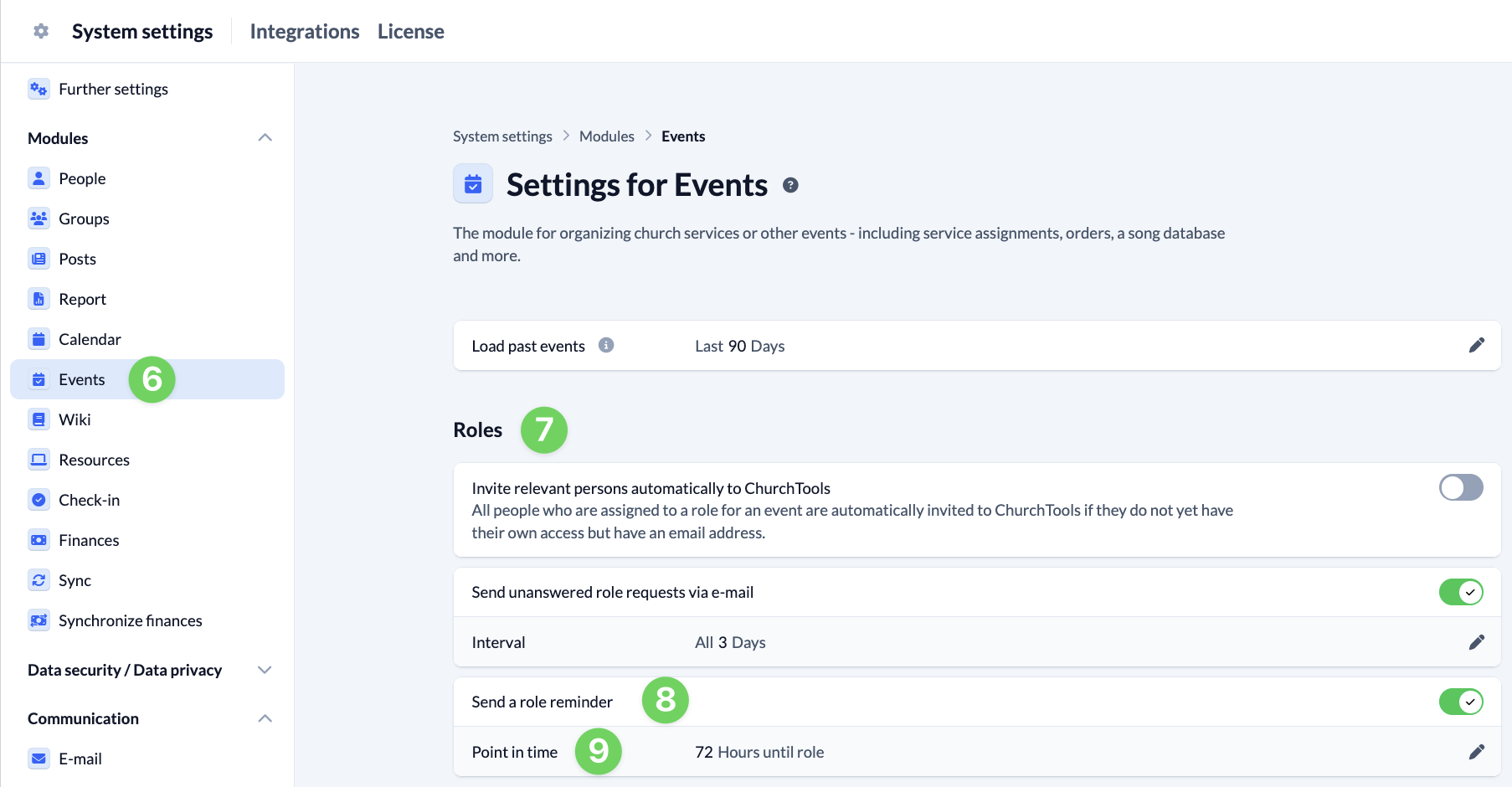
Go to the Events (6) section under Modules and check under Roles (7) whether the Send service reminders (8) switch is activated. Here you specify the time (9) when the reminder should be sent.
3. Check settings in the Events module #
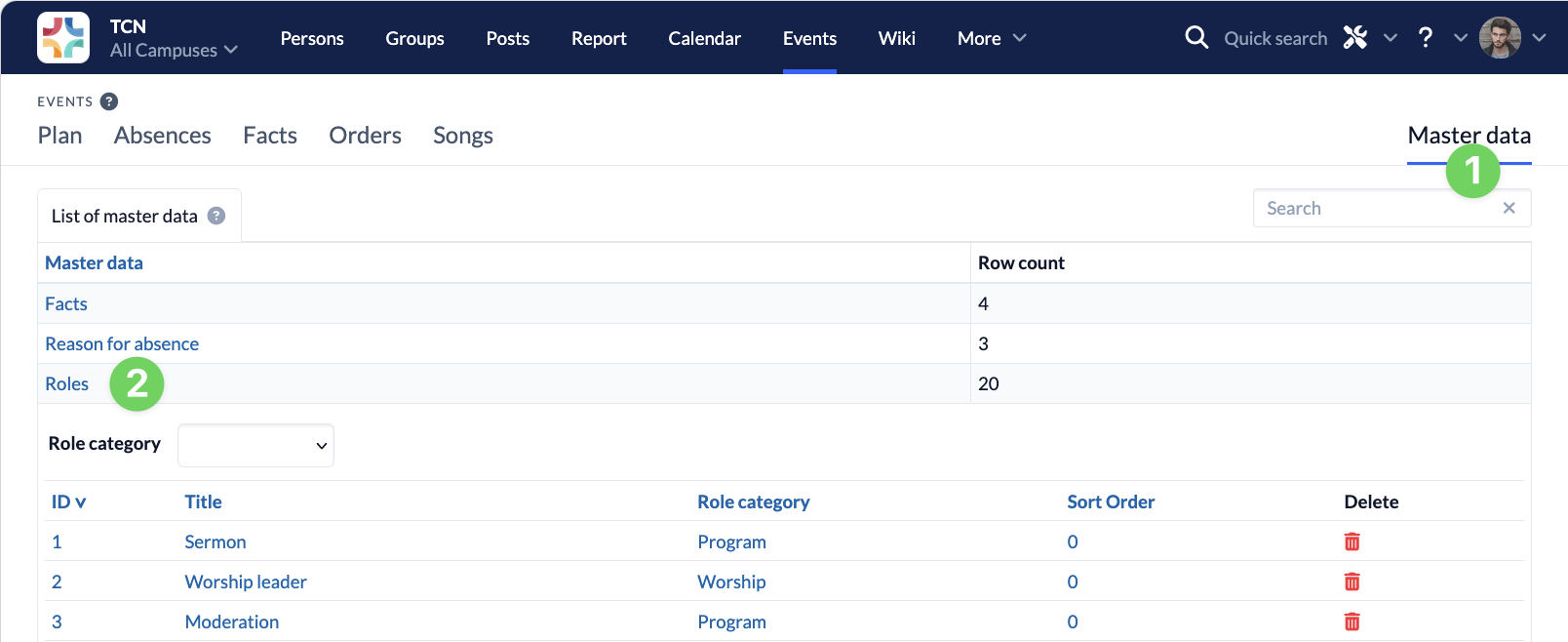
In the master data (1) of the Events module, check whether the Send service reminder by e-mail option is checked for the relevant Roles (2).
4. Check individual person #
If only certain people do not receive the service reminders, check in the People module for the person in question:
- Does a personal data record exist for the person or was the person only entered manually in the Roles? A personal data record is required for automatically sent service reminders.
- Is the person’s personal data record possibly in the archive? In this case, the person will not receive any system e-mails for this reason.
- Is an e-mail address stored for the person and is it correct?
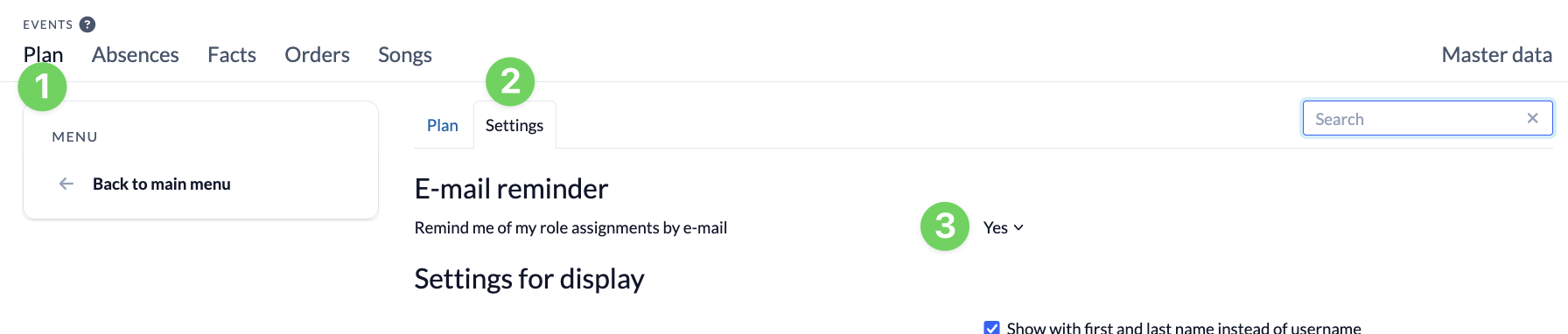
Each user can activate or deactivate service reminders in the Events module. Simulate the person and check in the Events module in the roster (1) under Settings (2) whether Remind me weekly of promised Roles (3) is activated.