


Internal and public visibility #
Groups with the ” Internal ” visibility setting are always visible to anyone with a ChurchTools account, and groups with the “Public ” visibility setting can be viewed by anyone, even those without a ChurchTools account.
Visibility: restricted and hidden #
The following table shows you which permissions make groups with the “Restricted ” and “Hidden” visibility settings visible. An “X” in the table means: If you have this permission, a group or a group member will be visible to you.
| Global rights | Intra-group rights | |||||||
View people in a specific department (view all data) | View groups of a specific group type—except hidden ones (view groups of group type) | View the groups, including their members (view group) | Edit/delete groups (edit/delete group) |
View group members (+see people) |
View group information (+see group) | Edit group memberships (role, status, notes, etc.) (+edit basic group memberships) |
View a group when its visibility is set to “Hidden” (+see hidden group) | |
| Group: | ||||||||
| Restricted groups visible | X | X | X | X | ||||
| Hidden group visible | X | X | X, d) | |||||
| Public group visible | X | X | X | X | ||||
| Group members: | ||||||||
| … see themselves as part of the group | X, a) | X | X | X, a), c) | X | |||
| …, those that are not hidden are visible | X, a) | X | X, a), c) | |||||
| …, which are hidden, are visible | X, b) | X, a), b) | ||||||
Exceptions:
a) only if you can view the group through another permission
b) only if you can view non-hidden group members through another permission
c) in the people list, you can see that a person is in the group, even if you cannot view the group itself
d) only if you also have “view grouptype ” or ” +see group “
Group registration #
As a general rule, groups with the setting ” Anyone can request group membership ” are visible on the Home page under “Join and Deregistration for Open Groups,” regardless of the visibility setting you choose for the group.
Sample Configurations #
A group member should see themselves in the group, but not other group members #
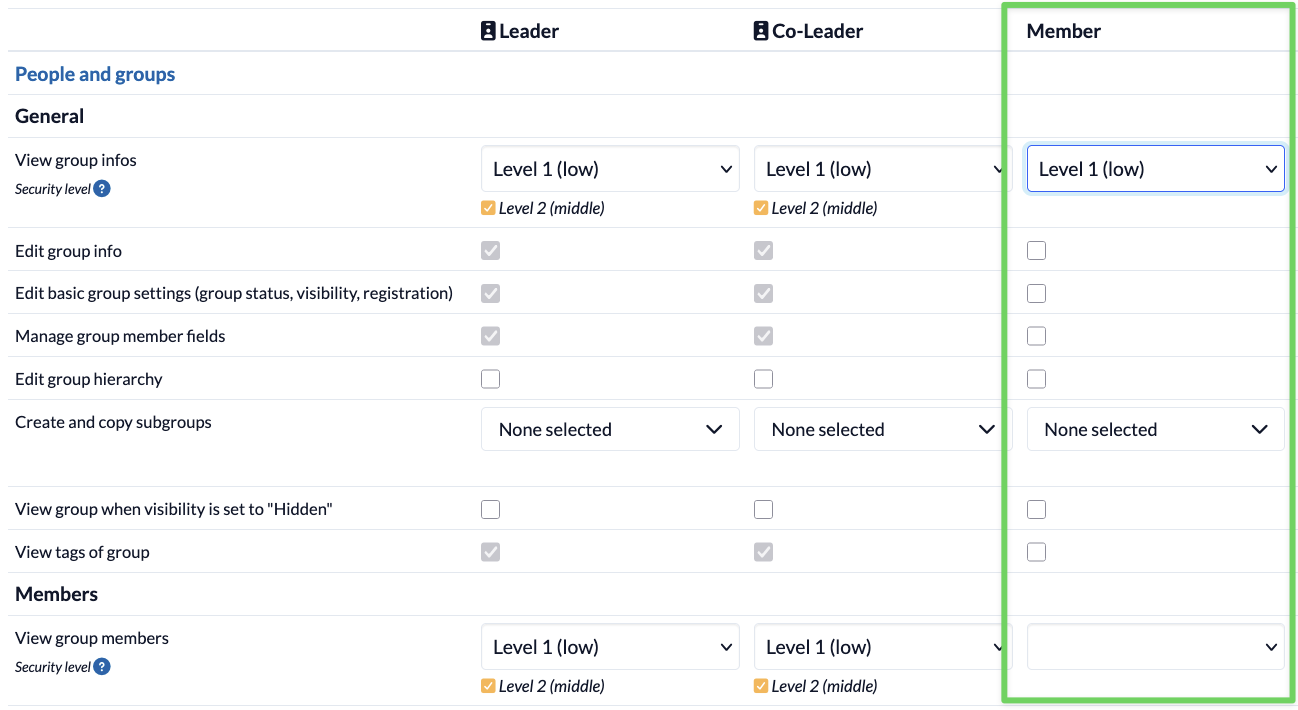
In this case, you can use the group-internal permission ” view group info.” As you can see in the table above, this permission allows the user to view restricted groups and to see themselves as a member of the group. “view group members” is not enabled, as this permission would allow the user to view other participants (see table above). “view group info” is set to Level 1.
A group member should be able to see the other group members in the list of people, but not the group itself in the list of groups #
The “Intra-group permission” grants group members the right to view other group members in the contact list, even if they cannot see the group itself (see above, exception c). However, to ensure that the group itself is not visible in the group list, the “view group info” permission must not be granted:
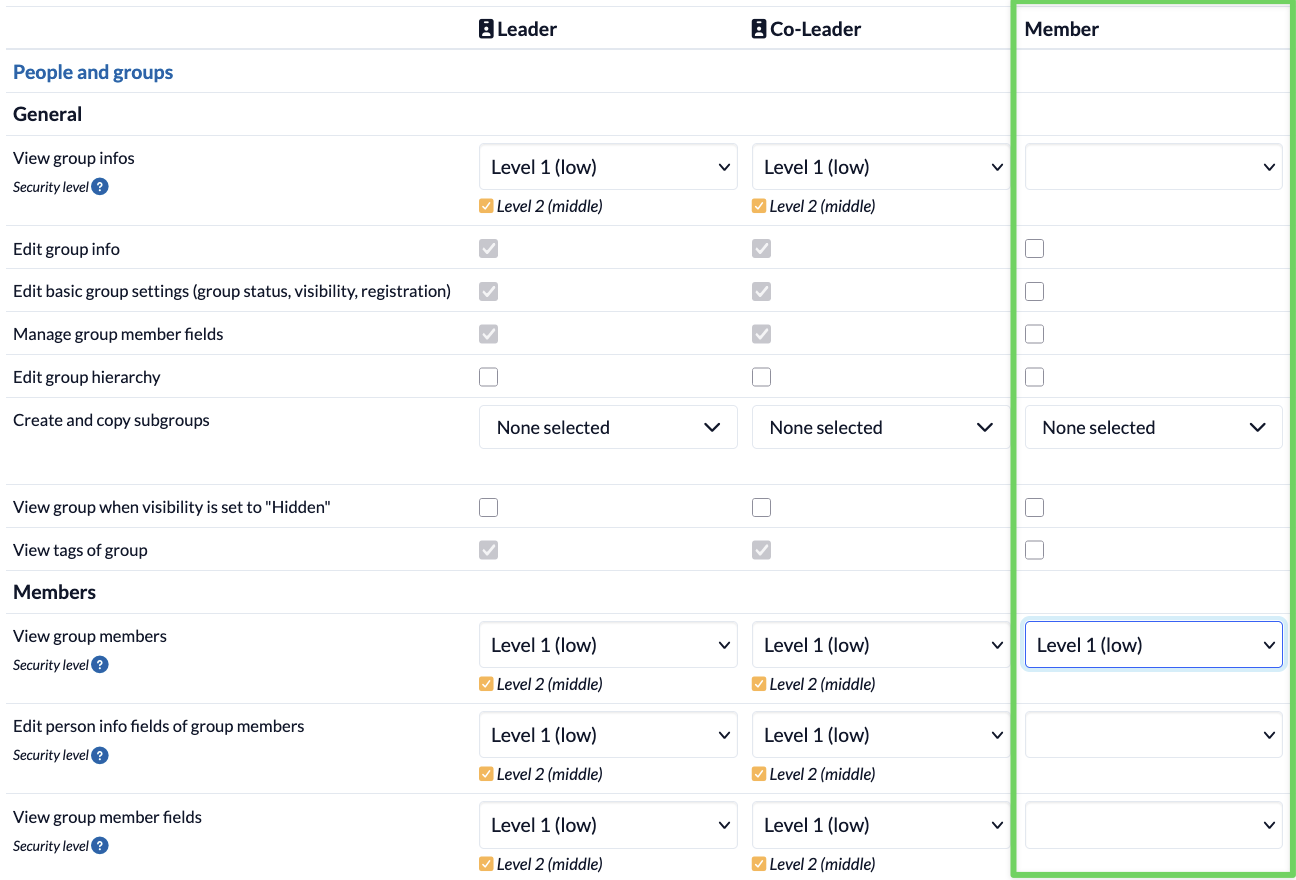
Group members can see other group members listed under “People,” but the group itself does not appear under “Groups.” Although the person’s detail view shows that they are a member of the group, the group is not linked, unlike groups that are visible to others.