


Good communication is not only very important in private life, but also in the congregation. Especially when planning and organizing your events, such as church services or prayer evenings, it is very important that employees can communicate with each other and reliably receive important information about the event.
In the Events module, we have therefore built in two functions for you that you can use to promote communication about your events.
E-mail #
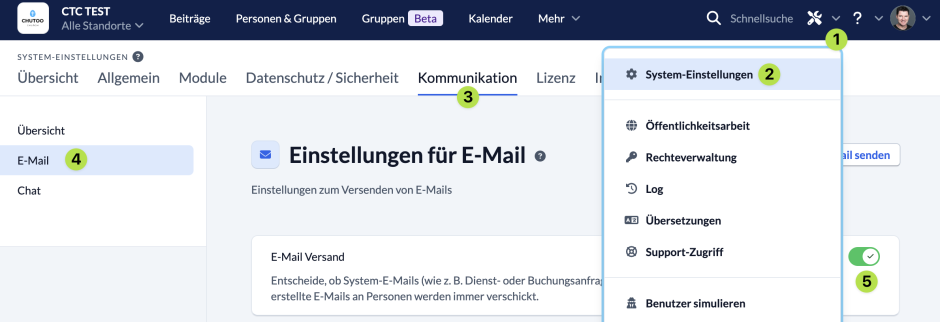
You can have ChurchTools send automatic e-mails so that people in your congregation are informed when they are requested or assigned to a role, for example.
To do this, you must activate the function in the System settings.
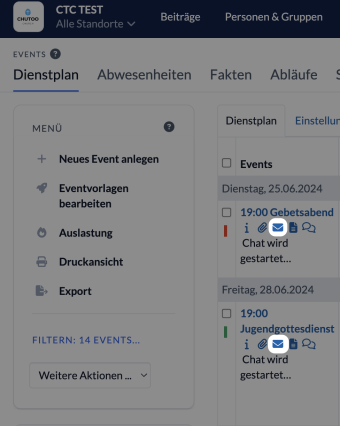
You can also compose your own e-mails and select the recipients according to the service schedule of the event.
To do this, select your event and click on the envelope.
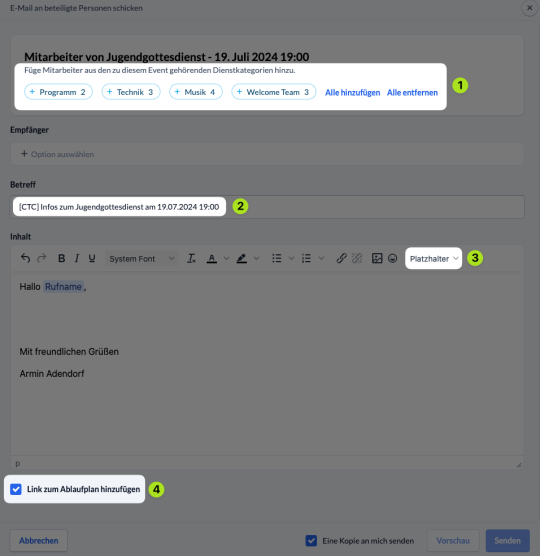
You can then compose your e-mail, specify who you want to send it to (1), adjust the subject if required (2) and, for example, send a link to the Agenda (4) directly with it.
With placeholders (3) you can also easily personalize your e-mail.
Event chat #
In addition to personal chats and group chats, there are also event chats in ChurchTools.
This works in a similar way to a group chat and opens a chat room to which all people who are assigned to a role at your event can be invited.
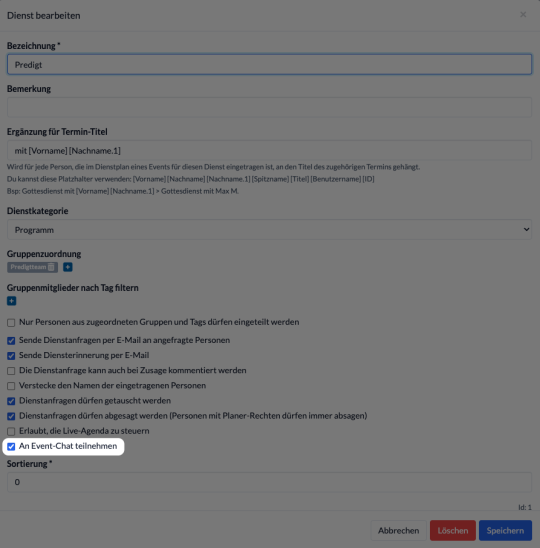
You can define exactly which Roles are invited to the event chats in the module’s master data.
To do this, navigate to the master data in the Events module and select Roles.
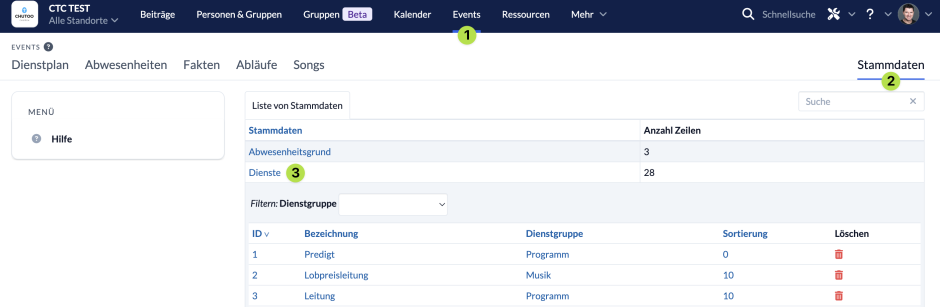
Next, click on the service for which you want to edit chat participation so that the settings open.
Here you can specify whether people who are registered for this service should participate in the event chats or not.
You can find more information on how to use the event chat here.