In the Groups module, you will find all the groups that have been created in your ChurchTools and that you are allowed to see.
You will find the following functions on the home page of the module:
In the header, you can switch to the settings (1) and quickly create a new group (2).
Directly below this is the search function (3), which you can use to search for a specific group or filter the groups displayed according to certain criteria.

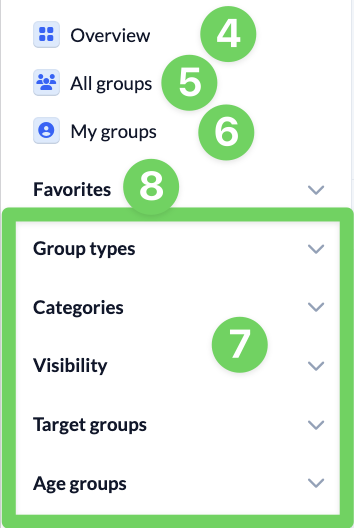
You can use the bar on the left-hand side to return to the overview (4). You can also display all groups that you are allowed to see (5) and all groups that you are a member of (6) or call up some preset filters (7).
Categories, target groups and age groups offer simple ways to filter your groups. You can find the settings for target and age groups under Manage group information in the settings of the Groups module. You can also manage the categories there.
Here you will also find the option to mark groups as favorites (8) so that you can easily find them again.
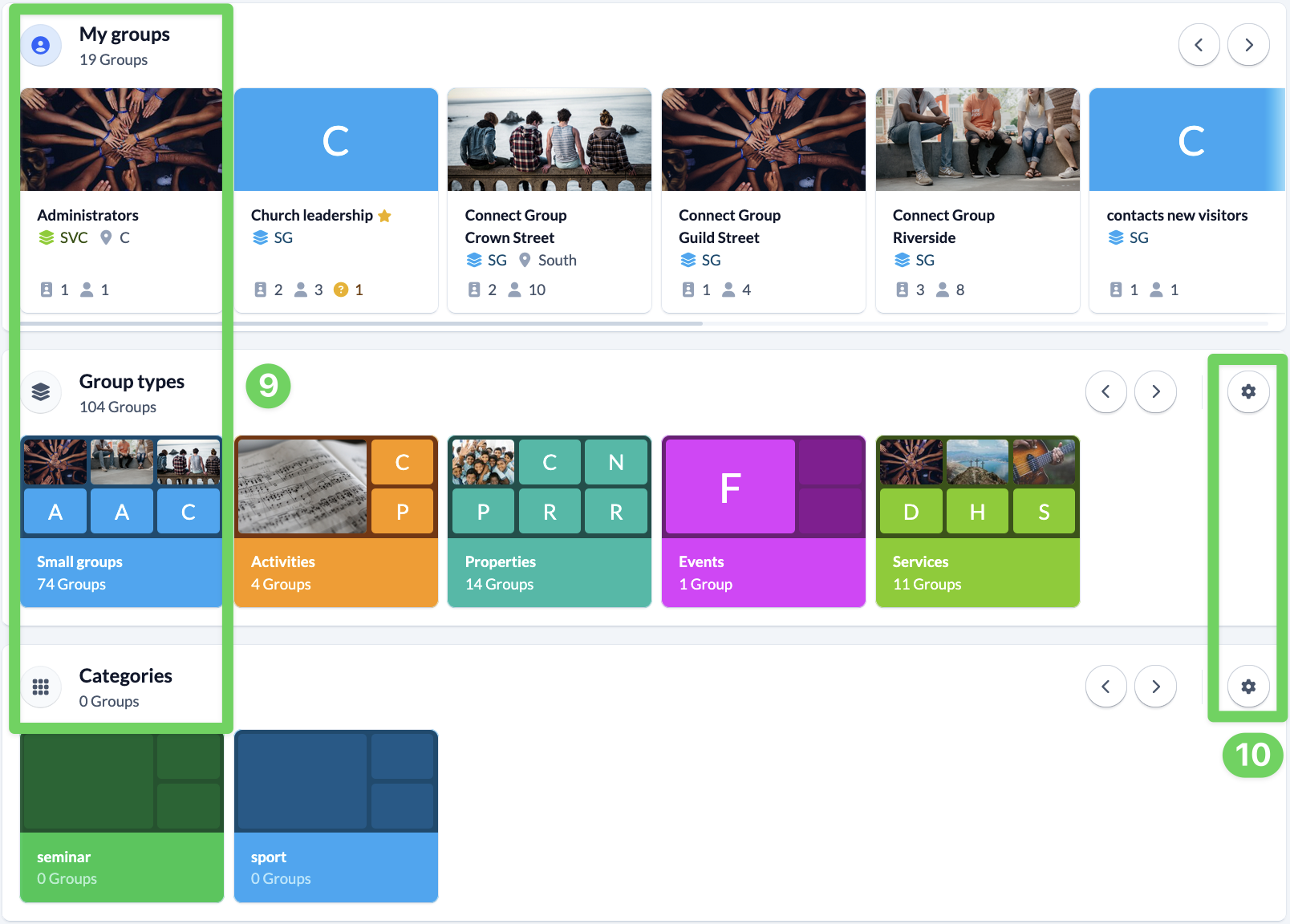
You can see all groups in the middle of the page. At the top under My groups (9) are the groups that you are a member of and below that all other groups (9) that you are allowed to see, sorted by group type, category, target group and age group. You can mark each group as a favorite using the group tiles.
The cogwheels (10) at the right end of the lines will take you directly to the relevant area in the settings so that you can make changes quickly.