


The ChurchTools finance module offers an accounting solution for small and medium-sized churches.
This means that anyone can make transactions from anywhere.
Anyone: Both the experienced bookkeeper and the department manager who wants to make bookings for their department, such as the book table or the café.
Anywhere: Anyone can securely log in to ChurchTools as usual from anywhere and get started.
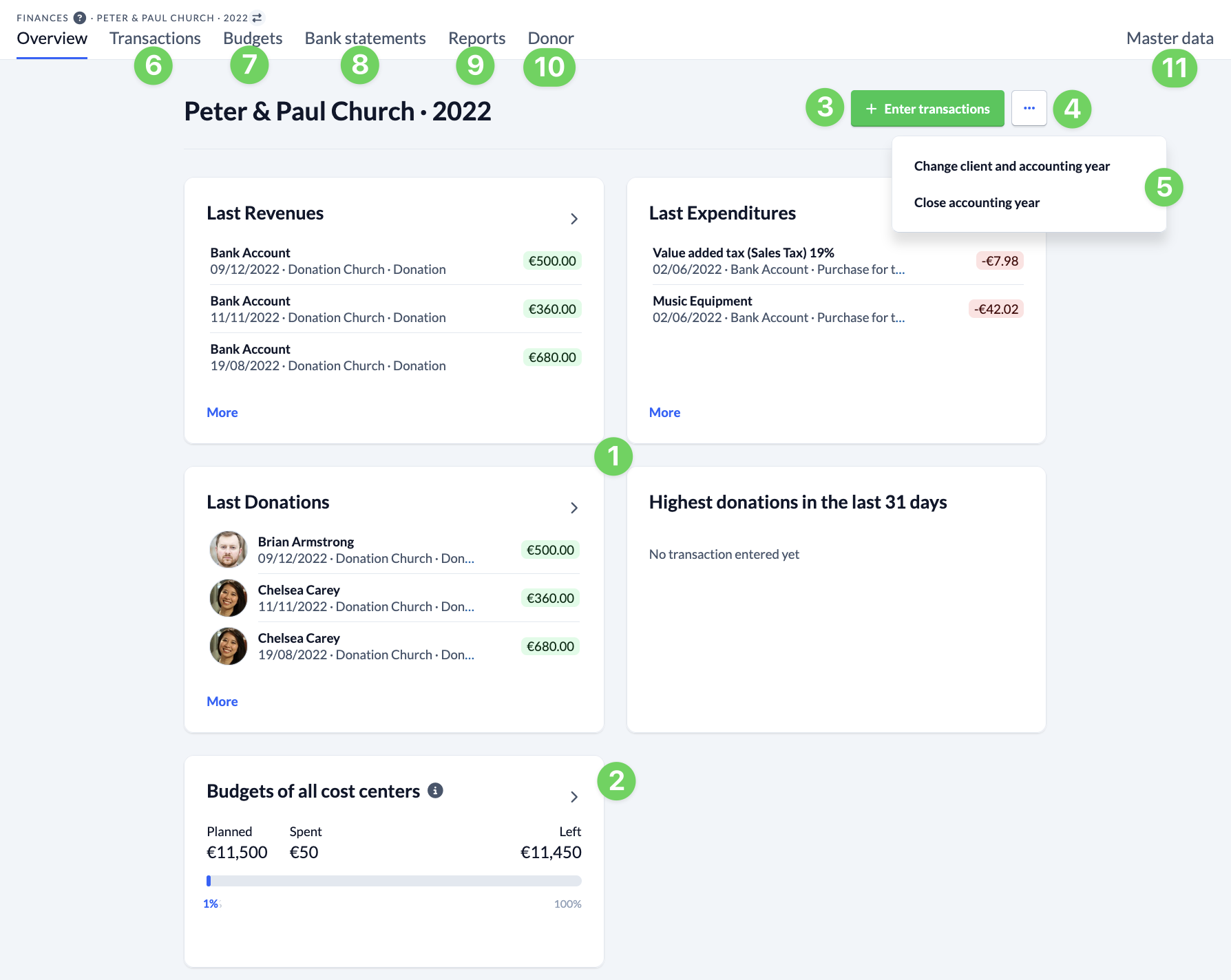
If you navigate to the finance module, you will first see an overview of the last income, expenses, donations and the highest donations of the last 31 days (1). The budgets of all cost centers and accounts (2) are also displayed. Use these tiles to quickly switch to the bookings (6) or budgets (7).
Above the overview on the right-hand side you can quickly enter new bookings (3), change the client and posting year and close a posting year (5).
Via the 2nd menu level above, you can also switch to the bookings (6) and budgets (7), but you can also view the account statements (8) can also be displayed.
Under Reports (9) you will find, for example, the balance sheet and profit and loss report.
Under Donors (10) you can see an overview of all donors and create donation receipts.
On the right-hand side of this level, call up the Master data (11) of the finance module, where you can create new clients, posting years and charts of accounts, among other things.
Permissions for the Finances module #
You assign the permissions for the Finances module globally with the following permissions:
- View Finances (view)
- View accounting years and clients (view accounting period)
- Creating and Editing transactions for the Accounting Year and Client (edit accounting period)
- Edit master data (edit masterdata)
In addition, you can give members the following group-internal permissions for their groups in order to work with the person responsible for finance:
- View budgets in associated cost centers
- View transactions and budgets in associated cost centers
- View donors in associated cost centers
- Create transactions for linked cost centers