Login into the portal using the Edge browser sometimes doesn’t work. This may be because in Edge, either
- Cookies for the portal are blocked, or
- A pop-up blocker is enabled on the portal website.
Here’s how to fix it: #
1. Open your browser settings #
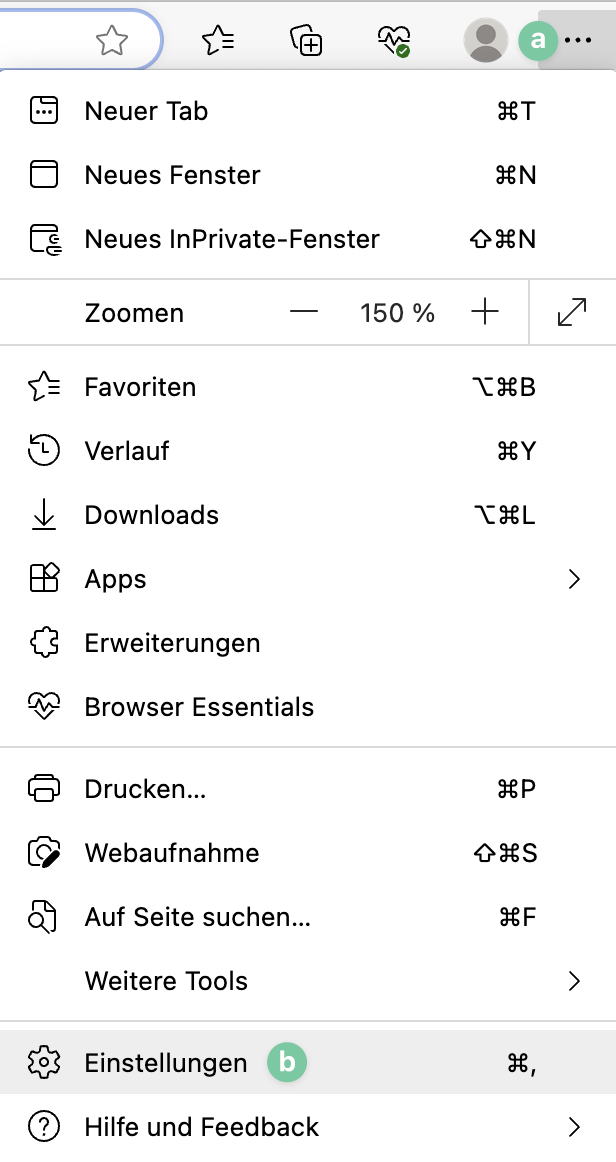
Open Settings in Edge:
2. Enable cookies #
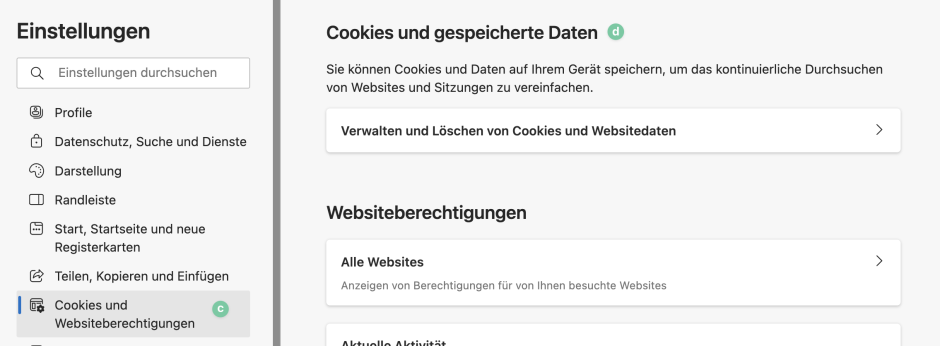
Under ” Cookies and Website Permissions ” (c) and here under ” Cookies and Stored Data ” (d), you can enable cookies for the portal.
3. Disable pop-up blockers #
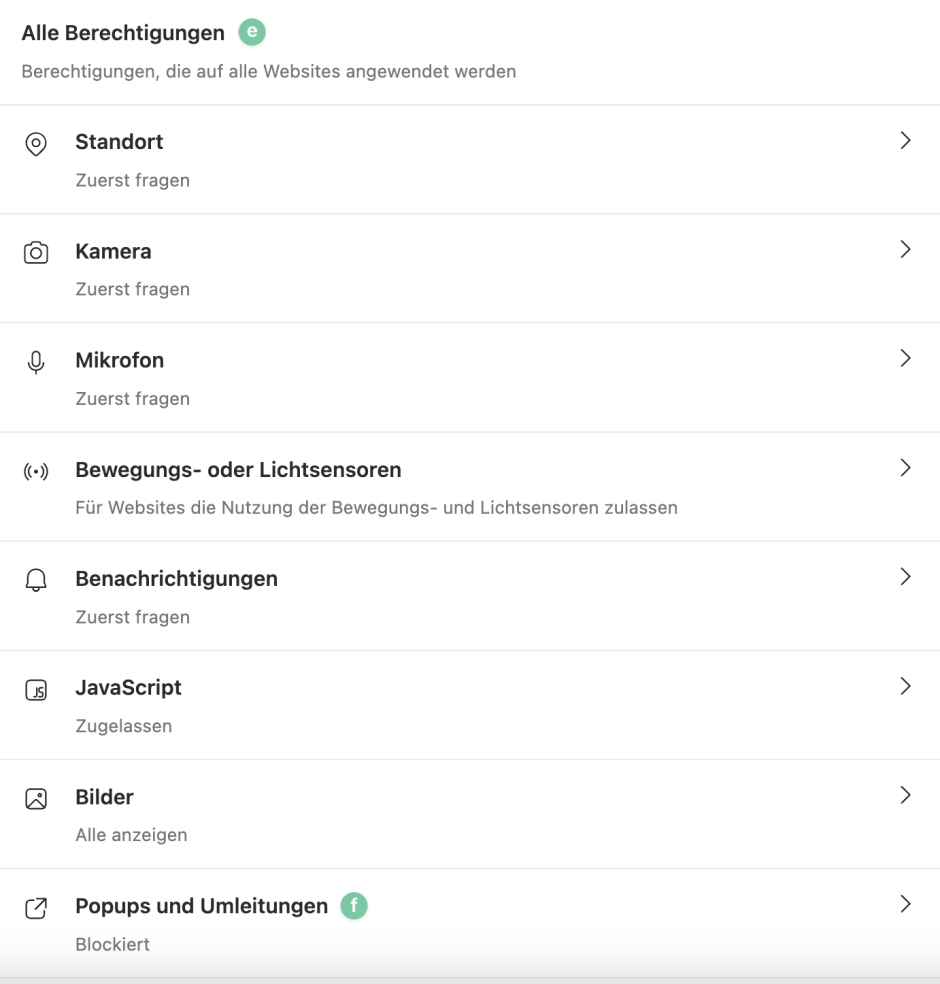
You can also disable the pop-up blocker for the portal website under ” Cookies and Website Permissions ” (c), but under ” All Permissions ” (e) >, ” Pop-ups and Redirects ” (f).