


First, check the following in your system:
1. There are now two accounts under your name.
2. One account has ID #1, and the other has a different ID.
3. You can find the ID by looking up your own name in the list of people; it’s displayed in blue in the lower-right corner with a # in front of it.
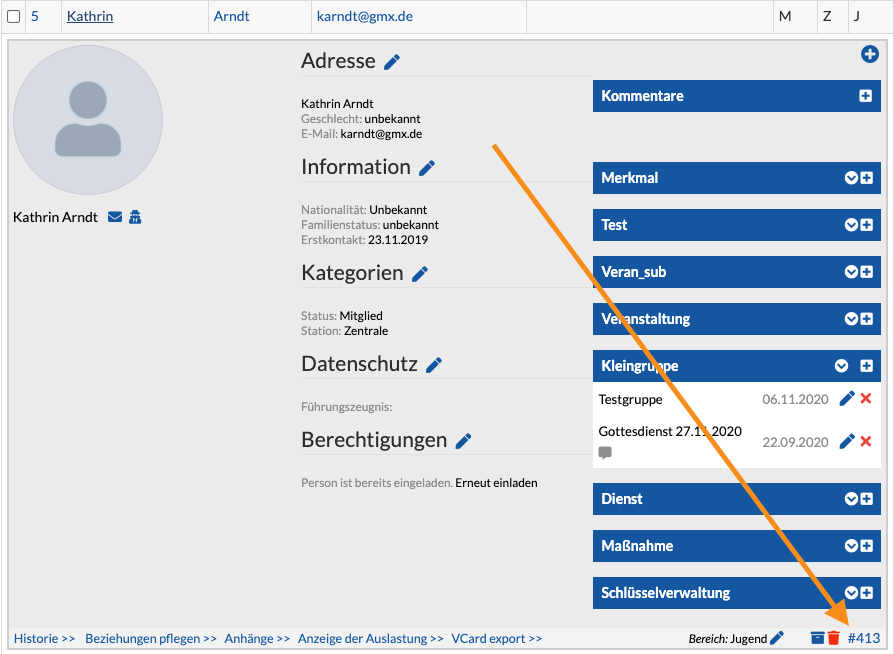
If this applies to you, please do the following:
1. Access your system again outside the portal, directly via your URL—that is, at elkwXXXX.church.tools.
2. Sign up with your old e-mail address and password.
3. Delete your second account with the ID other than ID #1.
4. Enter your new e-mail address in the account with ID #1.
5. Once you’ve made these changes, always sign up through the portal from now on.