Direct print #
1. Open calendar module #

2. Adjust calendar view #
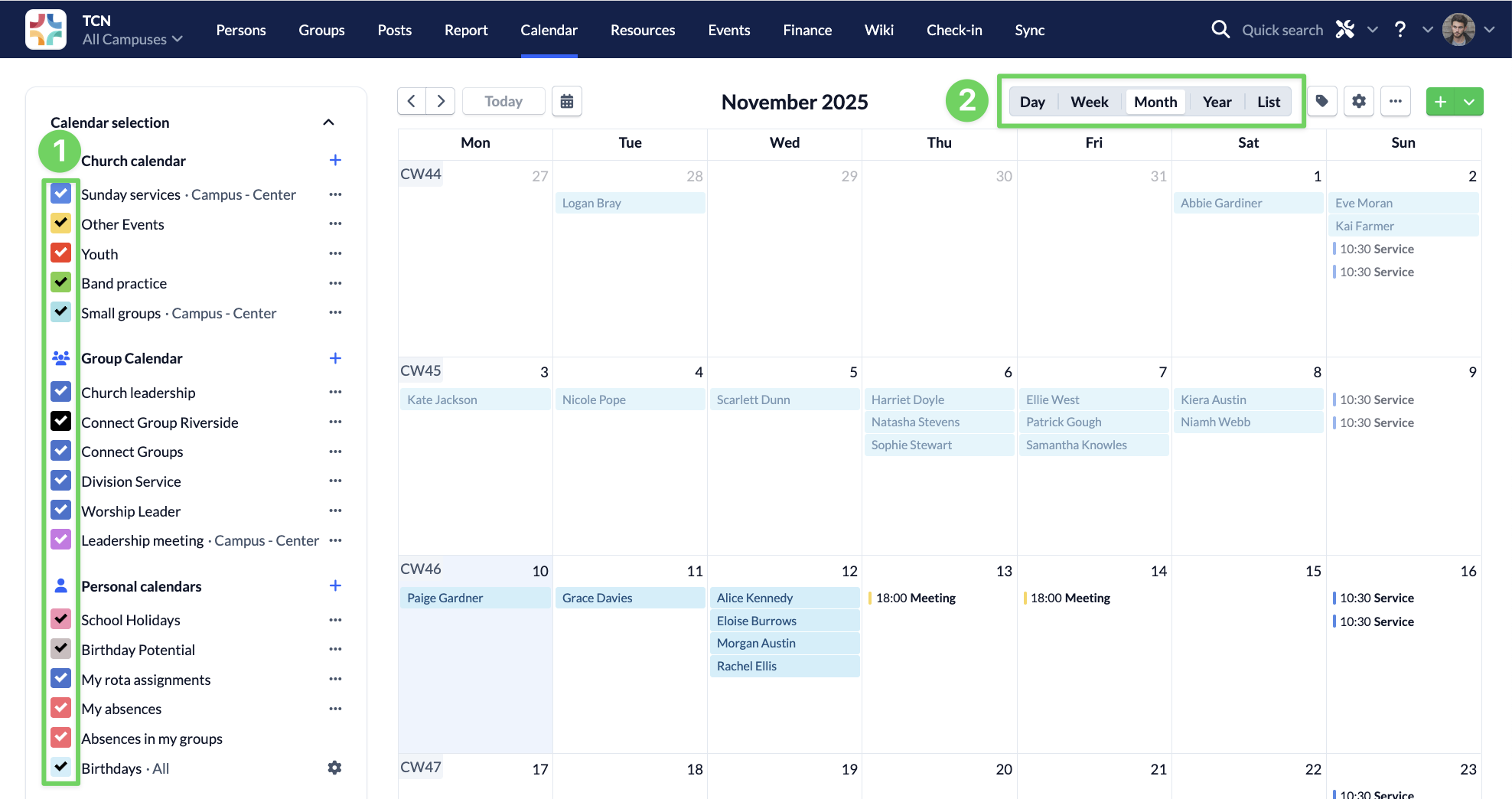
Select which calendars you want to see (1) and in which time period (2). It will print exactly what you can see on your screen.
3. Print calendar view #
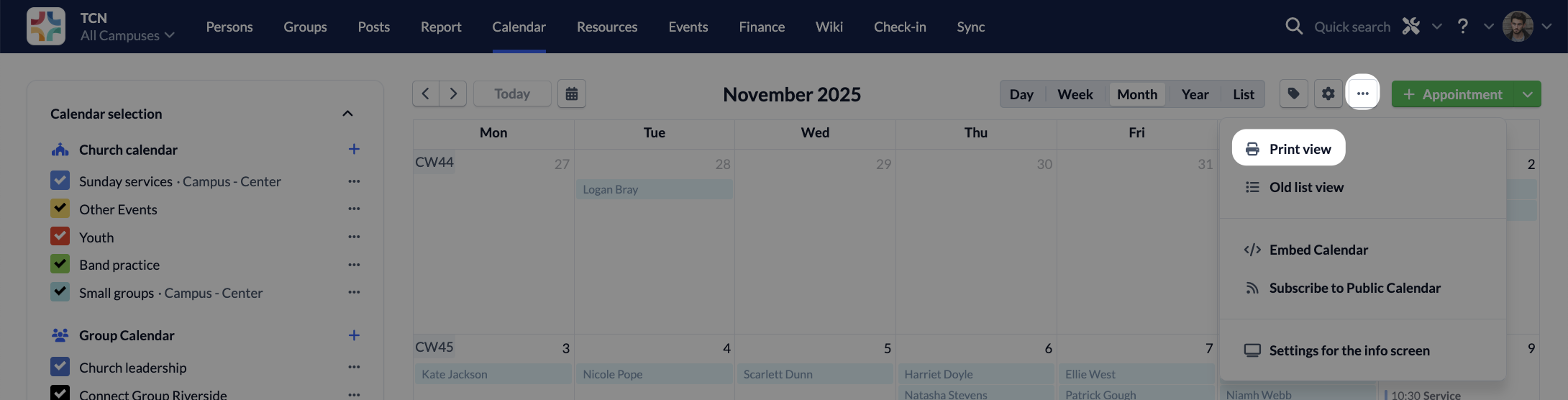
Click on Print and choose in the opening dialogue box whether you want to create a pdf file or start printing on your printer.
External printer tool #
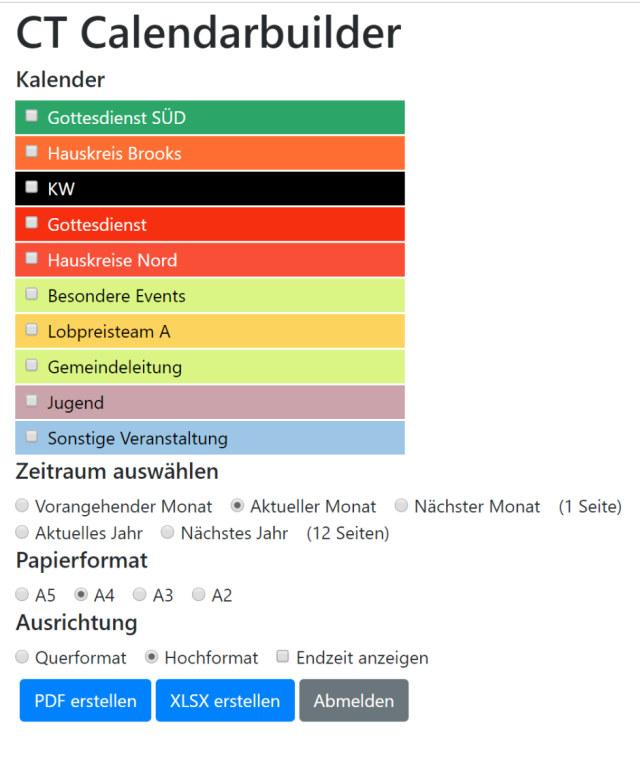
Alternatively, you can use an external printer tool, which has been programmed by André Schild and made available free of charge: Printer-Tool
You can use it to print in a more versatile way and, for example, select several time periods or the paper format.